 Retro Replay Retro Replay gaming reviews, news, emulation, geek stuff and more!

Retro Replay Review
Gameplay
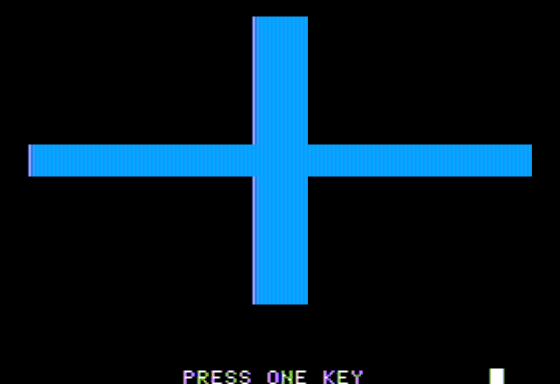
Juggles’ Butterfly offers a straightforward yet engaging learning loop designed specifically for children ages 3–6. At its core is a unique keyboard template overlaid with two bright blue lines dividing the keys into four distinct zones: above, below, left, and right. The game prompts young players to press a key from one of these quadrants, reinforcing spatial awareness and basic motor skills as they navigate the divided keyboard layout.
(HEY YOU!! We hope you enjoy! We try not to run ads. So basically, this is a very expensive hobby running this site. Please consider joining us for updates, forums, and more. Network w/ us to make some cash or friends while retro gaming, and you can win some free retro games for posting. Okay, carry on 👍)
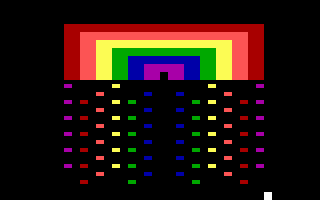
Each correct keystroke rewards the player with a burst of colored shapes dancing across the screen. These vibrant animations serve as instant positive feedback, motivating children to continue practicing their key-finding skills. By associating each zone with a specific visual flourish, the game subtly teaches directionality—terms like “above” and “below” transform from abstract concepts into tangible, interactive lessons.
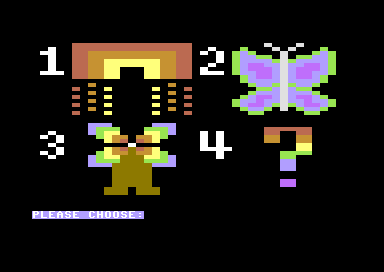
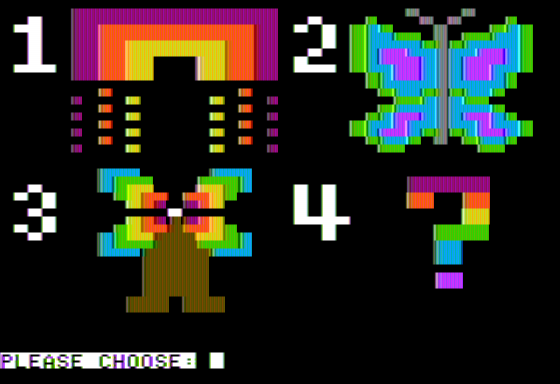
After progressing through several guided challenges, players unlock a delightful free-form mode. Here, every keystroke contributes to building an animated picture—whether it’s part of a rainbow’s arc, the wing of a butterfly, or a spinning windmill. This creative sandbox encourages experimentation: pressing keys in different quadrants adds new elements or alters colors, turning a simple positional exercise into an artistic exploration.
Beyond mere key-press drills, the gameplay strikes a careful balance between structure and imagination. The initial levels are tight and goal-oriented, giving clear instructions and measurable milestones. Once confidence grows, children move into the sandbox environment, gaining the freedom to mix shapes, colors, and animations as they please. This progression keeps learners challenged without overwhelming them.
Additionally, gentle audio cues and whimsical sound effects reinforce each correct action. A soft chiming noise accompanies every shape that appears, further rewarding accuracy and sustaining engagement. For players who may struggle at first, the pacing is forgiving: there’s no penalty for mistakes, and hints can be toggled on to guide finger placement until mastery is achieved.
Graphics
The visual style of Juggles’ Butterfly is bright, cheerful, and perfectly attuned to preschool sensibilities. Backgrounds feature softly gradient skies and pastel landscapes that never feel cluttered, placing full focus on the dynamic shapes and colors spawned by each correct keystroke. The simplicity of the art ensures it remains accessible to young eyes while still feeling polished and modern.
Colored shapes—circles, squares, triangles, and custom motifs—appear in eye-catching hues like sunny yellow, sky blue, and leafy green. As they float and bounce around the screen, they create a lively, almost musical choreography. This tasteful minimalism keeps children from feeling visually overwhelmed, while the smooth animations maintain a sense of wonder with each successful input.
When players transition to free-form mode, the graphics engine really shines. Building a rainbow involves sweeping arcs that radiate luminous gradients, whereas constructing a butterfly yields delicate wing patterns that gently flutter to life. The windmill’s blades rotate in a hypnotic, fluid motion, complete with subtle shading and motion blur that give each object a three-dimensional feel.
Even the keyboard overlay is thoughtfully designed, with the two dividing lines rendered in a friendly blue that stands out against the standard keycaps. This ensures that young learners can easily distinguish the four interactive zones at all times. The UI elements—buttons, menus, and progress indicators—are similarly large, colorful, and icon-driven, so non-readers can navigate independently.
Overall, the graphical presentation strikes an excellent balance between educational clarity and storybook charm. It never resorts to flashy gimmicks or overstimulation; instead, it delivers consistent, high-contrast visuals that guide and delight young players throughout their learning journey.
Story
While Juggles’ Butterfly is primarily an educational title, it weaves a gentle narrative thread to keep young minds invested. The titular character—Juggles, a playful butterfly—acts as both guide and companion. Each guided exercise is framed as a puzzle that helps Juggles gather colorful fragments needed to complete her fantastical artworks.
Children are told that Juggles wishes to decorate her garden with rainbows, fanciful butterflies, and miniature windmills. Every time a correct key-press produces a shape, it is presented as a “gift” that Juggles carefully places into her design. This framing transforms isolated tasks into meaningful quests, nurturing a sense of purpose and progression.
Between levels, brief animated vignettes show Juggles happily flitting about—pausing to admire the newly formed picture or encouraging players with cheerful waves. These non-verbal cutscenes are perfect for pre-readers, relying on expressive motions and bright visuals rather than text. They reinforce the idea that learning to navigate the keyboard is directly helping Juggles achieve her creative dreams.
Although the story doesn’t delve into complex plot twists, it provides just enough context to make each exercise feel like part of a larger journey. The narrative simplicity ensures that children remain focused on the educational objectives, without unnecessary distractions or adult concerns.
For parents seeking thematic depth, the story’s real value lies in its motivational power. By positioning learning tasks as steps toward completing Juggles’ artwork, the game fosters a “help your friend” mindset that resonates with preschoolers’ cooperative instincts. It turns dry drills into collaborative adventures, building both skills and confidence.
Overall Experience
Juggles’ Butterfly stands out as an educational title that feels more like play than instruction. The core design—pressing keys relative to easy-to-see blue dividing lines—addresses a genuine learning need, giving children an intuitive introduction to keyboard geography. Yet the game never sacrifices fun for function; positive reinforcement comes through delightful animations, cheerful audio cues, and the promise of a final creative reward.
The gradual shift from structured challenges to open-ended creation is one of the game’s greatest strengths. Early levels build essential skills with clear goals and immediate feedback, while the free-form mode lets young artists take center stage. This dual approach ensures both confidence and creative exploration, catering to different learning styles and attention spans.
Parents and educators will appreciate the game’s no-penalty philosophy. Mistakes simply yield no shape, and gentle hints can be enabled to support reluctant learners. There are no timers or high-pressure mechanics—just a patient, encouraging environment where progress is measured by curiosity and enjoyment rather than high scores.
From a technical standpoint, Juggles’ Butterfly runs smoothly on typical home computers and supports a wide range of keyboards. Setup is minimal: load the game, adjust volume, and you’re ready to guide your child through a colorful world of shapes and sounds. The minimal system requirements make it an excellent choice for both home and classroom settings.
In summary, Juggles’ Butterfly is a charming, well-crafted educational experience that successfully merges keyboard training with artistic expression. It’s a must-have for families and preschool programs seeking to introduce early learners to computers in a fun, meaningful way. By the time children finish their first rainbow or butterfly masterpiece, they’ll have gained valuable spatial skills and the confidence to explore further digital adventures.


Reviews
There are no reviews yet.