 Retro Replay Retro Replay gaming reviews, news, emulation, geek stuff and more!
Retro Replay Review
Gameplay
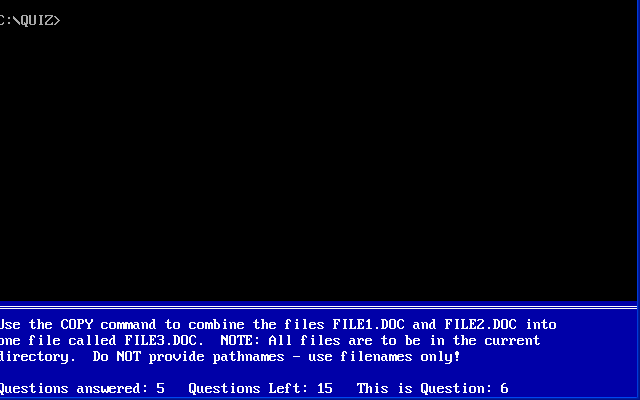
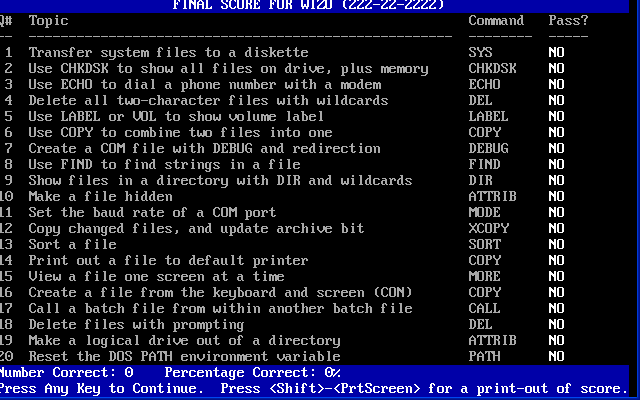
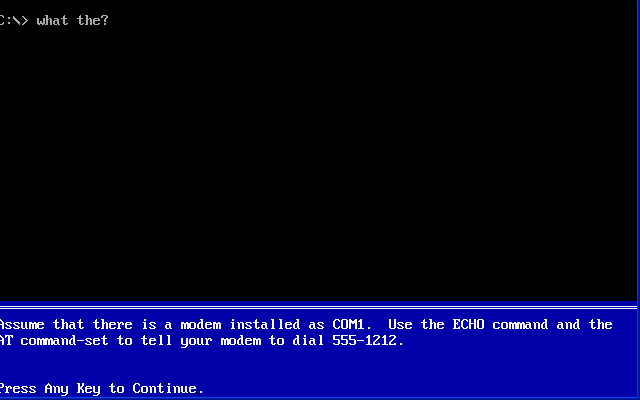
Advanced DOS Quiz takes a refreshingly straightforward approach to its gameplay by immersing you in an authentic DOS environment. You’re presented with a series of 20 exercises, each prompting you to input the correct command to complete a task—whether it’s navigating directories, managing files, or configuring system settings. The interface mimics the original DOS prompt so accurately that you’ll feel like you’re back in the early PC era, complete with blinking cursors and text-only feedback.
(HEY YOU!! We hope you enjoy! We try not to run ads. So basically, this is a very expensive hobby running this site. Please consider joining us for updates, forums, and more. Network w/ us to make some cash or friends while retro gaming, and you can win some free retro games for posting. Okay, carry on 👍)
If you hit a question you can’t answer, you have the option to skip and move on to the next exercise. This skip feature ensures that your momentum isn’t disrupted by a single tricky question, but it also carries the implicit challenge of returning later with fresh persistence or consulting the included readme file for the correct answers. After completing all 20 questions, the quiz tallies your success rate and offers you the chance to replay the same set of challenges, reinforcing learning through repetition.
What sets Advanced DOS Quiz apart from its predecessor is its unapologetic focus on depth. The author warns that these exercises are “too advanced for a normal office environment,” and indeed, the quiz leans heavily into nuanced command-line scenarios that go beyond basic directory listings or simple file copies. This elevated difficulty curve makes the title both a rigorous self-test for power users and a valuable training tool for companies that want to ensure their staff can handle real-world DOS-related tasks.
While some players might miss more varied question pools or randomization, the fixed set of exercises allows for concentrated mastery. You can target specific commands time and again, turning weaknesses into strengths. For those who see DOS mastery as a badge of honor, the gameplay loop here is a satisfying grind towards complete command-line fluency.
Graphics
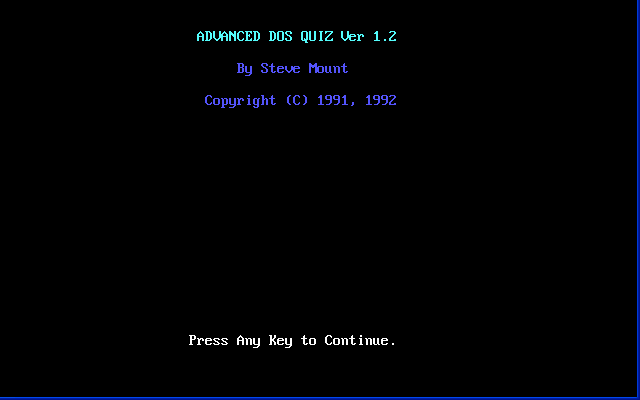
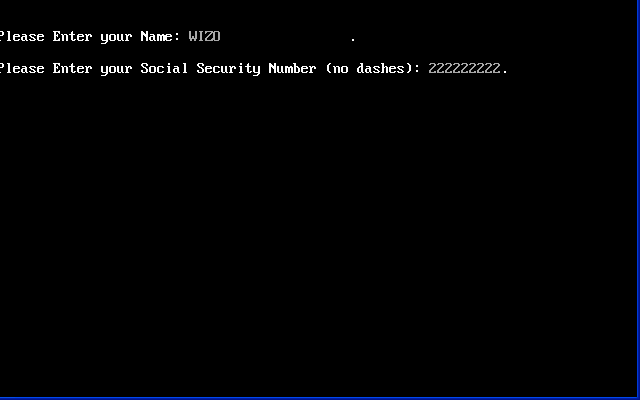
Advanced DOS Quiz does not feature modern graphics, animated cutscenes, or 3D-rendered environments. Instead, it embraces a pure, text-based aesthetic that faithfully reproduces how DOS looked and felt in the 1980s and 1990s. The black background, white and green text, and simple ASCII delineations are more than mere nostalgic flourishes—they’re the very medium through which your knowledge is tested.
Some might view the lack of visual bells and whistles as a drawback, but for its target audience, that austere presentation is an advantage. There’s no distracting iconography or background soundscape; your full attention is on typing the right commands. As a training tool, this streamlined interface removes all possible friction between the player’s intent and the system’s response.
Of course, if you’re expecting colorful HUD elements or graphical representations of file trees, you’ll be disappointed. But that’s precisely the point: Advanced DOS Quiz is designed as an homage to the command-line era. Its minimalist visuals keep the spotlight on the skill being tested rather than on any artistic pretense, reinforcing the educational ethos at the heart of the product.
In an age where every game competes to push polygons, Advanced DOS Quiz stands out by going completely backward. It’s a refreshing reminder that strong design doesn’t always rely on high resolution or advanced shaders—sometimes, clean, purposeful text is all you need.
Story
Advanced DOS Quiz doesn’t weave an elaborate narrative in the traditional sense; its “story” is embedded in your own journey from DOS novice to command-line adept. Each exercise feels like a mini-mission: you’re called upon to rescue a stranded file, configure a wayward system, or explore the depths of disk management. Completing an exercise gives you the same sense of small-scale accomplishment that you once felt after mastering a tricky batch file.
Because the quiz is inherently non-linear—you can skip and return to questions at will—the story it tells is dynamic and personalized. Every user’s path through the 20 exercises is unique, shaped by which commands they choose to tackle first or defer until later. In this way, the narrative emerges from your own challenges and triumphs rather than from a pre-scripted plot.
That said, the manual’s tone provides a subtle framing device, presenting each question as an “assignment” from a virtual training supervisor. This framing helps maintain a sense of progression: you start as a DOS cadet, and by the end, you’re ready to be promoted to full-fledged command-line specialist. It’s a simple story arc, but effective for keeping you motivated through tougher questions.
For players who crave more elaborate storytelling, the barebones approach might feel insufficient. However, the minimalist narrative suits the quiz’s purpose: to teach, test, and reinforce DOS proficiency without unnecessary distractions. Your own mastery becomes the story’s climax.
Overall Experience
As a tool for learning and assessing DOS skills, Advanced DOS Quiz delivers precisely what it promises: a focused, no-frills environment in which to prove your command-line mettle. Its difficulty level is deliberately set high, ensuring that only users who invest time and attention will see strong improvement. Companies looking to certify their IT staff will find it especially useful, provided those employees already have some DOS background.
Replayability centers on personal growth rather than emergent gameplay. Once you’ve achieved 100% on all exercises, the satisfaction comes from knowing you’ve internalized every command rather than discovering new content. If you thrive on mastery challenges and technical precision, you’ll find the experience immensely rewarding. Casual gamers or those seeking varied gameplay loops may find the 20-question limit restrictive.
The absence of flashy graphics or branching storylines keeps the focus razor-sharp on skill acquisition. Advanced DOS Quiz is not for those who want to kick back and be entertained by whimsical narratives or dynamic audiovisual feedback. Instead, it’s a rigorously engineered training ground for anyone serious about command-line efficiency.
Ultimately, Advanced DOS Quiz stands as a niche title with a clear mission: to elevate your DOS command proficiency through a concise, challenging format. If you’re ready to embrace retro computing with academic rigor, this quiz offers a singularly effective way to hone—and prove—your DOS expertise.


Reviews
There are no reviews yet.