 Retro Replay Retro Replay gaming reviews, news, emulation, geek stuff and more!




Retro Replay Review
Gameplay
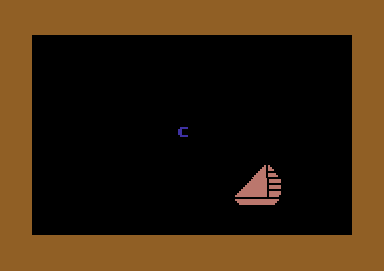
KinderComp delivers a straightforward yet engaging suite of six mini-games—Draw, Scribble, Names, Sequence, Letters, and Match—that are perfectly tailored for children aged 3–8. Each activity is designed to build fundamental literacy and numeracy skills through interactive exercises. For instance, the Letters game prompts youngsters to identify letter shapes on the screen before typing them on the keyboard, reinforcing both alphabet familiarity and keyboard dexterity.
(HEY YOU!! We hope you enjoy! We try not to run ads. So basically, this is a very expensive hobby running this site. Please consider joining us for updates, forums, and more. Network w/ us to make some cash or friends while retro gaming, and you can win some free retro games for posting. Okay, carry on 👍)
In Sequence and Match, children practice ordering objects and pairing related items, which encourages logical thinking and memory development. The Draw and Scribble modules allow for creative exploration, giving kids a blank canvas to practice fine motor skills while having fun. Meanwhile, Names assigns simple word-labeling tasks that help with word recognition and vocabulary building.
The game’s structure is intuitive: children select a mini-game from a colorful menu, receive clear on-screen instructions, and progress through levels that steadily increase in difficulty. Parental controls let adults adjust the pace and complexity, ensuring that learners remain challenged without becoming frustrated. Overall, the gameplay loop rewards successful completion with encouraging sounds and visual feedback, motivating kids to keep playing and learning.
Graphics
Visually, KinderComp embraces a bright and friendly art style that is immediately appealing to young players. The interface uses large, easily recognizable icons for each mini-game, and the palette consists of primary colors that draw attention without overstimulating. Characters and objects are rendered in a simple, cartoon-like fashion, making each screen feel approachable.
Animations are smooth but not overly elaborate—this is an educational title, after all, and clarity is paramount. When a child correctly matches shapes or types the right letter, the program rewards them with playful animations like stars twinkling or a cheerful character giving a thumbs up. These small touches provide positive reinforcement without distracting from the learning objectives.
On higher-resolution displays, KinderComp scales well, keeping text sharp and graphics crisp. The on-screen keyboard depiction is clear and true to a real keyboard layout, helping kids transfer their in-game typing skills to actual hardware. Overall, the graphics strike an excellent balance between playful charm and educational functionality.
Story
While KinderComp is primarily an educational tool rather than a narrative-driven title, it still incorporates a light thematic framework to tie the mini-games together. The premise is that children are embarking on a “learning adventure” with friendly on-screen guides who introduce each activity. This loose storyline helps maintain engagement, as youngsters feel like they’re on a mission rather than merely completing exercises.
Each mini-game segment is framed as part of the overall quest to help children “unlock” knowledge vaults. For example, succeeding in the Sequence game might reveal a treasure chest animation, symbolizing a math skill discovered. In the Names section, labeling familiar objects like animals or vehicles gives learners a sense of familiarity and real-world application. These narrative elements are subtle but effective in providing context to each learning objective.
Although there’s no deep character development or branching plot, the consistent presence of a friendly mascot and positive audio cues create a warm, encouraging atmosphere. For parents concerned that educational software can feel cold or clinical, KinderComp’s light story touches make every lesson feel like part of a cohesive, rewarding journey.
Overall Experience
KinderComp shines as a well-rounded early learning package, offering a diverse array of activities that cater to varying skill levels. Its clear interface, gentle progression system, and supportive feedback keep children motivated to explore and learn. Parents will appreciate the built-in options to monitor progress and adjust difficulty, ensuring that the software grows with their child’s abilities.
The absence of competitive elements or strict time limits makes the experience stress-free; kids can learn at their own pace without feeling rushed. Sound effects and cheerful voice prompts add warmth, guiding users through instructions and celebrating their successes. Meanwhile, the inclusion of keyboard-based tasks sets KinderComp apart from purely mouse-driven titles, promoting essential computer literacy from an early age.
In summary, KinderComp offers a charming blend of education and entertainment. Its six mini-games are thoughtfully designed to build reading, counting, sequencing, and typing skills in a playful environment. Parents seeking quality educational software for young children will find this program both effective and enjoyable, making it a solid choice for early learning at home or in the classroom.


Reviews
There are no reviews yet.