 Retro Replay Retro Replay gaming reviews, news, emulation, geek stuff and more!
Retro Replay Review
Gameplay
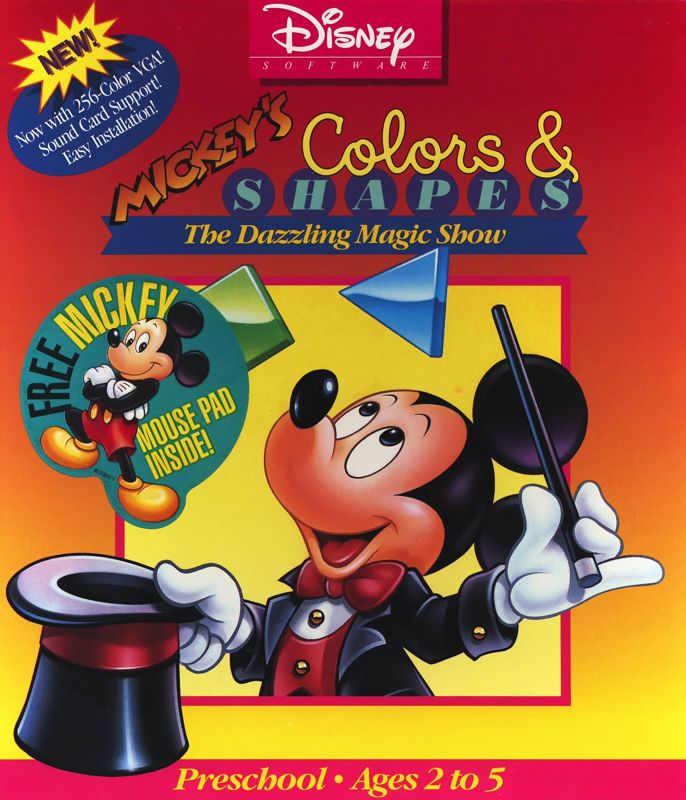
Mickey’s Colors & Shapes revolves around a vibrant magic show that encourages young players to identify colors and shapes through three distinct acts. In Act 1, Mickey juggles a variety of geometric shapes—triangles, circles, squares and more—each rendered in bright primary colors. Children must press the correct key on the keyboard overlay that corresponds to the shape on screen, giving them an immediate sense of accomplishment when they match correctly. Mickey offers cheerful praise and corrective hints, ensuring that even the youngest players feel supported as they learn.
(HEY YOU!! We hope you enjoy! We try not to run ads. So basically, this is a very expensive hobby running this site. Please consider joining us for updates, forums, and more. Network w/ us to make some cash or friends while retro gaming, and you can win some free retro games for posting. Okay, carry on 👍)
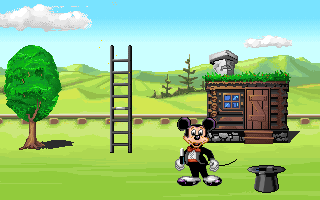
Act 2 shifts to a creative building exercise, where Mickey conjures objects out of thin air to complete simple scenes. The task here is twofold: children must recognize which shape fits into a scene and also choose the color that matches the background elements. This layer of problem-solving deepens the educational value, and Minnie Mouse pops in between acts to celebrate every successful build. The pacing remains gentle, allowing kids to experiment without feeling rushed.
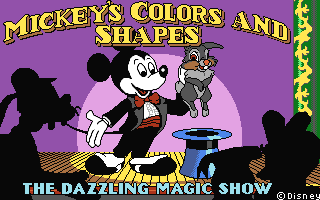
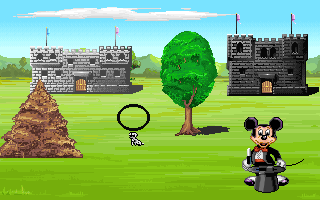
The final challenge in Act 3 introduces an element of hide-and-seek, with Mickey pulling a small animal from his magic hat and then sending surrounding objects into temporary invisibility. Players must recall which object the animal hid behind, reinforcing both memory and shape recognition. The integrated keyboard overlay means that even non-readers can participate immediately. Overall, the gameplay loop is simple yet endlessly repeatable, making it ideal for preschoolers who benefit from repetition during early learning stages.
Graphics
The VGA-enhanced graphics in Mickey’s Colors & Shapes are a delightful treat compared to earlier children’s titles. Each shape is bold and crisply outlined, making it easy for little eyes to distinguish between hues and forms. Mickey and Minnie’s character models are rendered with smooth animation cycles, from Mickey’s juggling arcs to Minnie’s cheerful waves, giving the game a polished feel that holds young players’ attention.
Backgrounds are painted in pastel gradients that never overwhelm the on-screen shapes, striking a perfect balance between aesthetic appeal and functional clarity. Subtle visual effects—like sparkles when a puzzle is solved or a swoosh when an object appears—add a sense of magic without distracting from the educational core. Color matching exercises benefit from high contrast, ensuring that even children with less-developed vision can participate fully.
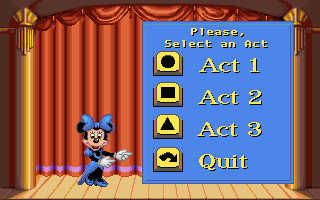
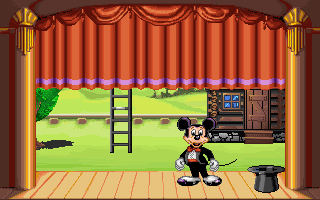
The user interface mimics a magician’s stage, complete with curtains that part between acts and simple icons that indicate which shape-to-key mappings are in play. The keyboard overlay graphic is clear and positioned conveniently at the bottom of the screen, so players always know which key corresponds to which shape. Altogether, the graphics serve the dual role of educating and enchanting, striking a chord with Disney fans and parents alike.
Story
At its heart, Mickey’s Colors & Shapes is a straightforward magic show narrative designed to engage young audiences. Mickey Mouse assumes the role of the friendly magician, guiding players through each act with a blend of enthusiasm and gentle encouragement. There isn’t a complex plot to follow—instead, the game’s narrative is structured around the gradual reveal of puzzles, akin to scenes in a stage performance.
Minnie Mouse makes regular appearances as Mickey’s assistant, offering lighthearted commentary and celebrating each correct answer. Her presence reinforces the cooperative spirit of the game, making it feel like a shared experience rather than a solitary task. The simple storyline allows children to focus on the learning objectives—shape recognition, color matching, and memory skills—while still feeling immersed in the Disney universe.
Though the story is minimalistic, it expertly incorporates elements of suspense and reward. Each act builds toward a small climax—whether it’s successfully juggling multiple shapes, completing a colorful scene, or finally locating the hidden animal. These mini-narratives keep children motivated through repetition, providing just enough variety to maintain interest across multiple play sessions.
Overall Experience
Mickey’s Colors & Shapes excels as an educational tool wrapped in the charm of a Disney magic show. The three-act structure provides a clear sense of progression and variety, ensuring that children remain engaged as they develop foundational cognitive skills. The supportive voiceover from Mickey and Minnie offers real-time encouragement, making learning feel like play rather than a chore.
Technically, the game runs smoothly on most retro PC setups, with minimal loading times between acts and an intuitive keyboard overlay that requires no prior reading ability. The addition of optional music and voice settings allows parents to tailor the audio environment to their child’s preference—whether they want to focus solely on visual cues or enjoy Mickey’s full commentary.
While older children might find the challenges too simple, the target age group will delight in the bright visuals, playful animation, and gentle pacing. For parents and educators seeking an interactive introduction to shapes, colors, and memory exercises, Mickey’s Colors & Shapes delivers both educational value and classic Disney fun in equal measure. It’s a reliable choice for preschoolers taking their first steps into computer-based learning.



Reviews
There are no reviews yet.