 Retro Replay Retro Replay gaming reviews, news, emulation, geek stuff and more!
Retro Replay Review
Gameplay
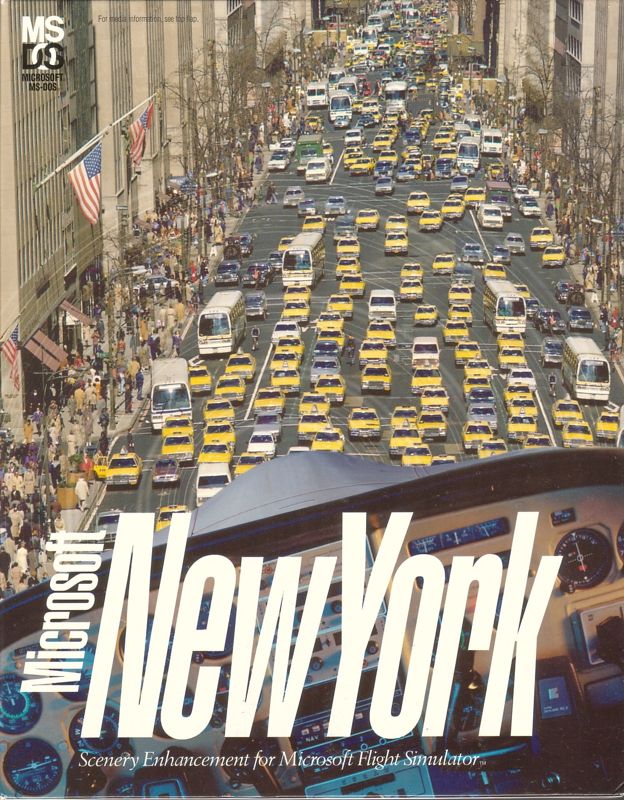
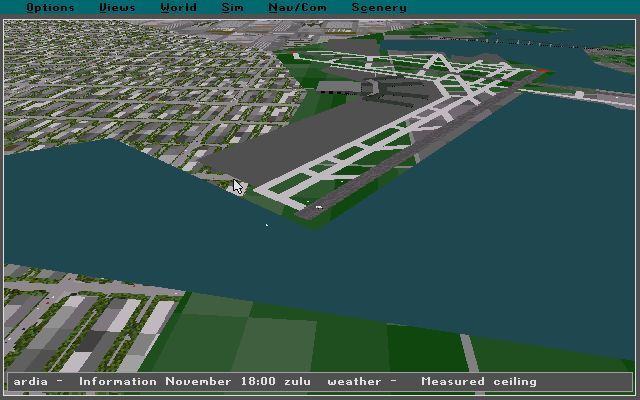
Microsoft New York: Scenery Enhancement for Microsoft Flight Simulator seamlessly integrates into Flight Simulator V5, requiring minimal configuration from the user. After installing the disk, New York’s airports—JFK and LaGuardia—appear automatically in your departure menu, allowing you to choose your runway with familiar flight-planning tools. From there, you have full control of your aircraft’s ascent, descent, and navigation as you explore one of the world’s most iconic metropolitan skylines.
(HEY YOU!! We hope you enjoy! We try not to run ads. So basically, this is a very expensive hobby running this site. Please consider joining us for updates, forums, and more. Network w/ us to make some cash or friends while retro gaming, and you can win some free retro games for posting. Okay, carry on 👍)
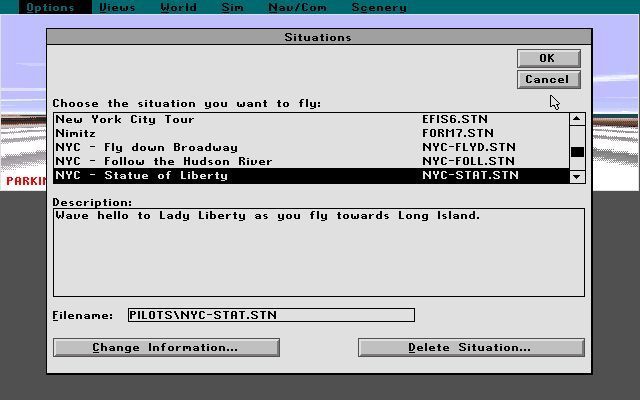
The enhancement focuses on free-form exploration rather than structured missions, giving pilots the freedom to chart their own courses over the city. You can hover over the Statue of Liberty, weave through Manhattan’s grid of skyscrapers, or glide above the verdant expanse of Central Park. For simulation purists, the improved ground textures and landmark placement help with visual navigation, making VOR and NDB approaches to Newark or LaGuardia more intuitive.
Performance remains solid on period-appropriate hardware, though users with less powerful machines may notice a slight drop in frame rate when flying low over dense city blocks. Adjusting scenery detail settings can alleviate stutters without sacrificing too much visual fidelity. Virtual cockpit aficionados will appreciate that the scenery load doesn’t interfere with instrument responsiveness or flight-model accuracy.
Whether you’re a casual sightseer or a dedicated flight-sim enthusiast, the disk adds depth to your sandbox flying. There are no scripted challenges or AI air traffic patterns specific to New York; instead, the focus is purely on the joy of piloting and visual immersion, preserving the core open-ended nature of Microsoft Flight Simulator.
Graphics
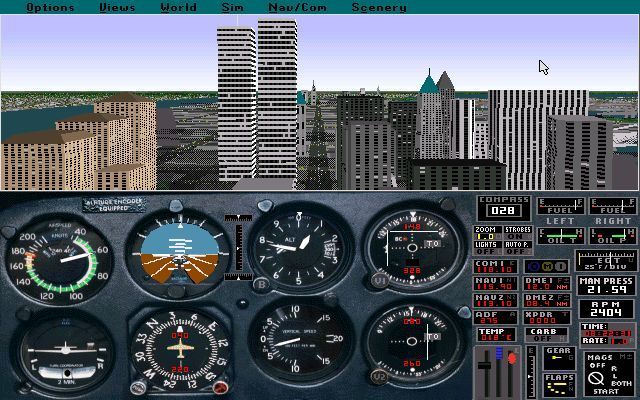
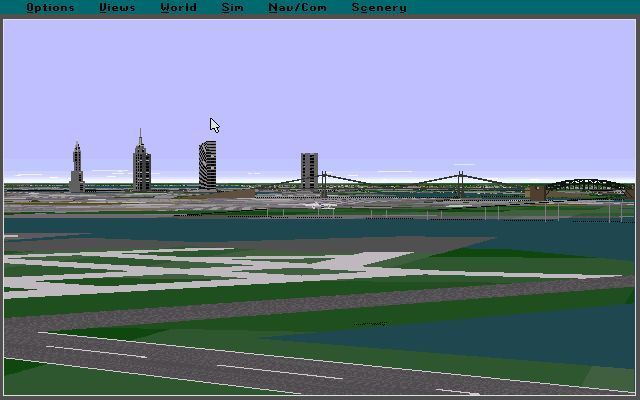
The graphical improvements in this scenery disk are immediately noticeable, especially compared to Flight Simulator’s default terrain textures. Manhattan’s skyline is rendered with blocky yet recognizably accurate polygons for each major structure, from the twin towers of the World Trade Center to the slender spire of the Empire State Building. Colors are vibrant, capturing the contrast between concrete high-rises and the lush green of Central Park.
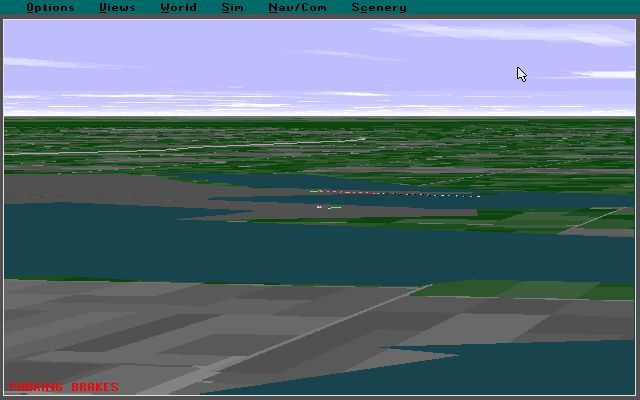
Detail resolution is highest in the central business district, where building outlines, window patterns, and rooftop features stand out even at low altitudes. The Statue of Liberty merits special mention: its pedestal and parka effect are surprisingly well defined, providing a satisfying visual waypoint as you approach New York Harbor. Water textures in the East and Hudson Rivers shimmer realistically under varying weather conditions.
Despite the advancements, the scenery remains firmly rooted in the technology of 1993. Trees are simple billboards, and road networks are basic color overlays rather than fully modeled mesh. Still, for its era, this disk pushes Flight Simulator V5’s graphics engine to its limits, offering one of the most detailed urban environments available at the time.
Customizable detail sliders allow you to balance performance and fidelity. Lower settings will render simpler building shapes but maintain frame rates above 20 fps on typical Pentium systems of the period. Higher settings deliver crisp edges and extended draw distances, letting you spot landmarks from several miles away before they come into view in the default scenery.
Story
Although a scenery disk lacks a traditional narrative, Microsoft New York crafts its own “story” through the experience of urban flight. From the moment you push back from JFK’s ramp, you embark on a virtual journey that weaves through the arteries of one of the world’s busiest cities. The skyline itself becomes a character, each skyscraper telling a tale of architectural ambition and metropolitan hustle.
Your flights can simulate real-world airline procedures, from VFR sightseeing tours around Manhattan to IFR instrument approaches over the harbor. The twin towers stand as towering monuments on your flight plan, offering a solemn reminder of their once-dominant presence in the cityscape. Each pass above Central Park feels like a chapter break, transitioning from dense urban canyons to tranquil greenery.
For enthusiasts interested in historical authenticity, the inclusion of the World Trade Center’s north and south towers gives the disk an unspoken backstory anchored in the early ’90s. Whether you choose to fly a commercial jetliner on approach to LaGuardia or a prop-driven trainer skimming the river’s edge, the scenery fosters a sense of place and time that few other expansions can match.
The absence of scripted events or AI-driven traffic means your personal flight path becomes the narrative thread. Each route you plot, each landmark you overfly, contributes to an unfolding adventure unique to your piloting style. This open-ended approach ensures that no two flights feel exactly alike, reinforcing the idea that in Flight Simulator, you are both pilot and storyteller.
Overall Experience
Microsoft New York: Scenery Enhancement for Microsoft Flight Simulator stands out as a must-have add-on for pilots eager to explore one of the planet’s most recognizable cities. Its straightforward installation and seamless integration make it accessible even for newcomers to flight simulation. Veteran users will appreciate the attention to landmark placement and texture improvements that elevate the standard V5 environment.
While hardware limitations of the period mean you won’t see photorealistic details by today’s standards, the disk delivers an impressive level of immersion for its time. The trade-off between performance and detail can be managed easily through the simulator’s settings, ensuring smooth flights over Manhattan whether you’re rocking a 486 or an early Pentium machine.
The lack of mission-based content might disappoint those seeking structured challenges, but the true appeal lies in open-ended exploration. The scenery disc transforms New York from mere coordinates on a global map into a dynamic flying playground, rich with visual waypoints and geographical nuance. Whether you’re practicing instrument approaches, conducting aerial photography runs, or simply sightseeing, the enhancement breathes new life into Flight Simulator V5.
In conclusion, if you own Microsoft Flight Simulator V5 and yearn to experience the thrill of New York’s skyline from the cockpit, this official scenery disk is an excellent investment. It enriches your virtual flights with authentic landmarks, varied terrain, and the freedom to chart your own aerial adventures—qualities that continue to resonate with flight-sim fans decades later.


Reviews
There are no reviews yet.