 Retro Replay Retro Replay gaming reviews, news, emulation, geek stuff and more!

Retro Replay Review
Gameplay
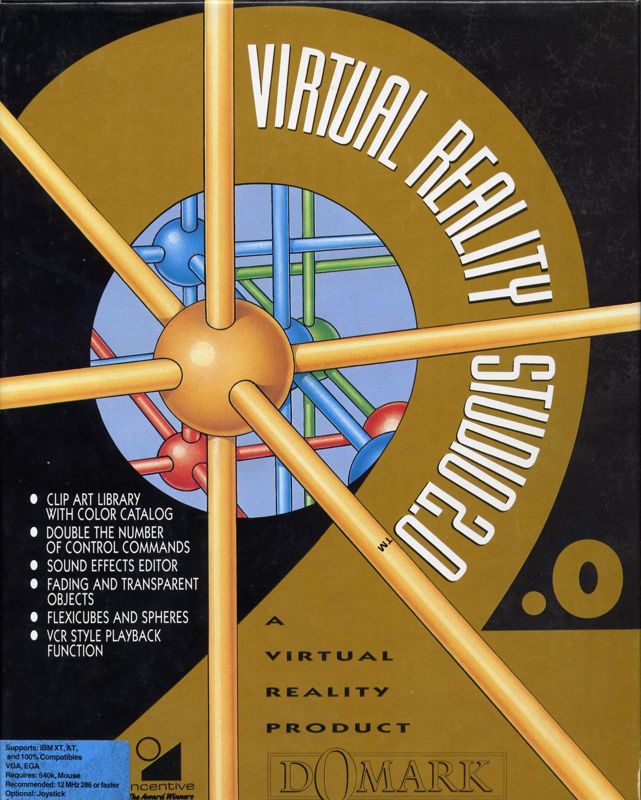
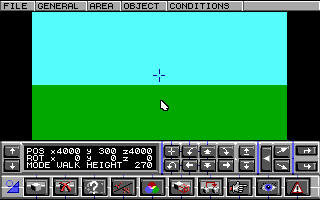
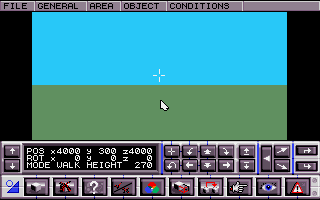
Virtual Reality Studio 2.0 (VRS2) builds on its predecessor’s solid foundation by doubling down on user control and creative freedom. The expanded command set can feel daunting at first, but it rewards those who invest the time to learn its nuances. Whether you’re manipulating vertices one by one or issuing batch commands through the console, VRS2 handles intricate operations with surprising fluidity.
(HEY YOU!! We hope you enjoy! We try not to run ads. So basically, this is a very expensive hobby running this site. Please consider joining us for updates, forums, and more. Network w/ us to make some cash or friends while retro gaming, and you can win some free retro games for posting. Okay, carry on 👍)
One of the most welcome additions is the ability to craft transparent and fading objects. This feature opens up dynamic design possibilities—Imagine a ghostly apparition slowly materializing in your VR scene, or a glass sculpture that refracts light realistically. Combined with the new support for rounded shapes like spheres and flexicubes, you can now create environments and props that feel genuinely three-dimensional rather than blocky or polygonal.
The inclusion of a sound effects editor is a game changer for immersion. Instead of your world remaining eerily silent, you can layer footsteps, ambient noise, or custom audio cues directly into your scene. The interface for sound editing strikes a nice balance between simplicity and depth: novices can apply library effects with a few clicks, while power users can import WAV files and fine-tune volume, pitch, and spatialization.
Graphics
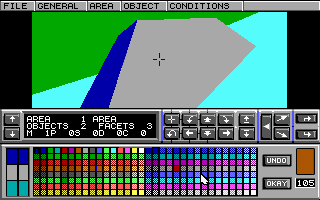
Visually, VRS2 takes a significant leap forward. While the original Virtual Reality Studio relied heavily on angular, low-polygon assets, the updated engine handles curved geometry with ease. Creating spheres and flexicubes is not only possible but intuitive—drag-and-drop primitives snap into place, and their surfaces respond convincingly to lighting and shadow.
The new transparency and fading controls are equally impressive. By adjusting opacity gradients directly in the editor, you can simulate frosted glass, mist, or holographic overlays without resorting to complex shaders. This capability elevates your projects from looking like retro demos to polished VR experiences that rival dedicated 3D modeling packages.
Additionally, VRS2’s pre-designed 3D clipart library is a boon for designers on a tight schedule. From furniture pieces to foliage and futuristic props, the clipart can be customized in color, scale, and texture. While purists may balk at using premade assets, they serve as excellent starting points or placeholders, speeding up prototyping and enabling users to focus on scene composition.
Story
Although Virtual Reality Studio 2.0 is primarily a creation tool rather than a narrative-driven game, it does offer a loose framework to guide your first forays into VR storytelling. The bundled VHS tutorial—yes, you read that right—presents a lighthearted “behind-the-scenes” look at a fictional VR studio. This retro approach to learning adds charm and injects a bit of personality into what could otherwise feel like dry technical instruction.
Within the tutorial, you meet a cast of quirky “developers” who pitch you mini-challenges: design a haunted mansion, craft a space station corridor, or simulate an underwater cave. These guided exercises serve dual purposes, teaching you specific commands while implicitly demonstrating how to weave simple story beats into your scenes. As a result, even users with no scripting background can create interactive sequences that feel engaging.
For those who prefer text-based guidance, the comprehensive manual remains available as a PDF. It delves deeper into scripting logic, event triggers, and advanced audio layering techniques. Between the VHS tutorials and the written documentation, users have multiple avenues to master both the technical and creative aspects of VR storytelling within VRS2.
Overall Experience
Virtual Reality Studio 2.0 stands out as a versatile, all-in-one solution for aspiring VR designers. Its expanded control set and added asset types enable far greater creativity than the original version. While the learning curve can be steep, the combination of video tutorials, written manuals, and a helpful user community eases the onboarding process.
The seamless integration of sound editing and pre-designed clipart accelerates development, allowing you to achieve professional-looking results without juggling multiple applications. Whether you’re prototyping architectural walkthroughs, educational simulations, or interactive art installations, VRS2 provides the tools you need under a single roof.
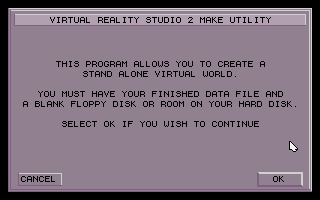
Exporting your creations as stand-alone programs is another highlight. Sharing your VR world with friends or clients no longer requires them to install VRS2 separately—just hand over the executable, and they’re ready to dive in. This frictionless distribution model makes VRS2 a compelling choice for educators, indie developers, and hobbyists alike.
In summary, Virtual Reality Studio 2.0 successfully marries complexity with accessibility, offering a robust suite of features that cater to a wide range of creative ambitions. If you’re serious about building immersive VR experiences and are willing to embrace its depth, VRS2 rewards your investment with unparalleled flexibility and polished results.


Reviews
There are no reviews yet.