 Retro Replay Retro Replay gaming reviews, news, emulation, geek stuff and more!


Retro Replay Review
Gameplay
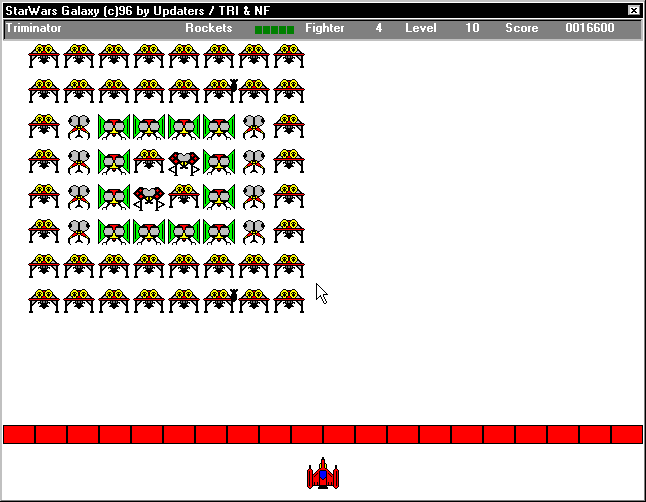
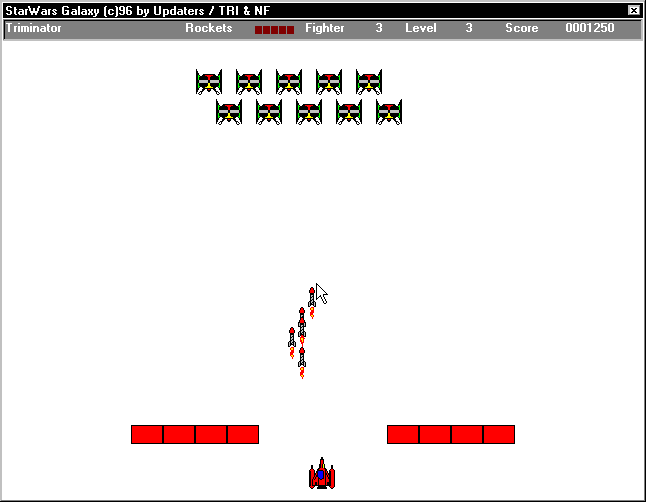
OpenOffice’s hidden mini-games offer a surprising diversion amid spreadsheet cells and text documents. The standout is a faithful clone of Space Invaders, accessed exclusively through Calc’s interface. You control a small ship at the bottom of the grid, moving left and right with arrow keys while firing upward at advancing aliens. Unlike many simple clones, this version allows up to five active shots on screen, and player and alien shots cancel each other out in midair, adding an unexpected layer of strategy to timing and positioning.
(HEY YOU!! We hope you enjoy! We try not to run ads. So basically, this is a very expensive hobby running this site. Please consider joining us for updates, forums, and more. Network w/ us to make some cash or friends while retro gaming, and you can win some free retro games for posting. Okay, carry on 👍)
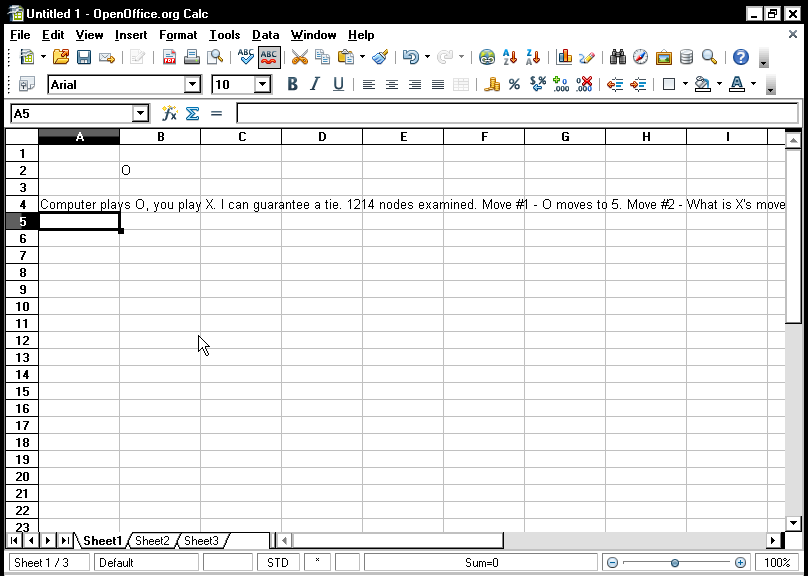
For those seeking something more leisurely, the Tic-Tac-Toe module activates with a simple formula entry, =Game(A1:C3;“TicTacToe”), yielding an AI opponent that reliably forces a draw. While it may not challenge advanced players, it’s a quick brain-teaser when you need a break. Earlier StarOffice releases even included a 3D Tetris implementation, a Frogger-style “Froggie” in StarCalc, and a Pac-Man clone named “Sunnyman” in StarWriter, though these have since been phased out and are absent from the modern OpenOffice build.
Controls across the suite remain consistent: keyboard-driven, responsive to minimal input, and bound within the office window. There’s no gamepad support, and sound effects are limited to simple beeps, but the crisp input response and familiar mechanics make for immediately playable sessions. As Easter eggs go, they’re more than novelties—they’re polished mini-games that embrace the retro charm of early arcade titles.
Graphics
Graphically, these games are charmingly rudimentary. The Space Invaders clone employs monochrome blocks for aliens and barriers, while your ship is rendered as a small rectangle—no fancy sprites, no texture mapping. Yet this minimalism captures the essence of classic 1970s arcade visuals, and the animations are smooth enough to avoid any distracting stutter or flicker.
The Tic-Tac-Toe grid is drawn directly within spreadsheet cells, blending functional UI elements with playful design. Marks appear instantly when you or the AI makes a move, and the clean lines and absence of embellishment keep the focus on strategy rather than spectacle. If you remember the days of DOS-era gaming, you’ll appreciate how these simple diagrams convey all you need without visual clutter.
Earlier inclusions, like the 3D Tetris, pushed the suite’s drawing engine to its limits, offering polygonal blocks tumbling toward a pseudo-3D vanishing point. While far from modern standards, it was impressive for a non-gaming application. Although these don’t appear in the current OpenOffice release, knowing they existed demonstrates the developers’ willingness to experiment artistically inside an office product.
Story
Unsurprisingly, OpenOffice’s games lack an overarching narrative. They exist purely as hidden Easter eggs, tacked onto a productivity suite for fans to discover. There’s no lore about alien invasions, no characters to develop, and no narrative progression beyond progressing through increasingly difficult levels of block-falling or alien-blasting.
This absence of story, however, aligns perfectly with the games’ purpose: quick, self-contained diversions. You don’t need backstory or cutscenes to understand the objectives. Each session starts fresh, letting you dive straight into reflex tests or puzzle-solving without setup. The novelty lies in finding the game itself—knowing that a full spreadsheet app doubles as an arcade vault is its own kind of playful “story.”
If you were hoping for RPG-style depth or branching dialogue trees, you’ll be disappointed. But if you appreciate a no-nonsense throwback to simpler times—when games focused on pure mechanics rather than cinematic presentation—these Easter eggs deliver exactly what they intend: immediate, context-free fun.
Overall Experience
Discovering hidden games inside a serious office suite is a delightfully subversive twist. As you master cell formulas and pivot tables, the knowledge that you can momentarily shrug off data entry and jump into a round of Space Invaders adds a playful undercurrent to your workflow. It’s the kind of Easter egg that brings a smile to seasoned office jockeys and retro gaming fans alike.
That said, these games won’t replace a dedicated emulator or modern indie title. They’re brief distractions rather than full-fledged releases, and the lack of polish in sound design and visual flair is evident. Still, they’re entirely free, require no installation beyond the standard OpenOffice package, and run seamlessly on virtually any system.
For potential buyers weighing OpenOffice, the suite’s core strengths remain its robust office tools and zero cost. The included games are a charming bonus—proof of German developers’ sense of humor and willingness to reward curious users. If you value occasional, lightweight entertainment tucked inside your productivity software, this hidden arcade is a memorable perk.


Reviews
There are no reviews yet.