 Retro Replay Retro Replay gaming reviews, news, emulation, geek stuff and more!
Retro Replay Review
Gameplay
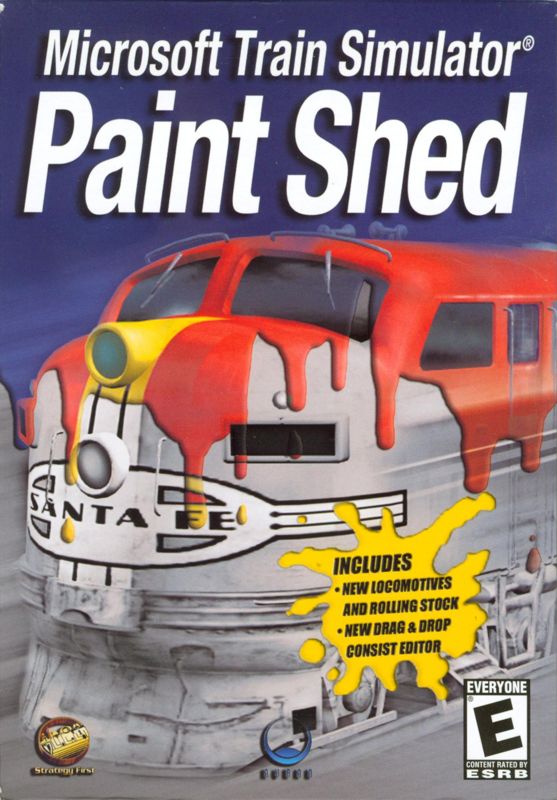
Microsoft Train Simulator: Paint Shed breathes new life into the core experience of Microsoft Train Simulator by putting the power of personalization directly into the player’s hands. Rather than being constrained to preset liveries and generic color schemes, you can craft unique designs for both locomotives and rolling stock. The process is straightforward: load your chosen model, apply layers of paint, decals, and logos via an intuitive interface, then export the finished asset back into the main simulator. This workflow allows you to bring any corporate identity, fantasy railroad, or historic paint job to life with minimal fuss.
(HEY YOU!! We hope you enjoy! We try not to run ads. So basically, this is a very expensive hobby running this site. Please consider joining us for updates, forums, and more. Network w/ us to make some cash or friends while retro gaming, and you can win some free retro games for posting. Okay, carry on 👍)
One of the highlights of the Paint Shed add-on is how it integrates with existing scenarios and routes. Once you’ve repainted a locomotive or car, you simply select it in the locomotive roster, and it appears in your chosen timetable or session. This seamless transition means you can immediately test your work in real-world scenarios—hauling freight down dusty branch lines or powering a high-speed passenger run. There’s no need for file juggling or command-line tweaks; the add-on automates the installation and registration of your custom assets.
More adventurous users will appreciate the ability to modify eight different rolling stock models in addition to the four new locomotives included. Whether you want to add dynamic graffiti to a flatcar or create advertising liveries for boxcars, the Paint Shed gives you the tools to do so. Veteran modders will find that the add-on’s compatibility with third-party routes and extra assets is rock-solid, meaning your custom trains can populate any environment you’ve already installed.
Graphics
At its core, Paint Shed leverages the existing high-resolution textures of Microsoft Train Simulator and simply enhances them with your personal touch. The base models of the GP38-2, SW-7, Class 50, and Nohab EMD (Di3) are already finely detailed, with crisp edges, realistic weathering zones, and accurate geometry. When you apply your own paint layers, the results feel organic—brush strokes, decal edges, and subtle shading all appear natural rather than slapped-on.
The decals system is particularly noteworthy. You can import custom images or choose from a built-in library of logos, numbering sets, and hazard stripes. These decals automatically conform to the contours of the model: they wrap around curves, adhere to vents, and align neatly on doors. For users aiming for museum-quality replications of heritage units or corporate prototypes, this fidelity makes all the difference.
Even after applying multiple layers—base coat, stripes, logos, numbering, and small markings—the in-game performance remains smooth. Framerates hold steady when you summon a yard full of brightly painted freight cars, and the textures don’t exhibit any noticeable pop-in. If you’re concerned that heavy customization might bloat memory usage, Paint Shed proves that detailed graphics and stable performance can coexist.
Story
As a cosmetic add-on, Paint Shed doesn’t introduce a traditional narrative, yet it fosters a unique kind of storytelling through creative expression. Each livery you design becomes part of an imagined railroad’s history. Maybe you create a futuristic “RailJet 2050” scheme complete with neon highlights, or you replicate an obscure short-line’s logo from the 1970s. The sandbox nature of the tool means your paint jobs can spark fan-made lore, photo-session videos, or fictional timetable scenarios.
Moreover, Microsoft Train Simulator’s route library is filled with historically inspired lines—from the British mainline to American mountain passes. Paint Shed invites you to infuse your own narrative into these settings. A bright red GP38-2 might become the signature locomotive of a startup freight carrier hauling grain through Kansas, while a newly painted Class 50 could headline a revival of long-distance express services in Europe. The immersive potential comes from imagining the backstory behind each design.
Beyond individual creativity, there’s a thriving community of fellow enthusiasts who share screenshots and repaints online. Through forums and social platforms, you can draw inspiration from others’ work, collaborate on joint projects, or even host repainting contests. While the add-on doesn’t deliver a linear plot, it does cultivate an ongoing, player-driven storyline that evolves with each custom livery released.
Overall Experience
Microsoft Train Simulator: Paint Shed is a must-have for anyone invested in the core simulator, particularly those who value personalization. Installation is handled by an automated installer that places new models and textures into the correct folders and updates the in-game menus. After a brief tutorial you’ll be repainting rolling stock with ease—there are no cryptic file paths or hidden configuration files to wrestle with.
The inclusion of four new locomotives—GP38-2, SW-7, Class 50, and Nohab EMD (Di3)—and a suite of freight cars broadens your creative palette from the get-go. Even if you’re not artistically inclined, the intuitive paint tools and robust decal library let you assemble eye-catching liveries in minutes. For more experienced designers, the ability to import external graphics means nearly limitless possibilities.
Ultimately, Paint Shed extends the shelf life of Microsoft Train Simulator by offering a vibrant avenue for self-expression. Rather than waiting for third-party DLC or official expansions, you become the content creator, enriching your sessions with one-of-a-kind rolling stock. If you’ve ever wanted your virtual railroad to bear your personal signature, Paint Shed is the perfect ticket to customize your trains and unleash your inner designer.



Reviews
There are no reviews yet.