 Retro Replay Retro Replay gaming reviews, news, emulation, geek stuff and more!


Retro Replay Review
Gameplay
Deluxe Scrabble for Windows captures the classic board‐game feel with a robust set of options that cater both to casual players and Scrabble aficionados. You can face off against nine distinct AI skill levels, ranging from a novice who spots only the most obvious words to a near‐grandmaster that balances defensive tile placement and high‐value plays. If you prefer a human opponent, the hot‐seat pass-and-play mode accommodates two players, delivering the same tabletop excitement right on your desktop.
(HEY YOU!! We hope you enjoy! We try not to run ads. So basically, this is a very expensive hobby running this site. Please consider joining us for updates, forums, and more. Network w/ us to make some cash or friends while retro gaming, and you can win some free retro games for posting. Okay, carry on 👍)
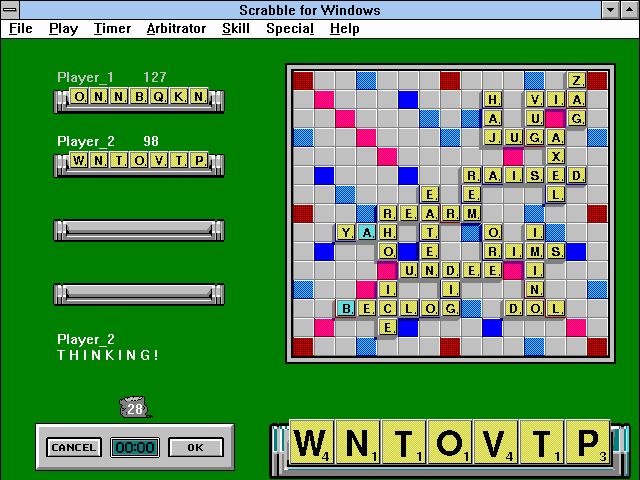
One standout feature is the Arbitrator mode, which lets an impartial observer manage the game. The Arbitrator can peek at every player’s rack, making it a perfect tool for tournament directors, coaches or families who want to supervise without giving away letters. Board editing tools allow for mid‐game adjustments—ideal if you ever need to fix a misplayed tile or resolve a rules dispute on the fly.
Clock aficionados will appreciate the adjustable timer, with 13 settings from a lightning‐fast 10 seconds per turn all the way up to a leisurely 1 hour, plus an “off” option for pure, untimed play. Whether you’re training for a competitive match or just squeezing in a quick brain workout, the timer adds tension or allows unhurried contemplation to suit your pace.
Graphics
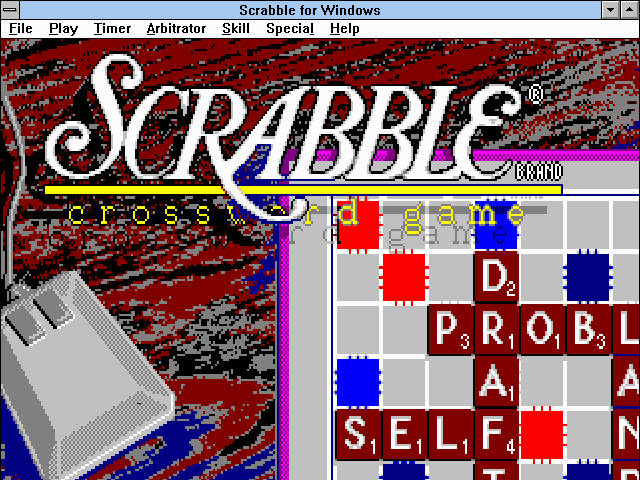
Graphically, Deluxe Scrabble for Windows sticks to a clean, functional aesthetic. The board is rendered in crisp, easy‐to‐read colors—premium squares (double/triple word and letter) stand out without overwhelming the eye. Tile animations are minimal but smooth, giving you clear visual feedback when a word is placed or challenged.
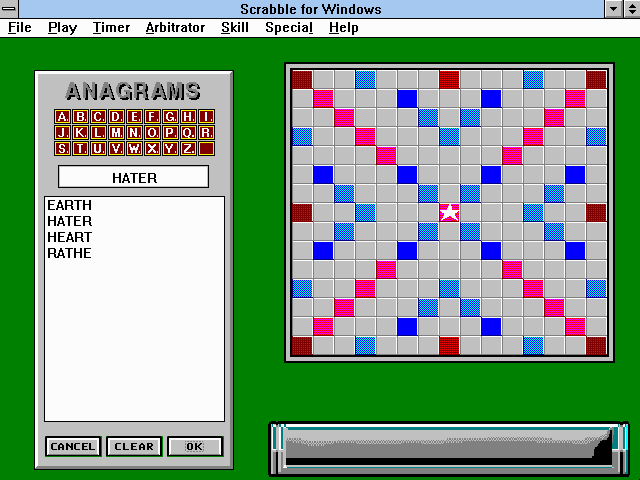
The user interface remains faithful to mid‐’90s Windows styling, with a toolbar at the top that provides quick access to key features like the word lookup, timer settings, and board editor. While there’s no flashy 3D rendering or particle effects, the straightforward layout ensures that nothing distracts from the central task: finding the best-scoring words.
One thoughtful touch is the adaptive view: you can zoom in on the board to scrutinize tight plays or zoom out to gain a strategic overview of all tile distributions. Combined with high‐contrast color schemes, Deluxe Scrabble manages accessibility well—text and tiles remain legible even on lower-resolution monitors.
Story
As a digital adaptation of a well‐known board game, Deluxe Scrabble doesn’t offer a traditional narrative—there’s no plot to follow or characters to meet. Instead, the “story” unfolds organically through each match, driven by the challenge of vocabulary mastery and tactical placement. Every game becomes a mini‐drama as you race the clock, balance defense and offense, and wrestle for control of the premium squares.
That said, the game environment subtly builds atmosphere. Background music is gentle and unobtrusive, evoking the quiet focus of a library or tournament hall. Sound effects—tile slides, timer bells, challenge buzzers—are crisp and serve as cues to heighten tension at key moments: when time is nearly up or when a rare word scores big.
For those seeking deeper context, the built-in Official Scrabble Dictionary doubles as a reference and light reading. You can browse definitions for played words, explore word histories, and even tweak entries—adding a scholarly dimension that feels like a footnote to each match’s unfolding plot.
Overall Experience
Deluxe Scrabble for Windows delivers a faithful, feature‐rich translation of the beloved board game. Whether you’re preparing for competitive play or seeking a cerebral pastime, the adjustable difficulty and timer settings ensure the challenge scales to your skill level. The Arbitrator mode and board‐editing tools demonstrate a level of polish often missing from other digital adaptations.
The combination of intuitive interface, functional graphics, and word-lookup integration means that every session flows smoothly. Even newcomers will find themselves quickly up to speed, while seasoned players can dive into advanced settings like dictionary editing or timed blitz rounds. The balance between simplicity and depth keeps the experience fresh over countless matches.
Ultimately, Deluxe Scrabble for Windows feels like a comprehensive toolkit for word-game enthusiasts. It may lack a traditional storyline, but the tension, strategy, and satisfaction of spelling out a 50-point bingo word become the narrative. For anyone who loves language and logic, this digital Scrabble is a worthy addition to your collection.



Reviews
There are no reviews yet.