 Retro Replay Retro Gaming History, Reviews & Emulation
EMULATOR DATABASE
dartboy
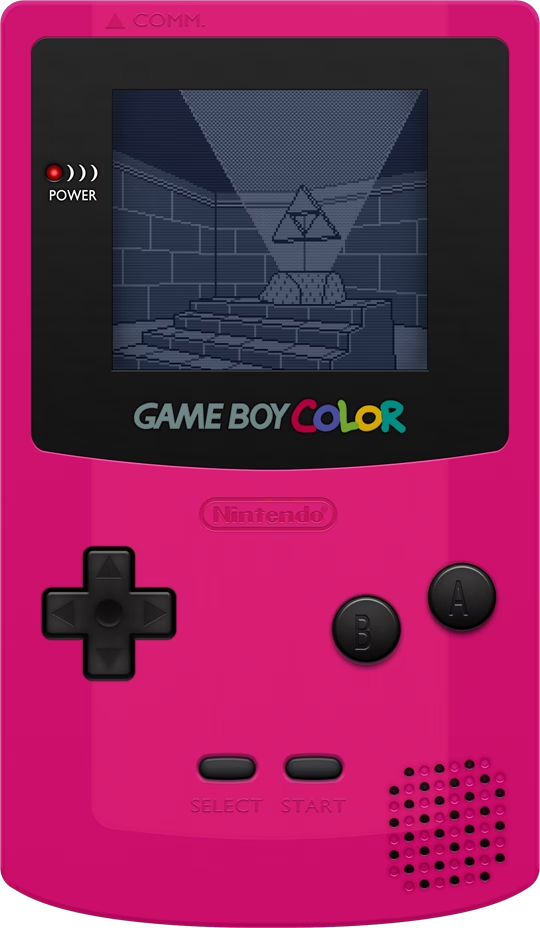
Dart-based Game Boy and Game Boy Color emulator with a Flutter user interface that runs on desktop, mobile, and the web. Focused as a learning project with partial GBC support and MBC1/MBC3/MBC5 cartridge support.
Download Tutorials & guidesSign in to download. Files are hosted by the emulator project.
About dartboy
Created as a learning and challenge project to implement the LR35902 CPU and basic Game Boy hardware in Dart, with a cross-platform Flutter front end for desktop, mobile, and web.
Implements the LR35902 CPU instruction set; supports MBC1, MBC3, MBC5 and basic cartridges; provides basic Game Boy Color support; saves battery-backed game memory to .sav files. Does not support Super Game Boy features. Audio and some hardware edge cases are listed as future work.
Supported systems and capabilities
- LR35902 CPU instruction set (documented implementation)
- Cartridge mappers: MBC1, MBC3, MBC5, basic cartridges
- Battery-backed saves (.sav)
- Basic Game Boy Color (GBC) support
The people behind dartboy / history
The project repository shows active development with many commits and a README describing the emulator as a learning project. The README documents which CPU features and cartridge mappers are implemented, which platforms were used for testing, and a list of planned improvements including audio support and additional mapper support. The code and project are published under the MIT license on GitHub.
Screenshots

Tutorials & guides
dartboy setup guide
This setup guide uses the project's official README as the source of truth. Dartboy is a Flutter application that can be run on mobile, desktop, or web. You must install and use the Dart and Flutter toolchains; follow the project README for platform-specific notes.
- Get required toolchains Install the Dart SDK and the Flutter SDK. The project README states it was developed with Flutter 1.5.5 and Dart 2.3.0; newer Flutter/Dart versions may work but could require changes. For the web build, install the webdev tool: flutter pub global activate webdev.
- Clone the repository Clone the official repository (tentone/dartboy) from GitHub and open it in your preferred Flutter-capable IDE such as Android Studio or Visual Studio Code with the Flutter plugin.
- Run on mobile or desktop (development) Use flutter run --no-sound-null-safety to run the emulator during development. The README notes the project was tested on Windows and Android. On desktop Windows, follow the README's Windows desktop notes: install Visual Studio with C++ support, ensure msbuild is available, switch Flutter to the master channel, run flutter precache --windows, and enable desktop support as documented in the README.
- Run in a browser (web) To run the web version locally, follow the README's web steps: install webdev (flutter pub global activate webdev), run flutter pub upgrade, and then use flutter pub global run webdev serve. The README warns you may need to change GUI imports for web-specific behavior and follow Flutter migration notes for web compatibility.
- Controls and ROMs Desktop keyboard controls documented in the README: arrow keys for direction, Z and X for buttons (primary/secondary), Enter, C, etc. The project does not include commercial games, firmware, or BIOS files; you must supply your own ROMs. Battery-backed game memory is stored to .sav files when supported by the cartridge mapper.
- Limitations and recommended checks The README explicitly lists unfinished features: MBC2 support, audio support, and some register behavior fixes. The emulator provides basic GBC support but not full Super Game Boy features or complete audio. If you need accurate GBC behavior or audio, consult other emulators focused on accuracy. Test with simple ROMs and the project's listed Game Boy test ROMs to confirm behavior.
READMEs & documentation
dartboy official project README
# Dart Boy

- Dart based GameBoy (and GameBoy Color) emulator that runs on desktop, mobile and web using the [Flutter](https://flutter.dev/) framework.
- Project was developed using Flutter 1.5.5 and Dart 2.3.0 and tested on Windows and Android).
- Supports MBC1, MBC3, MBC5 and basic cartridges, has basic support for [GameBoy Color](https://en.wikipedia.org/wiki/Game_Boy_Color) games. Does not support Super GameBoy specific features.
- Full support for the Sharp [LR35902](https://www.pastraiser.com/cpu/gameboy/gameboy_opcodes.html) CPU instruction set.
- The emulator was built as a learning project and as a challenge, there are still a lot that can be done to improve.

  - [ ] Store battery backed game memory in .sav file.
  - [ ] MBC2 support
  - [ ] Audio Support
  - [ ] Fix register signed data results.

<img src="https://raw.githubusercontent.com/tentone/dartboy/master/readme/pokemon.png" width="250"><img src="https://raw.githubusercontent.com/tentone/dartboy/master/readme/tetris.png" width="250">

<img src="https://raw.githubusercontent.com/tentone/dartboy/master/readme/web.png" width="250"><img src="https://raw.githubusercontent.com/tentone/dartboy/master/readme/android.png" width="150"><img src="https://raw.githubusercontent.com/tentone/dartboy/master/readme/windows.png" width="250">


### Run the Emulator

- Get the [Dart SDK](https://dart.dev/get-dart) and [Flutter SDK](https://flutter.dev/docs/get-started/install) from the internet.
- Load the project using [Android Studio](https://developer.android.com/studio) or [Visual Studio Code](https://code.visualstudio.com/) with the flutter plugin installed, the project can run directly on mobile or desktop without changes.
  - For the web version you will need to change the GUI imports for the web specific imports.
- The game can be controlled using the keyboard on desktop (<kbd>←</kbd> <kbd>↑</kbd> <kbd>↓</kbd> <kbd>→</kbd> <kbd>Z</kbd> <kbd>X</kbd> <kbd>Enter</kbd> <kbd>C</kbd>), on mobile use the onscreen buttons.

```bash
flutter run --no-sound-null-safety
```


### Web

- To enable the web version of flutter, you need to install the flutter web tools first by running the following code on your terminal.
- You need to ensure that `flutter\.pub-cache\bin`  is available from the environment path.

```bash
flutter pub global activate webdev
flutter pub upgrade
```

- After installing the development tools some changes are required in the `package.yaml` file, to allow the web version to run. (Check the [migration guide](https://github.com/flutter/flutter_web/blob/master/docs/migration_guide.md))
- To run the web version locally (by default on localhost:8080) use the following command.

```bash
flutter pub global run webdev serve
```


### Desktop

- In Windows install visual studio with C++ support and make sure that the command `msbuild` works properly and that `vcvars64.bat` is in the path. (If visual studio is installed but `msbuild` is not found, add it to your path).
- Flutter desktop support is still experimental and not enabled by default, its only available on the master channel.

```bash
flutter channel master
flutter precache --windows
flutter upgrade
```

- Set the `ENABLE_FLUTTER_DESKTOP` environment variable true, to enable desktop support.

```bash
set ENABLE_FLUTTER_DESKTOP=true
flutter devices
```


### Resources

- [GameBoy CPU Manual](http://marc.rawer.de/Gameboy/Docs/GBCPUman.pdf)
- [Everything You Always Wanted To Know About GAMEBOY](http://bgb.bircd.org/pandocs.htm)
- [GameBoy CPU (LR35902)](http://www.pastraiser.com/cpu/gameboy/gameboy_opcodes.html)
- [Flutter desktop quick start guide](https://github.com/google/flutter-desktop-embedding/blob/master/Quick-Start.md)
- [Flutter desktop embedding example](https://github.com/google/flutter-desktop-embedding)
- [Flutter desktop plugins (file chooser)](https://github.com/google/flutter-desktop-embedding/tree/master/plugins)
- [Game boy test roms](https://github.com/retrio/gb-test-roms)
- [The Ultimate Game Boy Talk (33c3)](https://www.youtube.com/watch?v=HyzD8pNlpwI)


### License

- This project is distributed under [MIT license](https://opensource.org/licenses/MIT) and can be used for commercial applications.
- License is available on the Github page of the project.
Download original README
Release log
Selected releases and changes, with coverage from our weekly emulation roundup.
Sources & further reading
FROM THE COMMUNITY
Player reviews
Starting site scores are provisional editorial scores. Established mainstream projects receive a higher starting score; other imported entries begin at a neutral 6/10 pending individual review. Member scores change the average after approval.
Your take on dartboy
Spam has been overwhelming. To help us approve your review, sign up and introduce yourself in the Introductions forum so we know you’re not a bot.
Sign in with your Retro Replay account to rate this project and share your experience.
Sign in to review