 Retro Replay Retro Gaming History, Reviews & Emulation
SYMBIAN AND N-GAGE EMULATOR
EKA2L1
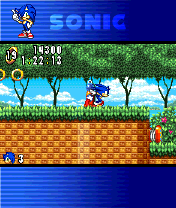
EKA2L1 is an open-source emulator that reproduces Symbian OS devices and the Nokia N-Gage (including N‑Gage 2.0 service) to run Symbian applications and many N‑Gage games on desktop and mobile platforms.
WHY IT MATTERS
Why use EKA2L1?
EKA2L1 is currently the most complete community emulator for Symbian OS and N‑Gage platforms. It reimplements Symbian kernel behavior, many app servers and libraries, and provides builds for Windows, Linux, macOS and Android so that preserved Symbian-era software (including many N‑Gage titles) can be run on modern systems.
BEST FOR
Best for
Playing and testing Symbian applications and N‑Gage titles on modern hardware, development and debugging of compatibility issues for Symbian software, and archival/nostalgia use where original hardware is unavailable.
The people behind EKA2L1
Project history and status
EKA2L1 is an actively developed community project hosted on GitHub that implements Symbian OS and the N‑Gage software stack in userland. The repository contains a long commit history and official documentation. The project provides release artifacts via GitHub Actions and an official website/documentation hub. The maintainers note that since 2022 development has become more of a part‑time hobby and activity can vary; however, builds and updates continue to be published and community ports (including third‑party iOS ports) exist. Compatibility coverage spans many S60 versions through Symbian Belle and almost all official N‑Gage libraries, though not every Symbian program is guaranteed to work.
What EKA2L1 supports
- Windows (x86_64 builds available)
- Linux (AppImage and source builds)
- macOS (builds/artifacts provided)
- Android (native APK builds and Play Store historical uploads)
Download and availability
OFFICIAL DOWNLOADS
Get EKA2L1
Official builds and release artifacts are provided from the project's GitHub Releases and the project's download page. Prebuilt binaries are available for Windows, Linux (AppImage), macOS and Android. The project also publishes builds via GitHub Actions; source can be built with CMake following the repository BUILDING instructions.
Get EKA2L1 ↗DOCUMENTATION
Official documentation
Read the official configuration, compatibility, and troubleshooting material before changing advanced options.
Read official documentation ↗EKA2L1 setup guide
Setup note: EKA2L1 requires two classes of items: the emulator binary (downloaded or built) and firmware/ROM files (phone dumps) and Symbian installer packages (.sis/.sisx) or other application files. The emulator does not include commercial games, firmware, keys, or phone ROMs — you must supply those from your own legally obtained sources.
- 1) Get the emulator binary: Download the latest release artifacts from the project's GitHub Releases page or the official download page. Windows users can download an x86_64 .zip; Linux users can use the AppImage or build from source; Android users can install the provided APK. If you prefer building, follow BUILDING.md in the repository and use CMake to produce platform binaries.
- 2) Prepare required phone files (ROM / system files): EKA2L1 needs files extracted from a real Symbian phone image (system ROM dumps and some device-specific files) to emulate a device accurately. For N‑Gage compatibility you typically need an N‑Gage device ROM or an S60v1 phone ROM; for N‑Gage 2.0 games you may use an S60v3+ device ROM. The emulator documentation and wiki describe the exact files expected for each device profile. Do not expect the emulator to work without supplying these files.
- 3) Choose or create a device profile and install system image: Use the emulator's quickstart/install-device documentation to pick a device profile (for example, an N‑Gage or an N95 profile). The install procedure uses the supplied ROM files to create an emulated device filesystem and installs the Symbian system image into the emulator runtime. Follow the quickstart pages for device-specific notes, as some older S60v1 devices require different ROM components than later phones.
- 4) Install Symbian applications/games (.sis/.sisx): Once the emulated device is initialized, install .sis/.sisx packages the same way you would on a phone: place them where the emulator expects or use the emulator's GUI/command-line install command as documented. The project documentation contains notes about known-working titles and compatibility caveats.
- 5) Configure input, graphics and performance options: EKA2L1 provides runtime options for touch/gamepad overlays on Android, keyboard/mouse mappings on desktop, and graphics scaling. On Android, you may need to adjust emulator gamepad overlay or hide it. On desktop, enable/disable VSync or adjust CPU affinity according to the BUILDING/quickstart guidance. Check the emulator's configuration files and command-line flags for platform-specific tuning.
- 6) Troubleshooting and community support: If an app crashes or fails to install, consult the project's compatibility list and the emulator wiki. Open issues on the GitHub repository with logs if you suspect a bug. The project links an official Discord and a community wiki for troubleshooting and device packs. When seeking help, include platform, emulator version and which device ROM you used.
Software reminder: EKA2L1 does not include phone ROMs, commercial game files, or firmware. You must provide legally obtained Symbian ROM dumps and application installers yourself.
Sources and further reading
- EKA2L1 GitHub repository (README, Releases, BUILDING)
- EKA2L1 official website and documentation (downloads, quickstart, compatibility)
- EKA2L1 Download page (release artifacts and platform notes)
- EKA2L1 Quickstart (install device / where to start)
- EKA2L1 Wiki – Using the emulator
- Featured-image source and credit
Detailed guides and tutorials
Explore step-by-step guides for EKA2L1 as they are published.