 Retro Replay Retro Gaming History, Reviews & Emulation
NES EMULATOR
NESd
NESd is an open-source, cross-platform Nintendo Entertainment System (NES / Famicom) emulator implemented in Dart with Flutter. It runs native desktop builds, mobile, and a browser-playable build using WebAssembly/Flutter Web; official releases, a Flatpak, and a self-hostable web image are provided by the project.
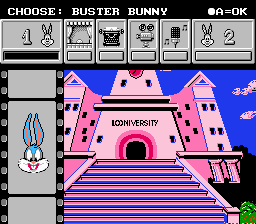
WHY IT MATTERS
Why NESd exists
NESd is a personal/emulation-development project aiming to implement NES hardware in Dart and expose a modern, cross-platform frontend via Flutter. The author documents the project development and design decisions in blog posts and the project repository.
BEST FOR
Best for
Users who want a modern Flutter-based NES implementation to run in desktop, mobile, or browser environments; developers interested in a Dart emulator codebase they can inspect or extend.
The people behind NESd
History & status
The project began in 2024 and has an active public repository with frequent releases. The author published development notes describing the initial commit and design rationale. The upstream repository offers packaged releases, a Flatpak repository, and a browser-playable build. The codebase is maintained openly on GitHub; activity and releases indicate ongoing development rather than an archived project. Compatibility and accuracy are typical of a single-author indie emulator: it aims to run many NES games but does not claim the exhaustive compatibility or cycle-accuracy of long-established NES emulators. The project provides multiple distribution options including prebuilt releases, a Flatpak, and a self-hostable Docker/ghcr image for the web build.
What NESd supports
- Nintendo Entertainment System / Famicom (NES)
- Windows (native Flutter build)
- macOS (native Flutter build)
- Linux (native Flutter build and Flatpak)
- Web (Flutter Web / browser play)
- Android (Flutter mobile build)
Download and availability
OFFICIAL DOWNLOADS
Get NESd
Official downloads are provided via the project's GitHub releases page. Additional distribution packages: a Flatpak repository is published by the author and a self-hostable container image is available for the web build.
Get NESd ↗DOCUMENTATION
Official documentation
Read the official configuration, compatibility, and troubleshooting material before changing advanced options.
Read official documentation ↗NESd setup guide
Setup note: This setup guide covers acquiring a release build, running the browser build, or building NESd from source for desktop/mobile using the Flutter toolchain. It focuses on practical, verified steps — follow the official README if you need alternate targets or platform-specific notes.
- 1) Get a release (recommended): Visit the project's GitHub Releases page and download the artifact that matches your platform (Windows, macOS, Linux, Android). Releases are published as tagged builds in the repository's Releases section.
- 2) Install via Flatpak on Linux (optional): The author publishes a Flatpak repository. Add the flatpak repo URL provided in the project README, then install the Flatpak ID (dev.jpj.NESd). Use flatpak install <repo> dev.jpj.NESd and run with flatpak run dev.jpj.NESd.
- 3) Play in a browser or self-host the web build: The project provides a browser-playable build (hosted at the project's docs/play path) and a self-hostable container image. To test quickly, open the project's play URL in a modern browser. To self-host, obtain the project's published container image (the repository registry image) and run it according to the container's instructions; the repository mentions a ghcr container for the web build.
- 4) Build from source (desktop/mobile) — prerequisites: Install Git and the Flutter SDK for your target platforms. Ensure Flutter is set up for the target (desktop support enabled, Android SDK for Android builds, Xcode for macOS/iOS when applicable). Clone the repository, then run flutter pub get in the project root to fetch Dart dependencies.
- 5) Build from source — common build commands: From the repository root: for desktop: flutter build linux / macos / windows (choose the platform). For Android: flutter build apk –release. For web: flutter build web and then serve the build directory with a static server or container image as documented.
- 6) Loading ROMs and BIOS: NESd does not include commercial ROMs, firmware, or BIOS files. Use the emulator UI to open your own legally-obtained NES ROM images (common .nes iNES format). If the project requires optional data files, consult the README or docs for precise file paths and formats.
- 7) Practical notes and troubleshooting: If you encounter platform-specific issues, confirm your Flutter toolchain is up to date and that desktop support is enabled in Flutter. Use the project's GitHub Issues page to search for existing reports; file a new issue with reproduction steps if needed. For web playback, use a modern Chromium-based or Firefox browser with WASM support.
Software reminder: Do not upload or use copyrighted ROMs unless you legally own them. NESd's releases do not include commercial game ROMs or proprietary firmware.
Sources and further reading
Detailed guides and tutorials
Explore step-by-step guides for NESd as they are published.