 Retro Replay Retro Gaming History, Reviews & Emulation
EMULATOR DATABASE
PCSX2
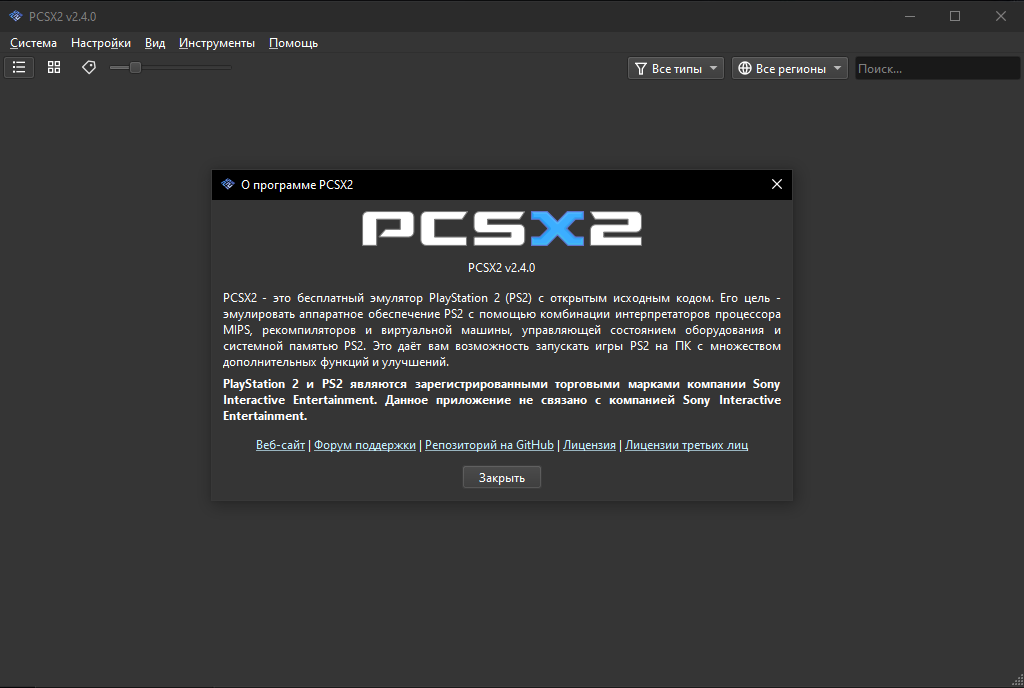
The established open-source PlayStation 2 emulator, combining broad compatibility with modern rendering, per-game fixes, controller support, and an actively maintained desktop interface.
Download Tutorials & guidesSign in to download. Files are hosted by the emulator project.

About PCSX2
PCSX2 turned the PlayStation 2’s unusual architecture into a mature preservation platform. Its game database, automatic fixes, renderer choices, and compatibility work cover a library that often behaved differently from one title to the next.
It suits players who want a polished library interface and optional resolution upgrades, as well as researchers who need software rendering, logging, patches, memory-card tools, and per-game configuration.
The people behind PCSX2 / history
PCSX2 began in 2002 and is maintained by an international open-source team. Contributors have steadily replaced older plugin-era workflows with an integrated interface, automatic game fixes, modern renderers, and continuously updated compatibility data.
Screenshots

Tutorials & guides
PCSX2 setup guide
Before you begin: PCSX2 does not provide the PlayStation 2 BIOS or commercial games. Dump both from your own console and discs.
- Check the official requirements page, then download the current stable build or the newest nightly for Windows, Linux, or macOS.
- Install or extract PCSX2. On Windows, install the current x64 Visual C++ runtime if the official setup guide requests it.
- Run the first-time wizard, choose your language, select a legally dumped PS2 BIOS, and map your controller.
- Add the folder containing your own ISO or CHD disc images. Let PCSX2 scan the folder and populate the game library.
- Start with the default renderer and native or 2x internal resolution. Test a game before adding widescreen patches, texture filtering, or higher scaling.
- If a title has visual or timing problems, check its compatibility entry and use per-game settings instead of changing the global configuration.
- Create a normal memory card for in-game saves. Treat save states as temporary checkpoints and back up memory-card files before updates.
- For stubborn graphics problems, compare hardware rendering with Software mode; it is slower but often helps identify renderer-specific issues.
Software reminder: Use a BIOS dumped from your own PlayStation 2 and game images made from discs you own.
Additional information
What PCSX2 supports
- PlayStation 2 disc images created from games you own.
- Windows, Linux, and macOS builds with stable and frequently updated nightly channels.
- Hardware and software rendering, internal-resolution scaling, widescreen patches, and texture replacement.
- Controller mapping, memory cards, save states, per-game settings, and built-in compatibility fixes.
READMEs & documentation
PCSX2 official project README
# PCSX2    [](https://app.codacy.com/gh/PCSX2/pcsx2/dashboard?utm_source=github.com&utm_medium=referral&utm_content=PCSX2/pcsx2&utm_campaign=Badge_Grade) [](https://discord.com/invite/TCz3t9k) PCSX2 is a free and open-source PlayStation 2 (PS2) emulator. Its purpose is to emulate the PS2's hardware, using a combination of MIPS CPU [Interpreters](<https://en.wikipedia.org/wiki/Interpreter_(computing)>), [Recompilers](https://en.wikipedia.org/wiki/Dynamic_recompilation) and a [Virtual Machine](https://en.wikipedia.org/wiki/Virtual_machine) which manages hardware states and PS2 system memory. This allows you to play PS2 games on your PC, with many additional features and benefits. ## Project Details PCSX2 has been in development for more than 20 years. Past versions could only run a few public domain game demos, but newer versions can run most games at full speed, including popular titles such as Final Fantasy X and Devil May Cry 3. Visit the [PCSX2 compatibility list](https://pcsx2.net/compat/) to check the latest compatibility status of games (with more than 2500 titles tested). Installers and binaries for both stable and nightly builds are available from [our website](https://pcsx2.net/downloads/). ## System Requirements PCSX2 supports Windows, Linux, and Mac platforms. Our [setup documentation page](https://pcsx2.net/docs/setup/requirements) contains additional details on software and hardware requirements. Please note that a BIOS dump from a legitimately-owned PS2 console is required to use the emulator. For more information, visit [this page](https://pcsx2.net/docs/setup/bios/). ## Contributing / Building PCSX2 supports translation into other languages using [Crowdin](https://crowdin.com/project/pcsx2-emulator). See the [Contribution Guide](https://pcsx2.net/docs/contributing/) for more info on how to contribute.Download original README
Release log
Selected releases and changes, with coverage from our weekly emulation roundup.
- 2026-09-28 · 2.9.92 (Development build)
Fixes unsaved debugger breakpoints that remained after loading a saved set.
Official release Weekly emulation roundup
Sources & further reading
FROM THE COMMUNITY
Player reviews
Starting site scores are provisional editorial scores. Established mainstream projects receive a higher starting score; other imported entries begin at a neutral 6/10 pending individual review. Member scores change the average after approval.
Your take on PCSX2
Spam has been overwhelming. To help us approve your review, sign up and introduce yourself in the Introductions forum so we know you’re not a bot.
Sign in with your Retro Replay account to rate this project and share your experience.
Sign in to review