 Retro Replay Retro Gaming History, Reviews & Emulation
GAME BOY EMULATOR
ESboy
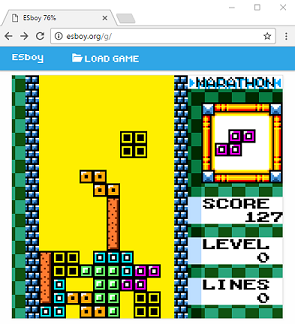
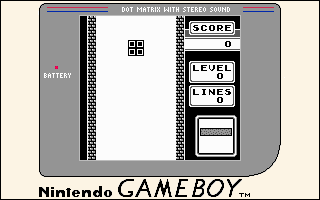
ESboy is an open-source, browser-based Game Boy (DMG/Color) emulator written in ECMAScript (JavaScript). It runs in the browser (Canvas + Web Audio) and includes a small CLI runner for headless use.
WHY IT MATTERS
Why use ESboy?
Lightweight, single-file JS implementation of a Game Boy CPU and subsystems intended for learning, testing, and embedding in web pages. Good for developers who want a readable ECMAScript implementation with an included web demo and test-suite compatibility notes.
BEST FOR
Best for
Developers, educators, and hobbyists who want a pure-JavaScript Game Boy emulator to run in a browser, inspect implementation details, run Blargg tests, or embed a web-play demo. Not a full-featured end-user frontend compared with long-lived desktop emulators, but useful for experimentation and web deployment.
The people behind ESboy
History & status
ESboy's repository documents a complete reimplementation of the Game Boy CPU and supporting controllers using ECMAScript 6 and browser APIs (Canvas and Web Audio). The README lists passing Blargg CPU instruction tests and provides references to standard GB documentation used during development. The project is hosted on GitHub under loociano/ESboy with source files (including esboy.js and index.html), a build workflow (npm), and a live demo URL noted in the README. The repository is published under the GNU GPLv3 license. Activity and many commits are visible in the repository; the project appears maintained as an educational/browser-focused implementation rather than a dedicated, actively-mature emulator frontend.
What ESboy supports
- Game Boy (DMG) and Game Boy Color ROM images (user-supplied)
- Modern web browsers (runs in-page via index.html using Canvas + Web Audio)
- Node.js CLI mode (npm run cli available for headless testing)
- Offline usage by cloning the repo and opening index.html in a browser
Download and availability
OFFICIAL DOWNLOADS
Get ESboy
Official source and release artifacts are distributed from the project's GitHub repository and its Releases page. There is also a hosted demo (try it online) linked from the README. ROMs, BIOS, firmware, or commercial game files are not included and must be provided by the user.
Get ESboy ↗DOCUMENTATION
Official documentation
Read the official configuration, compatibility, and troubleshooting material before changing advanced options.
Read official documentation ↗ESboy setup guide
Setup note: Practical setup for running ESboy locally or via the included demo. These steps are based on the project's repository README (build/test/run instructions).
- 1) Inspect the official repository: Browse the project repository to confirm the current source and README. Files of interest include index.html, esboy.js, package.json, and the README which documents the demo and build commands.
- 2) Try the online demo first: The README links to a hosted demo (esboy.loociano.com). Use the demo to confirm behavior in your browser before cloning locally. The demo shows how the emulator appears embedded in a page.
- 3) Clone the repository: git clone https://github.com/loociano/ESboy.git and change into the project directory. This fetches the source, screenshots, and test data included by the author.
- 4) Install build/test tooling: If you want to build or run tests, install Node.js and npm (supported versions not specified in the README). Run npm install in the repository root to fetch dev dependencies listed in package.json.
- 5) Build the web bundle: Run npm run build to produce the production bundle. The repository README lists npm run build as the canonical build command.
- 6) Run locally in a browser: After cloning (and building if you prefer), open index.html in a modern desktop browser. The emulator uses Canvas and Web Audio; some browsers may require running via a local web server to avoid file:// restrictions for media or modules. If you see issues, run a simple local server (for example: npx http-server or python -m http.server) and navigate to the served index.html.
- 7) Run in headless/CLI mode (optional): The README documents a CLI entry: npm run cli — -i <rom file> –debug. That runs the emulator without the browser for test/automation purposes. Ensure Node.js is installed and that the CLI dependencies were installed via npm install.
- 8) ROMs and legal notes: ESboy requires Game Boy ROM files supplied by the user. The project does not include commercial ROMs, BIOS, or firmware. Obtain and use ROMs only in accordance with local laws and license terms.
Software reminder: ESboy is GPLv3-licensed as stated in the repository. The project is a source-level emulator intended for learning and web embedding; compatibility varies by ROM and the author documents passing Blargg CPU instruction tests but does not claim comprehensive compatibility or bundled commercial content.
Sources and further reading
Detailed guides and tutorials
Explore step-by-step guides for ESboy as they are published.