 Retro Replay Retro Gaming History, Reviews & Emulation
GAME BOY EMULATOR
gamekun
GameKun is an experimental, incomplete Game Boy (DMG) emulator implemented in Elixir. It is a proof-of-concept repository intended for learning and exploration rather than practical playability.
WHY IT MATTERS
Why this project exists
Author created GameKun to learn Elixir and to explore building an application with many moving parts and state management. The author stopped active development after finding Elixir’s immutability caused performance limitations for this use case.
BEST FOR
Notable status and limitations
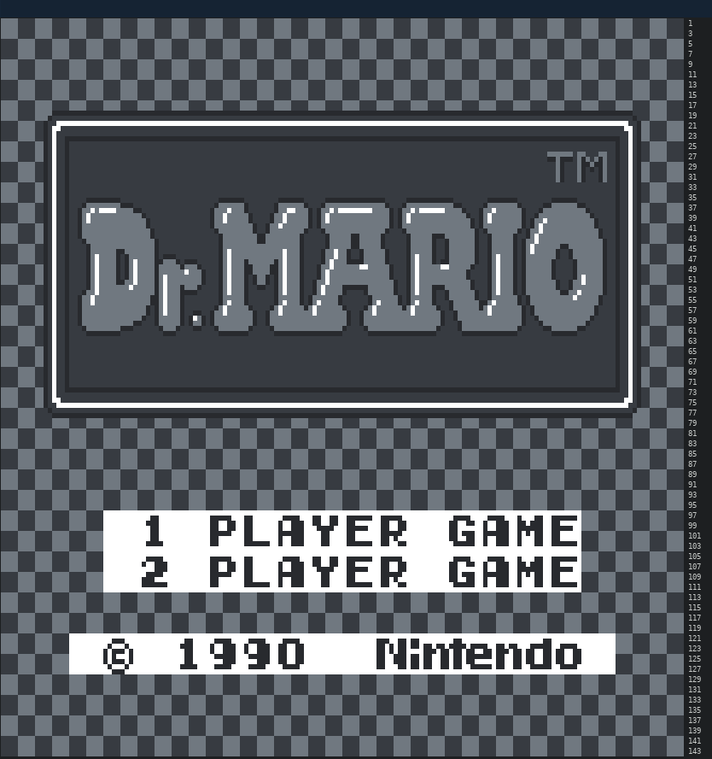
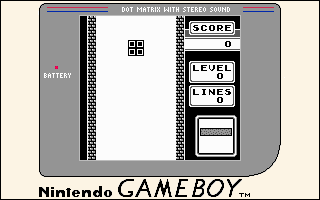
The emulator implements parts of the Game Boy pipeline (background rendering is implemented), but input, memory banking, full PPU, and correct interrupt handling are missing or broken. The repository is explicitly described as incomplete and runs at very low speed — the author reports ~1 FPS. It is primarily educational and not suitable for running commercial games reliably.
The people behind gamekun
History and repository status
GameKun appears as a public GitHub repository with source, tests, and example assets. The README documents the project goals, limitations, and build/run commands. The repository shows commits and small community interest (stars/forks). No official binary releases are provided in the Releases section; the README instructs building an executable locally with mix escript.build. The project is archived only by its README description (development stopped) rather than by GitHub archival tooling.
What gamekun supports
- Nintendo Game Boy (DMG) – experimental/partial implementation (terminal renderer only)
- Terminal-based rendering of background layer (text-art) — not a GUI frontend or full-color GBC support explicitly documented.
- No BIOS or firmware included; author uses Blargg test ROM in tests (cpu_instrs.gb).
Download and availability
OFFICIAL DOWNLOADS
Get gamekun
There are no packaged releases. Official source and build instructions are on the GitHub repository. Build from source using Elixir/mix as described in the repository README.
Get gamekun ↗DOCUMENTATION
Official documentation
Read the official configuration, compatibility, and troubleshooting material before changing advanced options.
Read official documentation ↗gamekun setup guide
Setup note: Practical setup steps to build and run GameKun locally. This guide follows the repository README and highlights project limitations you'll encounter.
- 1 — Requirements: Install Elixir (and Erlang/OTP) and Git. Ensure mix (the Elixir build tool) is available on your PATH. Verify by running elixir –version and mix –version.
- 2 — Clone the repository: git clone https://github.com/jac/gamekun.git && cd gamekun. Work from the repository root.
- 3 — Build the escript executable: From the project root run: mix escript.build. This attempts to produce an escript executable named gamekun in the repository directory. The README documents this command as the primary build step.
- 4 — Run the emulator (terminal mode): Run the generated executable with a Game Boy ROM path: ./gamekun <path_to_rom>. The emulator renders output to your terminal (the author notes the game height is 72 characters, so you may need to shrink your terminal font to prevent scrolling).
- 5 — Expect major limitations: The emulator only implements the background layer rendering and lacks user input, proper memory banking, full PPU rendering, and correct interrupt handling. Many games will fail, crash, or be unplayable; the author reports the runtime being extremely slow (~1 FPS). The repository contains a test ROM cpu_instrs.gb (Blargg test ROM) used by unit tests; tests are known to fail.
- 6 — Development notes and experimentation: If you want to experiment, inspect lib/ for CPU, PPU, and memory modules. Tests and a test ROM are included in the repo for reference. Because the project is a learning experiment, performance and compatibility fixes would require substantial reworking (notably avoiding patterns that cause repeated allocation and leveraging native or NIF code for hot loops).
Software reminder: The repository does not include commercial ROMs, BIOS, or firmware. Do not provide or use copyrighted game ROMs unless you legally own them. The project README does not provide or bundle BIOS files.
Sources and further reading
Detailed guides and tutorials
Explore step-by-step guides for gamekun as they are published.