 Retro Replay Retro Gaming History, Reviews & Emulation
GAME BOY EMULATOR
Modest-GB
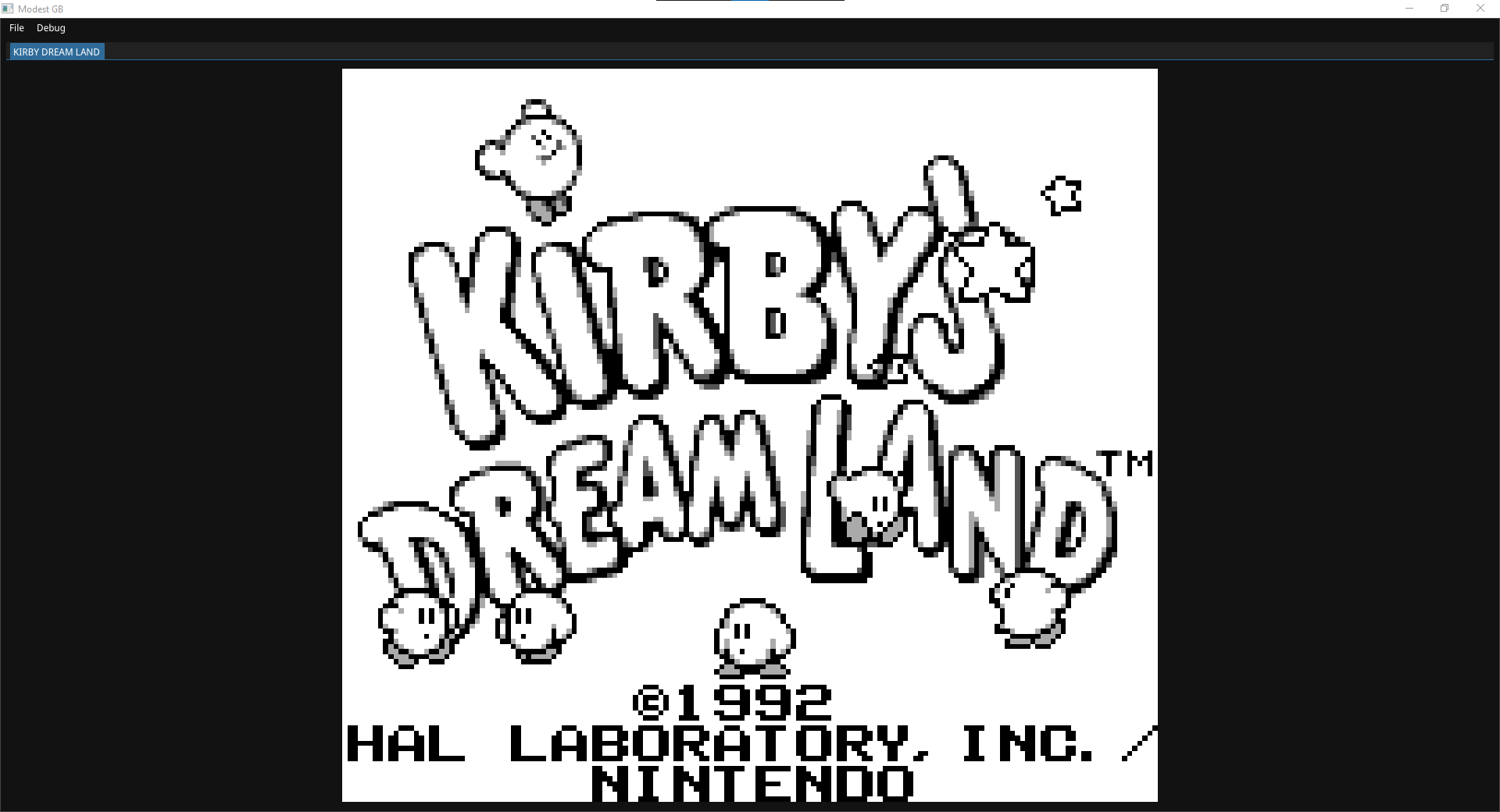
Modest-GB — a small, open-source DMG (original Game Boy) emulator written in C++ with a Windows-tested build system, SDL-based front end, ImGui UI, and support for common MBC cartridge types.
WHY IT MATTERS
Why pick Modest-GB?
Small, self-contained Game Boy (DMG) emulator useful for study, experimentation, and local builds. The project focuses on original Game Boy (DMG) compatibility and includes source, a GUI, controller mapping, and documentation useful for developers learning how a Game Boy is emulated.
BEST FOR
What it's best for
Local builds, code study, debugging and small-scale playtesting of DMG ROMs. The codebase uses common dependencies (SDL, Dear ImGui) and documents controller mapping, save-file location options, and supported Memory Bank Controllers (MBC1, MBC3, MBC5).
The people behind Modest-GB
History & status
Modest-GB is hosted on GitHub and documented primarily in its repository README. The repo identifies the emulator as 'DMG only' (original Game Boy) and lists references used for implementation (Pan Docs, opcode tables, Game Boy technical references). The project has active commit history visible in the repository (multiple commits) and modest community attention (GitHub star count displayed in the repo). The README states the emulator should be cross-platform in theory but has only been tested on Windows. No explicit long-term maintenance or roadmap is published in the repository; users should treat the project as community open-source software maintained by its author on GitHub.
What Modest-GB supports
- Game Boy (DMG) ROMs (original Game Boy only — not Game Boy Color)
- Cartridge types: ROM only, MBC1, MBC3, MBC5
- Windows (tested); cross-platform in theory (depends on building with CMake and listed dependencies)
- Audio output via SDL
- Configurable controller/keyboard mapping
- Save data storage with configurable location
Download and availability
OFFICIAL DOWNLOADS
Get Modest-GB
Official source and releases are published from the project's GitHub repository. Prebuilt releases (if present) are under the repository's Releases page; otherwise build from source using CMake as documented in the repository README.
Get Modest-GB ↗DOCUMENTATION
Official documentation
Read the official configuration, compatibility, and troubleshooting material before changing advanced options.
Read official documentation ↗Modest-GB setup guide
Setup note: Practical setup notes and a step-by-step build/run guide for Modest-GB (based on the project's README). This guide assumes you will build from the official GitHub repository.
- 1) Get the source and submodules: Clone the official repository and its submodules with git: git clone –recurse-submodules https://github.com/ShannonHG/Modest-GB ./Modest-GB
- 2) Install build tools and dependencies: Install CMake 3.21 or newer and a C++ build toolchain for your platform (MSVC on Windows, or gcc/clang on Linux/macOS). Ensure dependencies listed in the README are available: SDL (development libraries), yaml-cpp, Dear ImGui, and Native File Dialog Extended. The project uses CMake to find and link these; on Windows you may use vcpkg, MSYS2, or install SDK packages manually.
- 3) Configure and build with CMake: From the repository root: mkdir build && cd build && cmake .. && cmake –build . –config Release. The README reports the compiled binary will be in Modest-GB/build/Release/ for a Release configuration.
- 4) Run and configure the emulator: Launch the built executable. Default controls are exposed in File -> Settings -> Controller/Keyboard; defaults map J/K to A/B and P/O to Start/Select. Audio output selects the device stored in Modest-GB.config or falls back to the first available device; changeable via File -> Settings -> Audio.
- 5) ROMs, saves and cartridges: Modest-GB supports ROM-only, MBC1, MBC3 and MBC5 cartridge types. If a ROM requires an unimplemented MBC, the emulator will default to MBC1 behaviour (as noted in the README). By default save data is stored in /Modest-GB/Saved-Data/; you can configure it to store saves next to the ROM by changing File -> Settings -> Saved Data -> Saved Data Location -> ROM Directory.
- 6) Practical notes and limits: The project is documented as DMG-only (original Game Boy) — do not expect Game Boy Color-specific hardware features. The README explicitly states testing was done on Windows; cross-platform behaviour is not guaranteed. The repository uses Pan Docs and other community technical references; if you need expanded accuracy or GBC support consider more mature projects that target those features.
Software reminder: Modest-GB is source-only software distributed under the repository license; commercial ROMs, BIOS files, or firmware are not included and must not be distributed. Build requires the listed third-party libraries and an appropriate C++ toolchain.
Sources and further reading
Detailed guides and tutorials
Explore step-by-step guides for Modest-GB as they are published.