 Retro Replay Retro Gaming History, Reviews & Emulation
EMULATOR DATABASE
pico-megadrive
pico-megadrive is an open source Sega Mega Drive / Genesis emulator port targeting RP2040-based MURMULATOR development hardware. It is based on the Gwenesis emulator and is intended to run on Murmulator boards with VGA output and microSD storage.
Download Tutorials & guidesSign in to download. Files are hosted by the emulator project.

About pico-megadrive
Designed to run a Genesis emulator on very low-cost RP2040-based hardware, primarily the MURMULATOR devboard. Provides a compact way to play Genesis software on hobbyist devboards with VGA output and PS/2 input.
Runs a Genesis core tuned for RP2040 constraints and the Murmulator hardware feature set (microSD loading, VGA output, PS/2 input).
Supported systems and capabilities
- Genesis (Sega Mega Drive)
- MURMULATOR devboard (RP2040 / Raspberry Pi Pico)
- microSD ROM loading
- VGA output
- PS/2 input
The people behind pico-megadrive / history
The repository states the code is based on the Gwenesis emulator and adapted for the RP2040 and the MURMULATOR devboard. The project is hosted on GitHub under user xrip and includes source, build configuration, and a CHANGELOG. The MURMULATOR project provides the devboard hardware and associated documentation referenced by this project.
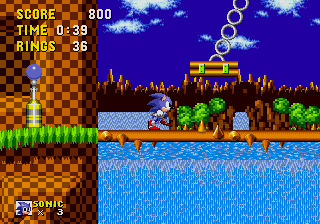
Screenshots
Tutorials & guides
pico-megadrive setup guide
This guide describes obtaining the source, building for RP2040-based MURMULATOR hardware, and preparing the microSD with ROMs for use. Follow the project's README and the MURMULATOR hardware documentation for exact wiring and flashing steps.
- 1. Review project sources Open the project's GitHub repository to read the README, CHANGELOG, and LICENSE. Confirm the hardware you have matches the MURMULATOR devboard requirements described in README.
- 2. Get MURMULATOR hardware Obtain or assemble a MURMULATOR devboard (RP2040-based) that includes a microSD slot, VGA output, and PS/2 or compatible input. The MURMULATOR project site and repository contain schematics and assembly information.
- 3. Prepare toolchain Install an RP2040-compatible build toolchain as required by the repository (CMake and the Raspberry Pi Pico / RP2040 SDK) and any cross-compilation tools. Follow the repository's build instructions in README and CMakeLists files.
- 4. Build firmware Clone the pico-megadrive repository, run the CMake configuration steps described in the project, and compile the firmware for the MURMULATOR board. Check the repository for any board-specific files under the boards directory.
- 5. Prepare microSD Format a microSD card according to the MURMULATOR project guidance. Copy your legally obtained Genesis ROM files to the card in the layout expected by the firmware. The project README describes how ROMs are loaded.
- 6. Flash and test Flash the built firmware to the MURMULATOR board using the RP2040 flashing method documented by the hardware project. Insert the microSD, connect VGA and input devices, power up, and test. Use the in-game menu (SELECT+START per README) to adjust frameskip and interleave if necessary.
- 7. Troubleshoot and consult upstream If you encounter issues consult the repository Issues page, the CHANGELOG, and the MURMULATOR documentation. For hardware-specific questions, consult the Murmulator project resources and community links.
READMEs & documentation
pico-megadrive official project README
# Raspberry Pi Pico Sega Megardrive / Sega Genesis emulator for MURMULATOR devboard Sega Megardrive / Sega Genesis emulator based on [Gwenesis Emulator](https://github.com/bzhxx/gwenesis) for RP2040 based [MURMULATOR](https://github.com/AlexEkb4ever/MURMULATOR_classical_scheme) devboard Murmulator devboard have MicroSD card slot, PS/2 keyboard input and VGA output SELECT+START launches ingame menu with frameskip and interleave options. # Hardware needed To get it working you should have an Murmulator (development) board with VGA output. Schematics available here at https://github.com/AlexEkb4ever/MURMULATOR_classical_scheme Download original README
Release log
Selected releases and changes, with coverage from our weekly emulation roundup.
Sources & further reading
FROM THE COMMUNITY
Player reviews
Starting site scores are provisional editorial scores. Established mainstream projects receive a higher starting score; other imported entries begin at a neutral 6/10 pending individual review. Member scores change the average after approval.
Your take on pico-megadrive
Spam has been overwhelming. To help us approve your review, sign up and introduce yourself in the Introductions forum so we know you’re not a bot.
Sign in with your Retro Replay account to rate this project and share your experience.
Sign in to review