 Retro Replay Retro Gaming History, Reviews & Emulation
GAME BOY EMULATOR
RGB
RGB (Rust Game Boy) is a small, open-source emulator project for the original Nintendo Game Boy (DMG) hosted on GitHub by user NivenT.

WHY IT MATTERS
Why this project matters
RGB is a compact Rust implementation that demonstrates a hobbyist/research approach to Game Boy emulation. It is useful as a learning reference for Rust developers interested in classic handheld hardware or for people who want a small codebase to study Game Boy internals.
BEST FOR
Best use cases
Source study, research, and small-scale experimentation. Because RGB is focused and lightweight, it’s best used by developers who want to inspect a minimal Rust Game Boy implementation or build from source for experimentation rather than as a full-featured user-ready emulator.
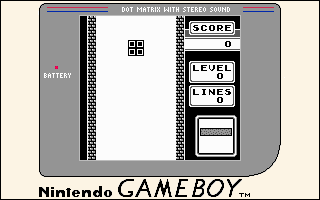
The people behind RGB
History & provenance
RGB is the personal project of GitHub user NivenT (Niven Achenjang). The repository is pinned on the author's GitHub profile as “RGB (Rust Game Boy)” and described there as a simple emulator for the original Game Boy. The project is published openly on GitHub and has a small community interest (the repository was visible on the author's profile and listed in community-curated Rust/GB project lists). For full commit history, contributors, and timestamps consult the project's GitHub repository and release history directly.
What RGB supports
- Original Nintendo Game Boy (DMG)
- Source code build on platforms supported by Rust toolchain (host-dependent)
- Intended for desktop/host execution (build from source)
- No commercial games, BIOS, or firmware included
Download and availability
OFFICIAL DOWNLOADS
Get RGB
Official project source and releases are hosted on the project's GitHub page and its Releases area. Obtain source or builds from the repository and releases on GitHub; check the project's README/release notes before running.
Get RGB ↗DOCUMENTATION
Official documentation
Read the official configuration, compatibility, and troubleshooting material before changing advanced options.
Read official documentation ↗RGB setup guide
Setup note: Summary build & setup notes (high-level, project-specific): RGB is a Rust project on GitHub. Typical setup for Rust-based emulator projects follows the steps below — verify exact commands and any extra requirements in the repository README before proceeding.
- 1) Inspect the repository and README: Open the project's GitHub page and read the README, license, and Releases notes. Confirm supported platforms, any required extra libraries, and whether prebuilt binaries are provided on the Releases page.
- 2) Install the Rust toolchain: Install rustup and the Rust toolchain for your host (stable channel). This usually provides cargo, rustc, and rustup which are needed to build Rust projects.
- 3) Clone the repository: Clone the official repository URL (the project owner’s GitHub page). Example: git clone <project-repo-url>. Use the repository you found on GitHub rather than third-party forks unless you trust them.
- 4) Build from source with cargo (typical): From the repo root, a typical build command for a Rust project is cargo build –release. If the project uses workspace features or optional features, inspect Cargo.toml and the README for feature flags (for example, GUI or audio backends may be optional).
- 5) Provide ROM files separately: Commercial Game Boy ROMs, firmware, or BIOS files are not bundled with the project. You must supply your own legally obtained ROM files. Place them where the README or the built binary expects them (or pass a path at runtime if the frontend accepts it).
- 6) Run and debug: Run the built binary from the command line. If the emulator exposes CLI options for ROM path, scaling, or audio, consult the README or run the binary with –help to discover runtime options. Use a debugger or logs to trace emulation issues; many hobbyist projects include a verbose or debug build profile.
- 7) Check releases for prebuilt assets: If you prefer not to build, check the project's GitHub Releases page for attached binaries. Only download assets provided on the official repository's Releases tab and verify signatures or checksums if supplied.
- 8) Follow development & report issues: If you find bugs or want features, open concise issues on the repository’s issue tracker. Check contribution guidelines and existing issues/pull requests before submitting code.
Software reminder: Always verify the project README and release notes for exact build commands and platform-specific dependencies. Do not download or run ROMs, BIOS, or firmware you do not own or that are proprietary.
Sources and further reading
Detailed guides and tutorials
Explore step-by-step guides for RGB as they are published.