 Retro Replay Retro Gaming History, Reviews & Emulation
ATARI 2600 / VCS EMULATOR
Stella
The long-running, multi-platform Atari 2600 emulator, combining accurate TIA emulation with a friendly game launcher, controller tools, developer features, and unusually deep hardware support.
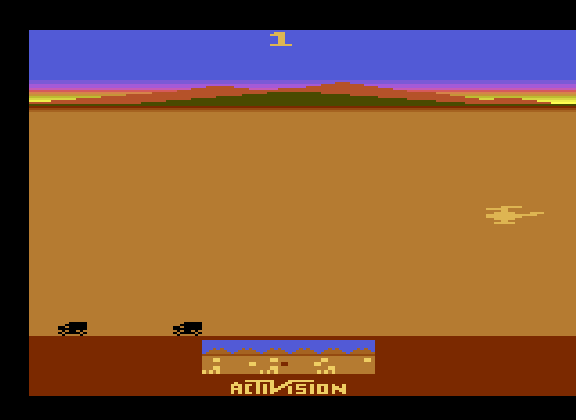
WHY IT MATTERS
The enduring Atari 2600 reference
Stella has carried Atari 2600 emulation across multiple operating systems for decades. Its current codebase focuses on faithful TIA video and audio behavior, modern cartridge types, controller hardware, and tools useful to both players and homebrew developers.
BEST FOR
Playing, preserving, and developing 2600 software
Use Stella for an organized cartridge library, accurate television-style effects, joystick and paddle setup, save and high-score support, or its integrated debugger when studying a game or homebrew project.
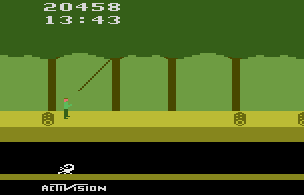
The people behind Stella
Bradford W. Mott, Stephen Anthony, and the Stella team
Stella began as a Linux project by Bradford W. Mott and has since been maintained by Stephen Anthony and contributors. The team has kept the emulator portable while improving core timing, sound, cartridge support, accessibility, and developer tooling.
What Stella supports
- Atari 2600 cartridge images and a wide range of bank-switching schemes.
- Cycle-exact TIA video and audio emulation, optional TV effects, palettes, and display controls.
- Joysticks, paddles, keypads, driving controllers, AtariVox, SaveKey, and compatible USB adapters.
- A ROM launcher, save states, high-score saving, screenshots, debugger, and homebrew development tools.
Download and availability
OFFICIAL DOWNLOADS
Stella releases
Download the current Windows, macOS, or Linux build from the official project page. Choose the package that matches your operating system and architecture.
Open official downloads ↗USER GUIDE
Configuration and controller reference
The official manual explains the launcher, input mapping, TV effects, cartridge properties, hardware adapters, and debugging features.
Read the Stella user guide ↗Stella setup guide
Before you begin: Stella does not include commercial cartridges. Build your library from games you own, or use freely distributed homebrew software.
- Download the current Stella build from the official site and install or extract it in a folder where it can save settings and screenshots.
- Open the ROM launcher, add the folder that contains your Atari 2600 cartridge dumps, and let Stella build its library view.
- Start with automatic cartridge detection. If a game does not boot correctly, confirm the dump and consult the cartridge properties before forcing a bank-switching type.
- Map your preferred controller. Use joystick mode for most games; select paddles, driving controllers, or keypads only when the original cartridge expects them.
- Choose a video setting that suits your display, then compare the default rendering with CRT or TV effects before raising scanline intensity or changing the palette.
- Use ordinary in-game saves, high-score support, or cartridge-specific save hardware for long-term progress. Treat save states as temporary checkpoints.
- For an unfamiliar game, open the ROM information panel first. It shows detected controller and cartridge details, which prevents many input and display problems.
Software reminder: Use cartridge files created from games you own or freely distributed homebrew releases.
Sources and further reading
Detailed guides and tutorials
Explore step-by-step guides for Stella as they are published.
Use Stella on Android
An Android ARM64 Libretro build exists for Stella. Run the core through RetroArch for Android; the standalone desktop download and Android core may have different menus and features.
Emulates: Atari 2600.
Verified Android core build ↗ · Browse all Android emulators →