 Retro Replay Retro Gaming History, Reviews & Emulation
GAME BOY COLOR EMULATOR
tinygb
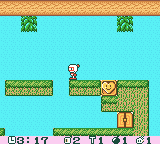
TinyGB — a compact, open-source Game Boy-family emulator (source in C) with a small build and SDL2 frontend. The repository advertises correct playback of mainstream Game Boy and some Game Boy Color titles; builds are provided via the project's GitHub.
WHY IT MATTERS
Why TinyGB exists
Author created TinyGB as a small, educational side project to learn low-level hardware programming and to implement a portable Game Boy emulator in minimal C. The README and roadmap show the project is focused on correctness and portability rather than extensive UI features.
BEST FOR
What TinyGB is good for
A lightweight, readable emulator codebase for study or experimentation; building quickly on Linux with SDL2 for testing small Game Boy and Game Boy Color ROMs. Good for developers who want a minimal C implementation to inspect, extend, or learn from.

The people behind tinygb
History & status
TinyGB is hosted on GitHub (jewelcodes/tinygb). The README lists a roadmap and screenshots of tested games (including classic Game Boy and at least one Game Boy Color title). The project is an independent side project with active commits visible in the repository history; development appears community-driven and incremental. The repository contains build instructions (Makefile) and references to Pan Docs and the Mooneye test suite as sources used during implementation. The repository does not claim to include BIOS, commercial games, or bundled firmware.
What tinygb supports
- Nintendo Game Boy (original)
- Nintendo Game Boy Color (limited / reported playable titles)
- Common MBC types (implemented per README roadmap and tested ROMs)
- SDL2-based display/input on host platforms supported by SDL2
Download and availability
OFFICIAL DOWNLOADS
Get tinygb
Official source and release artifacts are provided from the project's GitHub repository. Grab source from the repo or check the Releases page for any published builds.
Get tinygb ↗DOCUMENTATION
Official documentation
Read the official configuration, compatibility, and troubleshooting material before changing advanced options.
Read official documentation ↗tinygb setup guide
Setup note: This guide shows how to build and run TinyGB from the official GitHub source on a Linux system (example uses Debian/Ubuntu). It emphasises the exact steps and practical notes found in the repository.
- 1) Verify prerequisites: Install a C toolchain, make, and SDL2 development packages. On Debian/Ubuntu: sudo apt install build-essential git libsdl2-2.0-0 libsdl2-dev. You only need SDL2 for the provided frontend; other platforms require equivalent SDL2 dev libraries.
- 2) Clone the official repository: git clone https://github.com/jewelcodes/tinygb.git && cd tinygb. This retrieves the exact source the README documents.
- 3) Build using Makefile: Run make in the repository root. The project provides a Makefile; the README's build instructions are simply: make. If SDL2 headers or libs are missing, install the development package and re-run make.
- 4) Running the emulator: After a successful build, run the produced binary in the repo root (the README indicates the project is a tiny SDL2 frontend). The emulator expects Game Boy ROM files (user-supplied). Example: ./tinygb path/to/game.gb. The project does not include ROMs or BIOS files.
- 5) Typical runtime requirements & options: The README lists SDL2 as the runtime dependency for display/input. Expect keyboard/controller input through SDL2. If running Game Boy Color ROMs, behavior may be partial—the repository lists tested playable titles but also a roadmap indicating some GBC features were a development target; test your specific ROMs.
- 6) Troubleshooting & testing: If the build fails, check that libsdl2-dev is installed and that the C compiler in PATH is functional. Use the repository's issues page to report reproducible build/runtime errors and include the output of make and the host OS version. For compatibility verification, the README references Pan Docs and the Mooneye test suite as design references—consult those resources if you are adding features or running testcases.
- 7) Extending or contributing: TinyGB is MIT-licensed. Read the repository's LICENSE and README before contributing. Use the project's GitHub issues/pull request workflow to propose fixes or features. Because the codebase is intentionally small, it's suitable for educational forks and experiments.
Software reminder: TinyGB does not include nor distribute commercial game ROMs, firmware, or console BIOS files. You must supply any ROMs you wish to run and ensure you have the legal right to use them.
Sources and further reading
Detailed guides and tutorials
Explore step-by-step guides for tinygb as they are published.