 Retro Replay Retro Gaming History, Reviews & Emulation
GAME BOY EMULATOR
ts-gb
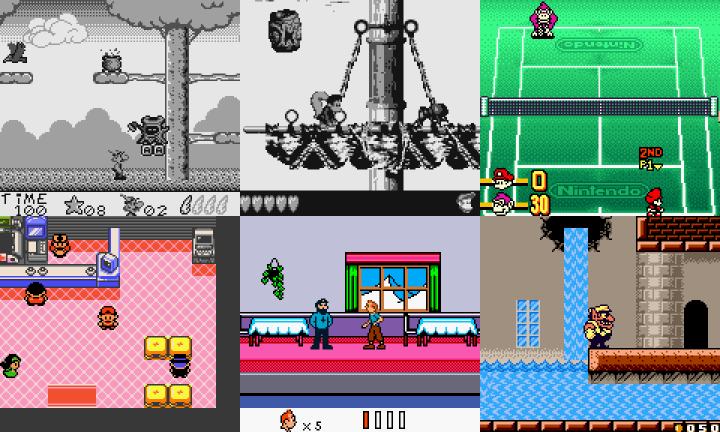
TS-GB is a TypeScript implementation of a Game Boy / Game Boy Color emulator library intended for use in browser or Electron apps. It exposes emulator components (System, CPU, PPU, audio, input) as classes so a developer can integrate the core into a frontend or serverless environment.
WHY IT MATTERS
Why TS-GB exists
TS-GB is a developer-focused Game Boy / Game Boy Color implementation written in TypeScript so it can be embedded in web pages, Electron apps, or other JavaScript/TypeScript environments. The project is described as WIP and designed to be used either by wiring components manually or by using the provided System wrapper.
BEST FOR
What it does best
Provides a modular TypeScript emulator core that is easy to import via npm/yarn and embed in web frontends. It exposes a System API, simple rendering hooks, and a basic Tone.js-based audio renderer for quick integration into browser-based projects.
The people behind ts-gb
History & status
The project source and README are hosted on GitHub and licensed MIT. The repository shows an active code history (commits and tags) and is maintained as a WIP emulator core rather than a polished end-user application. It targets both Game Boy (DMG) and Game Boy Color (CGB) behavior, but documentation and README language describe it as work-in-progress; expect incomplete compatibility, bugs, and a developer-oriented API rather than a finished GUI frontend. No commercial games, BIOS, or firmware are bundled with the project.
What ts-gb supports
- Game Boy (DMG)
- Game Boy Color (CGB)
- download_text
- You can obtain TS-GB in two practical ways: – Install the published package via npm/yarn (the README shows yarn add ts-gb). – Download source and any packaged releases from the project's GitHub repository and Releases page. Check the repository's Releases/tags for prebuilt artifacts if available. Note: The project does not include commercial game ROMs or BIOS files; you must provide those yourself if required and ensure you own local copies where applicable.
- guide_intro
- TS-GB is a library/core intended for developers. The README documents intended usage patterns: add the package to your project, instantiate the provided System wrapper or individual components, load ROM data as ArrayBuffers, and implement the host's render/audio/input loop. Below are the practical steps distilled from the project's README and package information; adapt them to your environment (browser, Node + Electron, etc.). Do not expect a desktop-ready GUI — the repository includes a 'TS-GB Web' example to show integration patterns but you should be prepared to write glue code for input, rendering, and audio output. Important: The project may optionally accept a Game Boy boot ROM (bootrom). The README notes loading a boot ROM is optional and must be supplied by the user if desired. No boot ROM is bundled with the project or Releases by the author as part of the repository distribution described in the README (supply your own or omit). For audio the project provides a Tone.js renderer; audio wiring is left to the integrator. Below are step-by-step developer-focused setup instructions based on the repository README and package metadata. Follow the repository README for updates before building or deploying in production.Guide steps follow below in discrete actions. They assume basic familiarity with Node/npm or a browser bundler and that you will use legally obtained ROM/bootrom files (not supplied). If you want a ready-made GUI player instead of integrating the core, look for the project's 'TS-GB Web' example in the repository as a reference implementation.Steps: 1) Install or download the code – Option A — npm/yarn: add the published package to your project (the README shows yarn add ts-gb). This retrieves the library from the package registry for use with bundlers or Electron. – Option B — GitHub: clone or download the repository from the project's GitHub page and inspect the Releases/tags for prebuilt artifacts. If you clone, follow the repository README for build commands in case a local build is required.2) Add emulator core to your project (example approach documented in README) – Import the System wrapper exported by the package (README shows import { System } from 'ts-gb/dist/system';). – Instantiate: const system = new System();3) Load boot ROM (optional) and game ROM – Read your boot ROM and game ROM into ArrayBuffer objects in your host environment. – Use the documented methods: system.loadBootRom(arrayBuffer) to load a boot ROM (optional), and system.loadGame(arrayBuffer) to load the cartridge image. – After loading, call system.reset() if you change ROMs after initialization to reset internal state (CPU, memory, display, DMA handler), as noted in the README.4) Run the emulator loop and timing – The README documents that you must call system.tick() at a 1 MHz rate (the Game Boy CPU base clock). Implement a tick loop or tie ticks to a high-precision timer in your host. Accurate timing is important; the README recommends keeping display refresh near the hardware's ~59.7 FPS. – For rendering, you can use one of the provided graphic renderers, or call system.display.getFrontBuffer() to retrieve pixel data and paint it to a canvas at the host framerate.5) Handle input – The README documents input methods: when a button is pressed call system.joypad.down(button) and on release call system.joypad.up(button). Map keyboard/gamepad events from the host to these calls.6) Audio – The README explains audio is more involved: you must synthesize audio from the audio component's state. TS-GB provides a basic Tone.js renderer that can be used as a starting point for audio output. Integrate Tone.js or another host audio mechanism to consume the emulator audio state.7) Saves and storage – The repository contains a roms folder and test assets for development. The README does not claim automatic persistence; implement save RAM extraction and host storage (IndexedDB/local files) according to your integration.8) Example web frontend – The repository references a 'TS-GB Web' example that demonstrates wiring rendering, input, and audio. Review that example to understand practical integration choices and to reuse glue code.9) Building from source – If you cloned the repo, follow package.json build/test scripts in the repository root. The README and package.json outline how to build/distribute; use the repository's scripts rather than guessing commands.10) Legal reminder – TS-GB does not include BIOS/firmware or commercial ROMs. You must supply any required boot ROM and cartridge images and ensure you have legal rights to use them in your jurisdiction.Practical tips – Start by using small public-domain test ROMs to verify rendering and input. – Keep timing accurate: improper tick timing produces audio/video glitches. The README's 1 MHz tick guidance is the authoritative implementation note in the repository. – Use the project's example Web integration to jump-start your UI wiring rather than writing everything from scratch.If you'd like, I can extract the exact package.json scripts and any build commands from the repository and present a precise step-by-step terminal command list for building a local example. I can also open the 'TS-GB Web' example files and summarize them in detail.Software reminder: You must provide your own ROM and any boot ROM; the project README explicitly treats boot ROM as optional but does not bundle one. Be careful to respect copyright and local laws when using commercial games or firmware.Sources consulted are listed below for verification and follow-up.Sources: – GitHub repository: https://github.com/Lyrkan/ts-gb (README, code, package.json and usage instructions). – Skypack / npm package entry for ts-gb (package metadata referencing the TypeScript emulator). – jsDelivr package metadata for ts-gb (CDN package information).Notes about verification and limitations: The README and repository are the primary authoritative sources for code-level details; the project's public documentation site returned a server error when fetched during this research, so I relied on the repository README and package metadata for usage instructions. If you want me to fetch specific files (package.json, example folder, or README sections) and convert them into exact terminal commands and code snippets, I can do that next and include precise citations to the repository lines used.
Download and availability
OFFICIAL DOWNLOADS
Get ts-gb
You can obtain TS-GB from the project's GitHub repository and from the npm package registry. The README documents yarn add ts-gb as an install option; alternatively use the repository's Releases/tags page to download source or any prebuilt release artifacts if present. The author does not supply ROMs or boot ROMs; supply those yourself.
Get ts-gb ↗DOCUMENTATION
Official documentation
Read the official configuration, compatibility, and troubleshooting material before changing advanced options.
Read official documentation ↗ts-gb setup guide
Setup note: TS-GB is a developer-oriented TypeScript emulator core intended to be embedded in web or Electron projects. Below are practical steps derived from the project's README for installing, wiring, and running the core. Follow the repository's README and example 'TS-GB Web' integration for implementation details.
- Install or clone the project: Preferred: install the published package into your web/Electron project (README shows yarn add ts-gb). Alternatively clone the repository from GitHub and inspect the Releases/tags for prebuilt assets.
- Import and initialize the System API: Import the System wrapper (README example: import { System } from 'ts-gb/dist/system';) and create an instance: const system = new System();
- Load boot ROM and game: Load a boot ROM (optional) via system.loadBootRom(arrayBuffer) and load a cartridge image via system.loadGame(arrayBuffer). If you swap ROMs after initialization call system.reset() to reset CPU/memory/display/DMA state.
- Drive the CPU tick loop: Call system.tick() at a 1 MHz rate as documented in the README. Use a high-precision host timer and synchronize rendering close to the Game Boy's ~59.7 FPS refresh cadence for best results.
- Render video: Either use one of the included renderers referenced in the README or pull pixel data from system.display.getFrontBuffer() and paint it to an HTML canvas or host framebuffer at the display refresh rate.
- Connect input: Map host input events to the emulator: call system.joypad.down(button) on press and system.joypad.up(button) on release as recommended in the README.
- Wire audio: TS-GB provides a basic Tone.js audio renderer as an example. Implement audio output by using the provided renderer or by synthesizing sound from the emulator audio component state.
- Use example web frontend: Review the repository's TS-GB Web example to see a complete integration showing rendering, input, and audio wiring. Reuse its glue code where applicable.
Software reminder: The project does not include commercial ROMs, BIOS, or firmware. Provide legally obtained ROMs and any boot ROMs yourself. Follow copyright laws and the repository license (MIT) when using or distributing the code.
Sources and further reading
Detailed guides and tutorials
Explore step-by-step guides for ts-gb as they are published.