 Retro Replay Retro Gaming History, Reviews & Emulation
FRONTENDS & LIBRARY MANAGERS
HyperSpin
A visual, theme-driven frontend for cabinet collections and custom system wheels.
Download Tutorials & guidesSign in to download. Files are hosted by the emulator project.

About HyperSpin
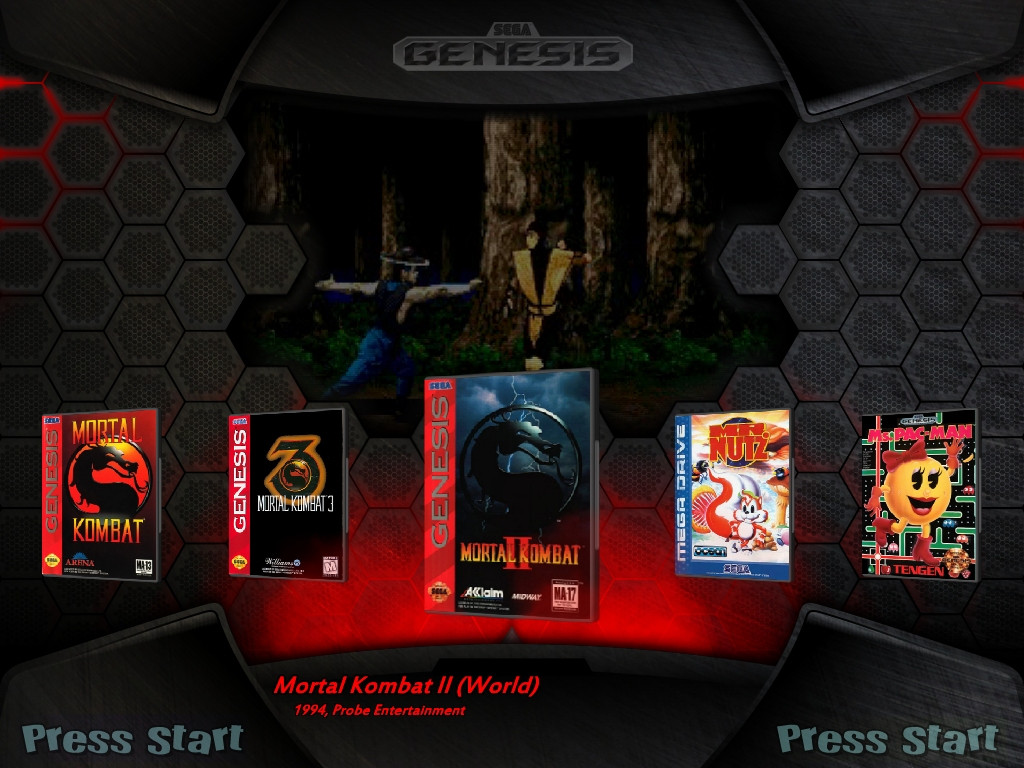
HyperSpin puts visual spectacle first. Its game wheels combine logos, artwork, video, and themed backgrounds to make a cabinet collection feel closer to an arcade attraction than a file browser. The result can be striking when each system has matching media and a consistent way to launch games.
The tradeoff is the preparation. Themes and wheel art need organized folders, and the emulator setup behind the presentation still has to work. HyperSpin suits a builder who wants to curate the look of each system; for a quick first library, a frontend with guided imports will demand less initial work.
Screenshots

Tutorials & guides
HyperSpin setup guide
- Set up a single system in HyperHQ.
- Check emulator paths and launch behavior.
- Add wheel art and themes after the core configuration works.
READMEs & documentation
No README has been attached yet.
Release log
Selected releases and changes, with coverage from our weekly emulation roundup.