 Retro Replay Retro Gaming History, Reviews & Emulation
RETRO REPLAY GAME MANAGER
Your collection.
Your wishlist.
Your next sale.
Keep your collection, wishlist, and games for sale together. Browse artwork-rich cards or switch to a sortable table with condition-based estimated values.
Start with Dope Wars for Windows. We’ll keep it ready while you sign in.
Already part of Retro Replay? Use your existing account.
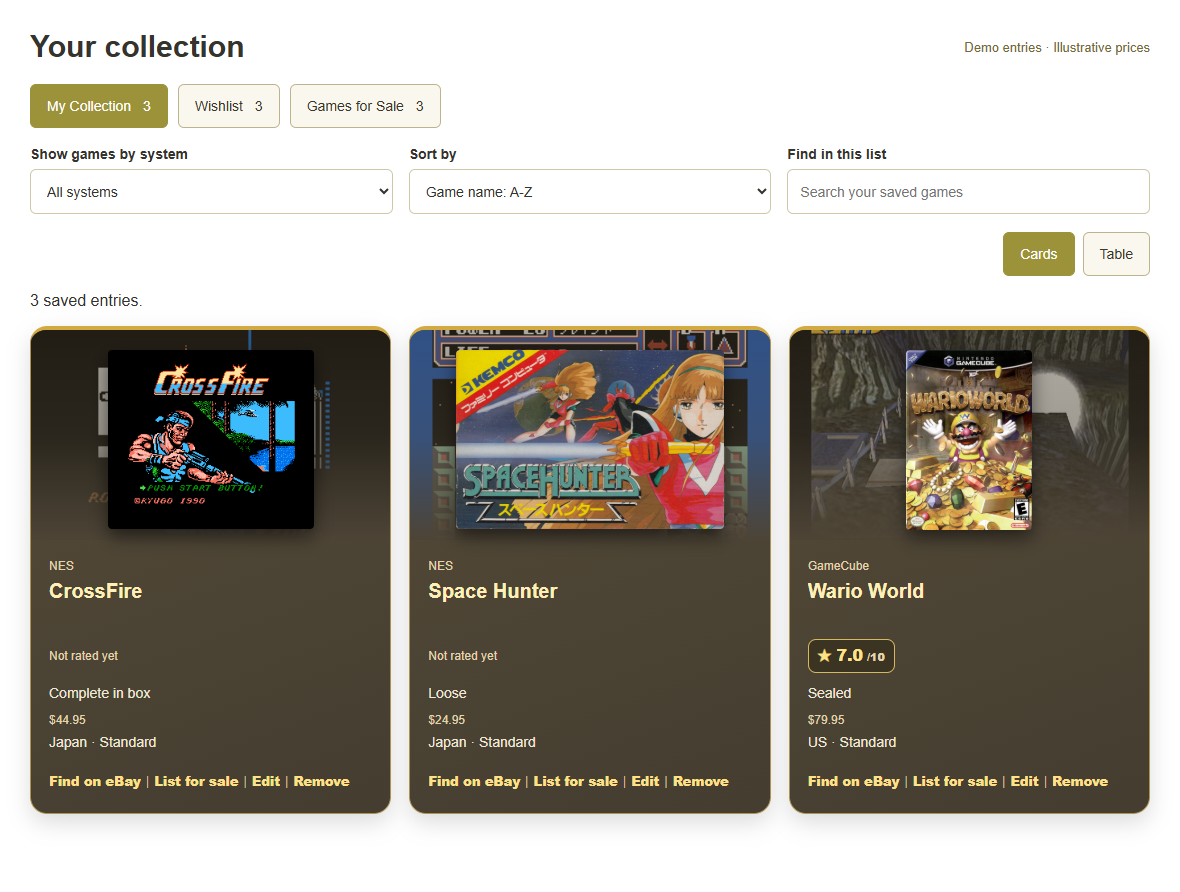
Know what you own.
Track loose, complete-in-box, and sealed copies. Keep regions, editions, and private notes together.
Find your next game.
Save a wishlist and use Find on eBay to look for matching copies by game and system.
Make room on the shelf.
Keep Games for Sale separate, set your asking prices, and choose whether to share the list on your forum profile.
CARDS FOR BROWSING. TABLES FOR THE BIG COLLECTION.
Three lists. A clear view of every game.
Switch between Cards and Table whenever you like. Sort by game name, system, condition, or estimated value, with visible arrows showing the sort direction. Show one system at a time, or search across your saved games.
Your owned games, at a glance.
See each copy’s system, condition, region, and estimated value at a glance. Sort from highest value to lowest, or filter to one system.
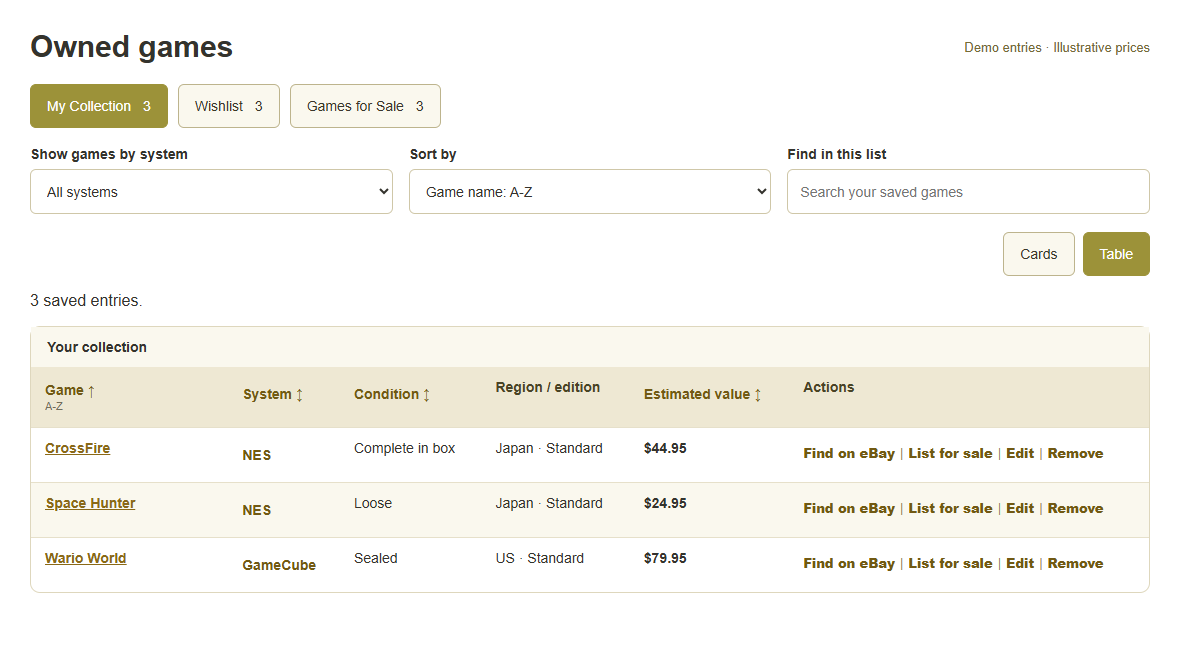
Keep the next great find in sight.
Record the condition you want and a target price. Find on eBay opens a search for that game and system, and estimated value stays separate from your target price.
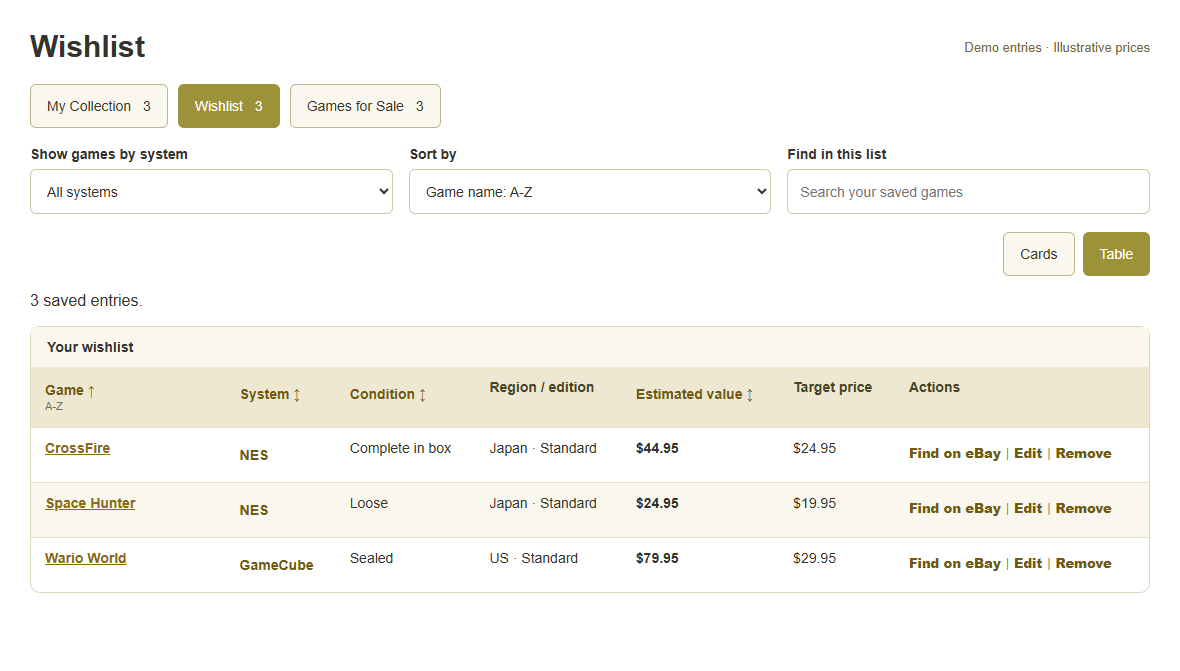
A separate home for the games you’re selling.
Add a sale entry without changing your owned copy. Publish the list when you want others to see it.
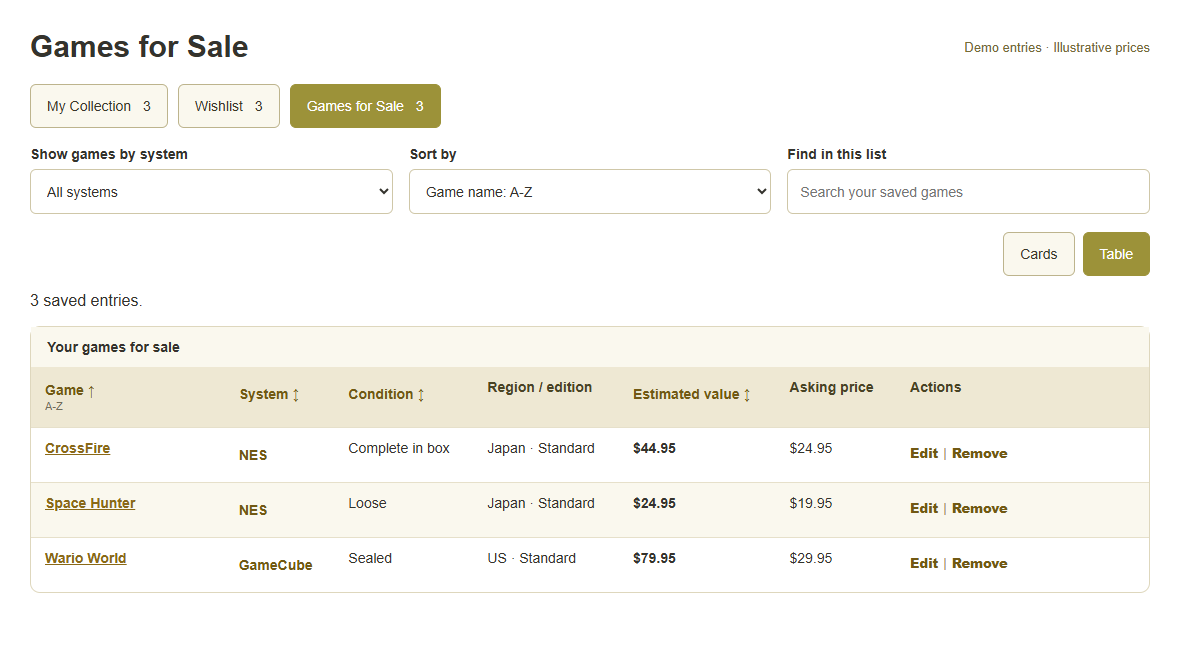
YOUR COLLECTION. YOUR CHOICE.
Keep it private.
Or show it off.
Each list starts private. Make an individual list public to share it through the Game Lists tab on your forum profile.
Notes, wishlist target prices, and purchase dates stay private. Public sale lists show the asking prices you set.
What’s the next game on your shelf?
Choose a system, type a couple of letters, and start building your list.
Create my accountAlready a member? Log inWe may earn a commission from purchases through eBay links.Pricing FAQ
Select a question to expand the answer.
How are estimated values calculated?
We show separate estimated values for loose, complete-in-box (CIB), and new or sealed copies of the matching game and system. When calculating an estimate from sold listings, we use data supplied by CompsAPI. These calculated estimates use the median of at least three qualifying listings, not the average asking price of games currently for sale. Shipping and taxes are excluded. Estimates from three or four listings are limited samples, noted in the table price tooltip.
We remove duplicates and exclude identified bundles, reproductions, empty packaging, signed or graded copies, incompatible regions, and other editions. Matching is based on listing information and cannot verify every seller claim. US is the default market without requiring USA in each title; selecting Japan or Europe uses a separate region-specific search.
Why is a value missing or different from current eBay prices?
Some conditions have fewer than three qualifying sales in the returned sample, or the selected region or edition needs further matching. A listing for sale is not a completed sale. Regular searches cover 90 days; a specifically requested search for scarce copies can cover up to three years. Estimates are a guide and do not guarantee what your copy will sell for.
How often do prices update?
Adding a game requests pricing only when no saved response or initial reference exists for that game, region, and edition. Existing calculated values take priority; reference values fill missing conditions. Members share permanently saved results, including results with insufficient sales. Prices do not refresh automatically and may be old. Clearing the website cache does not delete pricing data or request new prices. Any future refresh is a separate action. Adding a game still works if pricing is unavailable.