Retro Replay Retro Gaming History, Reviews & Emulation

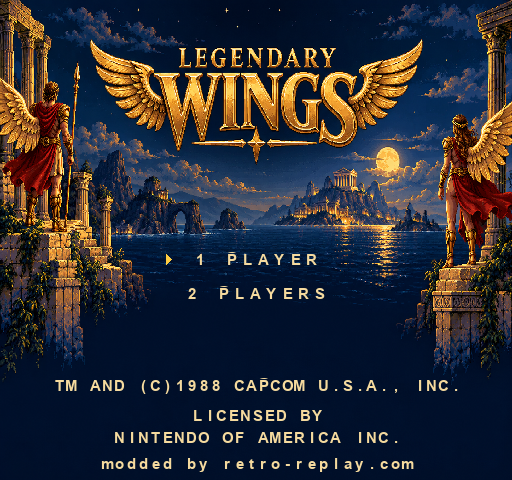
Legendary Wings NES to PC Beta 1 is available now. This first public Windows release brings refreshed artwork to the opening level while keeping the original game presentation a keypress away. The project comes from dmb062082, modded by retro-replay.com.
Visit the Legendary Wings NES to PC GitHub repository for the project, instructions and feedback. You can also download the Windows Beta 1 release here. You will need to supply your own compatible, legally obtained ROM.
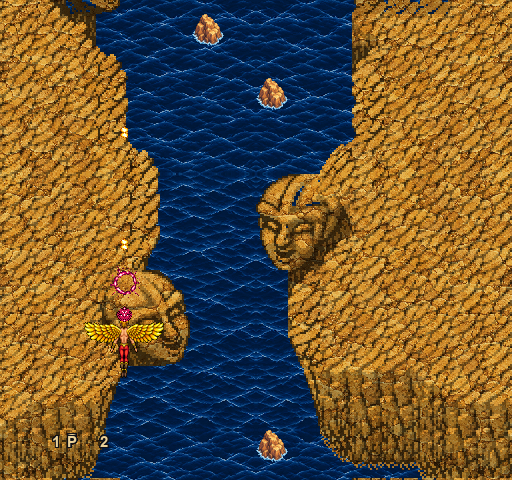
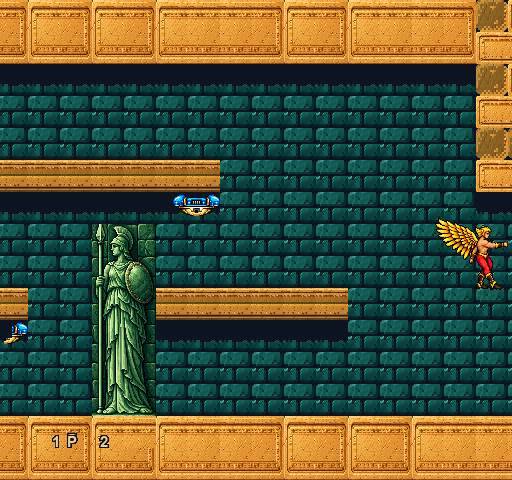
A faithful port first, a visual mod second
The aim has always been to bring Legendary Wings to PC faithfully, then build the visual changes on top. The remaster updates the title screen, first-level environments and character artwork, with crisp pixel art across the flying and side-scrolling sections. If you would rather see the original graphics, press F6 during play. You can switch back just as easily, without restarting or losing your current progress.
This is a work in progress. Most of the remaster effort has gone into the first level, and that opening level is now complete enough for me to share it. Some details still need refinement, and later levels may continue to use their original graphics. I will work on additional levels, artwork, transitions and fixes when I can.
What is in Beta 1?
The release includes the native Windows game, its supporting files and the remastered artwork. There are no ROM files or extracted ROM assets in the public package. The optional water animation begins off; press F5 if you want to turn it on, and press it again to return to still water.
Save states are available with F8 to save and F9 to load. Each ROM has one state slot in the saves folder beside the executable. Saving again overwrites that slot, and loading takes you back to the saved point, replacing your current progress. Keep a backup before installing an update because state compatibility between builds is not guaranteed.
Download and start playing
- Download LegendaryWings-windows-x64-beta.1.zip from the GitHub release and extract it into its own folder.
- Put your compatible Legendary Wings (USA).nes file inside the roms folder beside LegendaryWings.exe.
- Launch LegendaryWings.exe. Keep SDL2.dll, config.ini and the assets folder with the game.
Use the release ZIP for the playable Windows build. GitHub’s Code → Download ZIP option downloads repository files rather than the game package. Please do not upload ROMs to the repository or attach them to bug reports.
Keyboard controls
| Key | Action |
|---|---|
| Arrow keys | Move |
| X | Fire |
| Z | Bomb or jump, depending on the section |
| Enter | Start or pause |
| Backslash (\) | Select |
| F5 | Toggle water animation; starts off |
| F6 | Switch original and remastered graphics |
| F8 | Save state |
| F9 | Load state |
| F11 | Toggle fullscreen |
| F12 | Take a screenshot |
If you find a problem, please report it on GitHub. Include the build version, where it happened, whether original or remastered graphics were enabled, and the steps that reproduce it. Screenshots help; ROM files and private information should stay out of reports. Suggestions for future improvements are welcome too.
If the visual changes are not to your taste, or the current remaster is not far enough along for you, use F6 to return to the original presentation. The first level is where I am happy with the progress so far, and feedback can help make the next update better. For more about the game itself, visit the Legendary Wings entry in Retro Replay’s game database; that entry covers the arcade game.
Credits and disclaimer
Project author: dmb062082. Modded by retro-replay.com. The project uses NESRecomp and SDL2. Required third-party license notices accompany the release. The project does not grant permission to distribute the original ROM or game assets.
This is an unofficial fan-made/open-source project. It has no affiliation with, endorsement from, sponsorship by or approval from Capcom or Nintendo. Capcom, Legendary Wings and the related names, characters, music, artwork and assets remain trademarks and/or copyrights of Capcom. No Nintendo-owned game assets are included in the repository. Players must provide their own legally obtained ROM.