 Retro Replay Retro Gaming History, Reviews & Emulation
MS DOS WINDOWS EMULATOR
appler
Appler is an Apple II (Apple ][) emulator originally written in 8088/8086 assembly to run under MS‑DOS. The repository on GitHub contains the original source, binaries, and documentation. On modern hosts it is typically run inside DOSBox or another DOS emulation layer.
WHY IT MATTERS
Why Appler is notable
Appler is one of the earliest Apple II emulators and was written in 8088 assembly for MS‑DOS. Its README documents low‑level implementation details (including how a 6502 CPU is implemented using 8088 registers) and includes utilities such as a debugger, disk manager and file manager. The project is preserved and published with source and binaries on GitHub.
BEST FOR
What it does best
Fast, low‑level emulation of Apple II behaviour on legacy DOS environments; compact code and historically interesting implementation notes for people interested in early emulator techniques and assembly optimizations.
The people behind appler
History and status
According to the project's README, Appler was developed in 1990 by Alexander Patalenski and Emil Dotchevski. The GitHub repository republishes the original source and binaries and is distributed under the Boost Software License 1.0. The project is archival in nature: it targets MS‑DOS and the README explicitly recommends running Appler under DOSBox on modern systems. The repository is maintained as a preservation/archival release rather than an actively developed modern port; the author invites issues on GitHub for support.
What appler supports
- Apple II (Apple ][ family) emulation
- MS‑DOS (native)
- DOSBox (Windows, macOS, Linux) as recommended modern host
- IBM PC/XT/386 era requirements documented in README (e.g. EGA-level graphics expected)
Download and availability
OFFICIAL DOWNLOADS
Get appler
Binaries and source are published in the GitHub repository. You can download the repository as a ZIP (Code → Download ZIP) or fetch released binaries from the project's Releases/Tags area on GitHub; for modern use the README recommends running Appler inside DOSBox.
Get appler ↗DOCUMENTATION
Official documentation
Read the official configuration, compatibility, and troubleshooting material before changing advanced options.
Read official documentation ↗appler setup guide
Setup note: Practical setup notes: Appler targets MS‑DOS. On modern Windows, macOS or Linux you will most commonly run it inside DOSBox. The steps below follow the author's README and focus on a practical DOSBox setup, how to run the provided binaries, and where to obtain Apple II disk images (Appler does not include commercial games, firmware, or ROMs).
- 1) Get Appler: Download the repository from https://github.com/zajo/appler (Code → Download ZIP) or clone it with git. The repository contains a 'bin' folder with the DOS executable(s) and additional utilities, plus documentation (README) and source code.
- 2) Install DOSBox: Install DOSBox from the official DOSBox site. Use a current DOSBox build for your platform (Windows/macOS/Linux). Appler was written for MS‑DOS and the README explicitly recommends using DOSBox on modern OSes.
- 3) Prepare a DOSBox mount for Appler: Create a host folder (for example C:\appler or ~/appler) and unzip the Appler repository there. Start DOSBox and at its Z:\> prompt mount the folder as a DOS drive, then change to the 'bin' directory and run the appler executable. Example DOSBox commands (replace paths to match your system): mount c <path-to-appler> c: cd bin appler
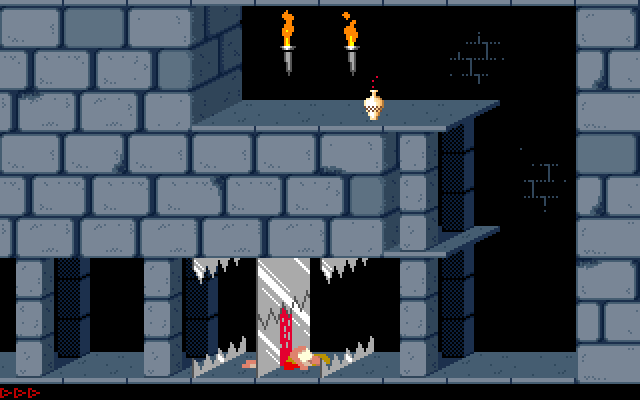
- 4) Using Appler's interface and utilities: Appler's README and included documentation describe built‑in utilities: debugger, file manager, disk manager, and keyboard setup. The emulator boots a startup disk (the README says it boots Lode Runner). Use the provided disk manager to mount Apple II disk images available from public Apple II image archives; the README links to common Apple II image repositories.
- 5) Disk images and file formats: Appler's README contains a section on supported file formats. The project does not bundle commercial titles or proprietary ROMs. Use public domain or your own Apple II disk images from established archives. Confirm format compatibility in Appler's 'File formats' documentation before attempting to mount images.
- 6) Troubleshooting and notes for modern hosts: If you see graphics or timing problems, try different DOSBox cycles settings, and ensure DOSBox is configured with an appropriate machine type and EGA/VGA emulation. Appler expects a DOS environment (the README mentions minimums from the original era such as 386 CPU and EGA); modern Windows will not run the DOS binary natively—use DOSBox or a DOS VM. Open GitHub issues on the repository for problems specific to Appler.
- 7) Building from source (advanced): The repository includes the original assembly source. Building requires the original tooling/assemblers used for 8086/8088 assembly (the README provides a 'Building Appler' section). Building is for advanced users familiar with DOS-era toolchains and is not required to run the provided binaries.
Software reminder: Appler does not include commercial Apple II software, ROMs, firmware, or BIOS files. Obtain disk images and any proprietary files separately and verify legal rights to use them.
Sources and further reading
Detailed guides and tutorials
Explore step-by-step guides for appler as they are published.