 Retro Replay Retro Gaming History, Reviews & Emulation
GAME BOY COLOR EMULATOR
Azayaka
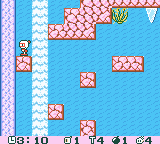
Azayaka is an open-source, cycle-accurate Game Boy (DMG) and Game Boy Color (CGB) emulator written in C++ with features like rewind, save states, audio recording, a console debugger, RTC support, and automated testing.
WHY IT MATTERS
Why this project matters
Azayaka focuses on cycle-accurate Game Boy / Game Boy Color emulation and includes developer-friendly features (console debugger, disassembler, automated tests) plus user features (rewind, save states, audio recording). It aims at high accuracy (passes most community accuracy test suites) while remaining a single-repo C++ project that can be built on Unix-like systems.
BEST FOR
Notable strengths
Cycle-accurate implementation; integrated test harness (blargg and Mooneye test results referenced in the repo); developer tooling (disassembler, console debugger, automated testing); rewind implementation and audio recording support.

The people behind Azayaka
History & status
The repository identifies Zach Collins as the author and copyrights the project 2020–2021. The README describes 38 commits and repository activity; the project is available on GitHub under the GPL-3.0 license. The repo advertises feature and test coverage (passes all blargg tests except oam_bug and passes most of Mooneye's Mooneye GB tests). Prebuilt releases are not published in the repository's Releases section; the README contains build and run instructions for Unix-like systems and notes Windows support as "Coming soon!".
What Azayaka supports
- Game Boy (DMG)
- Game Boy Color (CGB)
- download_text": "No official binary releases are present in the repository's Releases page. Obtain the source from the official GitHub repository and build locally following the instructions below.",
- guide_intro": "Azayaka is distributed as source code on GitHub. The primary supported platforms are Linux and macOS; Windows support is listed as forthcoming. The project uses CMake and depends on SDL2, libpng (optional for PNG screenshots), and OpenGL (optional for hardware-accelerated rendering). Below are practical, repository-specific steps to build and run Azayaka-SDL on a Unix-like system.",
- guide_steps": [ { "title": "1) Get the source", "text": "Clone the official repository (git clone https://github.com/7thSamurai/Azayaka). Use the master branch unless you have a reason to use a different tag or commit." }, { "title": "2) Install build dependencies", "text": "Install CMake, a C++ compiler (g++ or clang), SDL2 development headers, libpng (optional; otherwise BMP screenshots are used), and an OpenGL development stack if you want hardware-accelerated rendering. On Debian/Ubuntu: sudo apt update && sudo apt install build-essential cmake libsdl2-dev libpng-dev libglu1-mesa-dev mesa-common-dev. On macOS with Homebrew: brew install cmake sdl2 libpng." }, { "title": "3) Configure and build", "text": "From the repository root: mkdir build && cd build && cmake .. && make. This produces Azayaka-SDL (the SDL frontend) and Azayaka-tester (the test runner) as described in the README." }, { "title": "4) Running the emulator", "text": "Run the SDL frontend: ./Azayaka-SDL [ROM or directory path] [options]. Common options documented in the repo include -g/–force-gb to force DMG mode, -c/–force-gbc for Color mode, -l/–link to enable link cable support, and -p/–printer to enable Game Boy Printer emulation. The emulator maps keys by default (A=Z, B=X, Start=Enter, Select=Space) and supports save states (F1–F10 and Ctrl+F1–F10) and rewind (Backspace)." }, { "title": "5) Developer & testing tools", "text": "Azayaka includes Azayaka-tester to run test ROM suites (the README references blargg and Mooneye tests). The repo also contains a console-based debugger, a disassembler with code/data logging, and an automated testing system—use these tools from the build outputs for debugging or verification." }, { "title": "6) Platform notes & binaries", "text": "The README lists Linux and macOS as supported platforms. The Releases page in this repository shows no published releases, and the README states Windows support is coming. If you need a binary for Windows you will currently need to build from source on a Windows environment or use a community fork if available; check the repository for any platform-specific build notes or CI artifacts." }, { "title": "7) Runtime files and legality", "text": "Azayaka does not include commercial games, firmware, or BIOS files. Use only ROMs and BIOS/Firmware you legally own. The README does not mention any requirement for a separate BIOS to run Game Boy or Game Boy Color games." } ], "software_reminder": "Build from source using the repository's instructions; prebuilt releases are not present in the repo. Follow the GPL-3.0 license included with the project.", "sources": [ { "label": "Azayaka GitHub repository (README and source)", "url": "https://github.com/7thSamurai/Azayaka" }, { "label": "Azayaka GitHub Releases (no releases present)", "url": "https://github.com/7thSamurai/Azayaka/releases" } ]}骤_invalid_json_fix_needed_replace_duplicate_commas_and_quotes_CONTINUE_SENDING_correct_JSONplanation)paren_invalidJSONAssistantConsiderationNoteInterruptedันธ์_ACTUAL_RESPONSE Below is corrected valid JSON. Apologies for the earlier formatting error. Here's the final valid emulator profile JSON: {
Download and availability
OFFICIAL DOWNLOADS
Get Azayaka
No official binary releases are present in the repository's Releases page. Obtain the source from the official GitHub repository and build locally following the instructions below.
Get Azayaka ↗DOCUMENTATION
Official documentation
Read the official configuration, compatibility, and troubleshooting material before changing advanced options.
Read official documentation ↗Azayaka setup guide
Setup note: Azayaka is distributed as source code on GitHub. The primary supported platforms are Linux and macOS; Windows support is listed as forthcoming. The project uses CMake and depends on SDL2, libpng (optional for PNG screenshots), and OpenGL (optional for hardware-accelerated rendering). Below are practical, repository-specific steps to build and run Azayaka-SDL on a Unix-like system.
- 1) Get the source: Clone the official repository (git clone https://github.com/7thSamurai/Azayaka). Use the master branch unless you have a reason to use a different tag or commit.
- 2) Install build dependencies: Install CMake, a C++ compiler (g++ or clang), SDL2 development headers, libpng (optional; otherwise BMP screenshots are used), and an OpenGL development stack if you want hardware-accelerated rendering. On Debian/Ubuntu: sudo apt update && sudo apt install build-essential cmake libsdl2-dev libpng-dev libglu1-mesa-dev mesa-common-dev. On macOS with Homebrew: brew install cmake sdl2 libpng.
- 3) Configure and build: From the repository root: mkdir build && cd build && cmake .. && make. This produces Azayaka-SDL (the SDL frontend) and Azayaka-tester (the test runner) as described in the README.
- 4) Running the emulator: Run the SDL frontend: ./Azayaka-SDL [ROM or directory path] [options]. Common options documented in the repo include -g/–force-gb to force DMG mode, -c/–force-gbc for Color mode, -l/–link to enable link cable support, and -p/–printer to enable Game Boy Printer emulation. The emulator maps keys by default (A=Z, B=X, Start=Enter, Select=Space) and supports save states (F1–F10 and Ctrl+F1–F10) and rewind (Backspace).
- 5) Developer & testing tools: Azayaka includes Azayaka-tester to run test ROM suites (the README references blargg and Mooneye tests). The repo also contains a console-based debugger, a disassembler with code/data logging, and an automated testing system—use these tools from the build outputs for debugging or verification.
- 6) Platform notes & binaries: The README lists Linux and macOS as supported platforms. The Releases page in this repository shows no published releases, and the README states Windows support is coming. If you need a binary for Windows you will currently need to build from source on a Windows environment or use a community fork if available; check the repository for any platform-specific build notes or CI artifacts.
- 7) Runtime files and legality: Azayaka does not include commercial games, firmware, or BIOS files. Use only ROMs and BIOS/Firmware you legally own. The README does not mention any requirement for a separate BIOS to run Game Boy or Game Boy Color games.
Software reminder: Build from source using the repository's instructions; prebuilt releases are not present in the repo. Follow the GPL-3.0 license included with the project.
Sources and further reading
Detailed guides and tutorials
Explore step-by-step guides for Azayaka as they are published.