 Retro Replay Retro Gaming History, Reviews & Emulation
GAME BOY EMULATOR
chester
Chester is an open-source Game Boy emulator (Game Boy and Game Boy Color compatible) written in C with minimal dependencies and an optional SDL2 front-end and Android port.
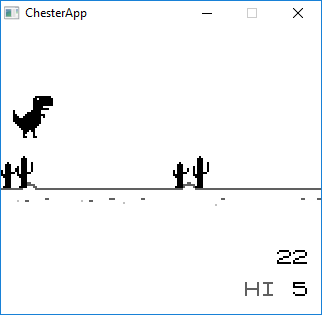
WHY IT MATTERS
Why use Chester?
Small, portable C library core with an SDL2 desktop front-end and an Android port. Focuses on a compact, testable implementation (Blargg/Gekkio test support) and supports common memory bank controllers (MBC1/3/5) and battery saves for supported cartridges.
BEST FOR
Best for
Developers or tinkerers who want a minimal, portable C Game Boy / Game Boy Color emulator core they can build, test, and extend; people who want an SDL2-based desktop build or an Android app built from the same source tree.
The people behind chester
History & status
Chester's repository contains development history and a README describing project goals, feature limitations, build options, and ports. The project implements the Game Boy CPU instruction set and passes Blargg CPU instruction tests (including timing tests according to the README). The repo documents played/tested cartridge types (ROM-only plus MBC1, MBC3 and MBC5 excluding RTC titles) and notes missing features such as sound, full GPU timing accuracy, and RTC support. The project provides an SDL2 desktop front-end and an Android port in the android/ChesterApp subdirectory. The repository is licensed under GPL-3.0 and shows active commits in its history and release artifacts under its GitHub releases page.
What chester supports
- Game Boy (DMG)
- Game Boy Color (CGB) — optional CGB build
- Linux (buildable with CMake, SDL2 front-end)
- Windows (Visual Studio build with SDL2)
- Android (android/ChesterApp; requires Android SDK/NDK)
Download and availability
OFFICIAL DOWNLOADS
Get chester
Official source and release artifacts are available from the project's GitHub repository and its Releases page. Source is built with CMake; prebuilt releases (if any) appear on the GitHub Releases tab.
Get chester ↗DOCUMENTATION
Official documentation
Read the official configuration, compatibility, and troubleshooting material before changing advanced options.
Read official documentation ↗chester setup guide
Setup note: This is a practical, repository-specific setup guide. Chester is built from source with optional SDL2 support (desktop) or via the Android Gradle project for Android. The core library has no external dependencies; the SDL2 front-end requires SDL2 development libraries. Follow the exact steps below for a reproducible build.
- 1) Clone the repository: Get the official source from the project's GitHub: clone the veikkos/chester repository to your machine.
- 2) Install build dependencies (desktop): On Debian-like Linux install a C compiler and SDL2 development headers (example: sudo apt-get install build-essential cmake libsdl2-dev). The project README mentions GCC and clang have been tested. On Windows, install a Visual Studio toolchain and obtain SDL2 development binaries/headers.
- 3) Configure and build with CMake (desktop SDL2 front-end): Create a build directory, run cmake with options and then build: mkdir build && cd build; cmake .. (or cmake -DCGB=OFF .. to disable Game Boy Color support). Then cmake –build . to compile. The README documents CGB, COLOR_CORRECTION, and ROM_TESTS options.
- 4) Run the emulator (desktop): From the build output run the binary (example provided in README): ./bin/chester path/to/rom.gb. An optional DMG boot ROM file named DMG_ROM.bin may be placed in the working directory to emulate the DMG boot sequence if you choose to provide one (the project does not supply any BIOS/boot files).
- 5) Visual Studio / Windows notes: If building on Windows with Visual Studio, you may need to supply the SDL2 path to CMake, e.g. cmake -G "Visual Studio 15 2017 Win64" -DSDL2_PATH="C:\<path>\SDL2-2.0.9" .. as shown in the README.
- 6) Android build: To build the Android port, install Android SDK and NDK per standard Android native app requirements. Then change to android/ChesterApp and run ./gradlew build (as documented in the README). The Android build requires the Android toolchain; the repo contains an Android app wrapper rather than an APK distributed by the project.
- 7) Running tests (optional): The ROM_TESTS CMake option can be enabled to automatically download gtest and emulator test ROMs from Blargg and Gekkio and run selected tests via the rom-tests target. This helps verify CPU instruction accuracy.
- 8) Known runtime limitations: The README explicitly states there is no sound support and known timing/GPU inaccuracies; RTC cartridge titles are not supported. Save functionality exists for battery-backed cartridges. Keep these limitations in mind when testing games.
Software reminder: Chester does not include commercial games, firmware, or BIOS files. You must provide your own ROM files and any optional DMG boot ROM if you choose to use one. Respect copyright and local law when obtaining ROM files.
Sources and further reading
Detailed guides and tutorials
Explore step-by-step guides for chester as they are published.