 Retro Replay Retro Gaming History, Reviews & Emulation
NES EMULATOR
chibines
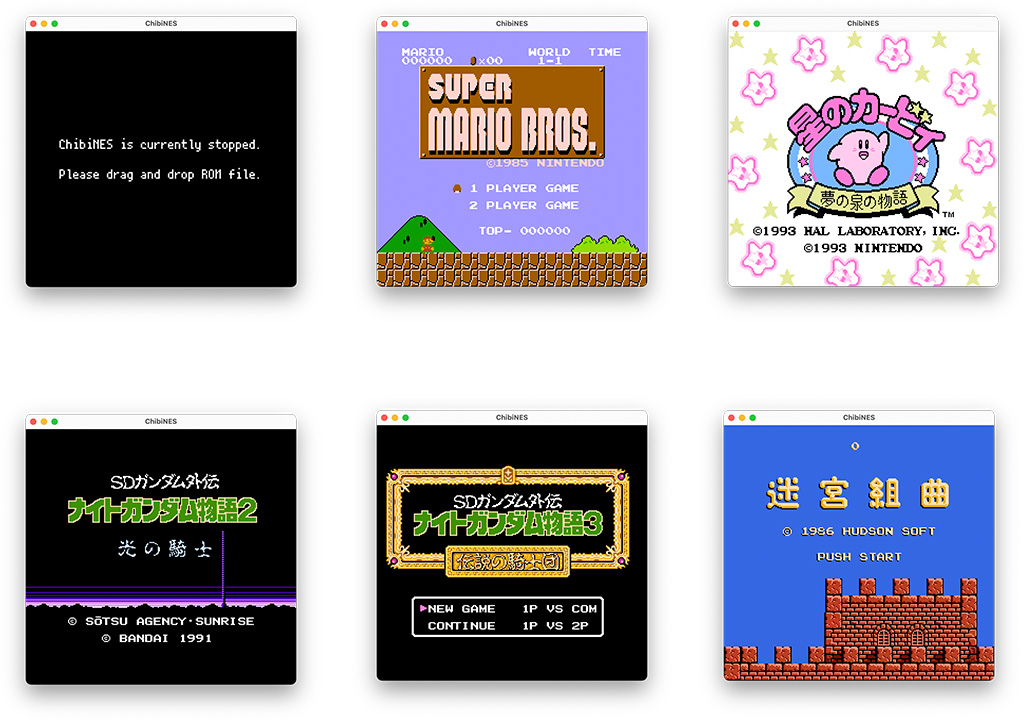
ChibiNES is an open-source NES (Nintendo Entertainment System) emulator and NSF player implemented in Go. It focuses on mimicking Mesen's behavior and targets a small set of mappers and NTSC playback; it includes two command-line/front-end binaries: a chibines console and a chibines-nsf NSF player.
WHY IT MATTERS
Why ChibiNES exists
Author created ChibiNES as a hobby project to port libretro/Mesen behavior to Go and to learn NES internals. The README explicitly states the goal of reproducing Mesen's behaviour rather than refactoring, and the project includes both a game console frontend and an NSF player.
BEST FOR
Notable strengths
Readable Go codebase suitable for study, includes an NSF player, and provides documented build/run steps and key bindings. The project reuses/reference implementations (Mesen) and links to NES development documentation for reference.

The people behind chibines
History & status
ChibiNES was published by the repository owner with an accompanying blog post in 2022 and has an active Git history (multiple commits and releases on GitHub). The repository lists 59 commits and releases available on the project's GitHub releases page. Development is hobby-scale: the README lists an explicit ToDo list (CPU/PPU/APU work, debugger, extended mapper and PAL support). The project is NTSC-only and documents limited mapper and APU support; it is not positioned as a drop-in replacement for long-established NES emulators but as an educational/experimental implementation.
What chibines supports
- iNES-format ROMs (limited mapper support: 0, 1, 2, 3, 4, 16, 31)
- NSF music files (via cmd/chibines-nsf)
- NTSC timing only (PAL/Dendy not supported)
- Platforms with Go toolchain and native dependencies (examples and deps documented for macOS; Linux and Windows possible if dependencies are available)
Download and availability
OFFICIAL DOWNLOADS
Get chibines
Official builds and release artifacts are provided from the project's GitHub Releases page. Source is available from the repository and can be built with Go.
Get chibines ↗DOCUMENTATION
Official documentation
Read the official configuration, compatibility, and troubleshooting material before changing advanced options.
Read official documentation ↗chibines setup guide
Setup note: This guide explains how to fetch ChibiNES, install its native dependencies, build the binaries, and run the NES console and NSF player. Follow the project's README and releases page for the latest binaries and detailed notes.
- 1) Get the source or release: Visit the project's GitHub releases to download prebuilt artifacts if available, or clone the repository to build from source. The repository root contains a README, a cmd/ folder with chibines and chibines-nsf, and a GPL-3.0 license.
- 2) Install Go and native libraries: Install a recent Go toolchain (the project is written in Go). ChibiNES depends on Dear ImGUI (via imgui-go), GLFW, and PortAudio. On macOS the README recommends installing portaudio with Homebrew (brew install portaudio). On Linux and Windows install equivalent GLFW and portaudio development packages before building.
- 3) Build the emulator binaries: From the repository root you can build the console binary with: go build cmd/chibines/main.go. Alternatively run directly with go run cmd/chibines/main.go. Build the NSF player with go build cmd/chibines-nsf/main.go or go run similarly. Ensure cgo is enabled if required for the native libraries.
- 4) Run and feed ROM/NSF files: Run the built chibines binary and open an iNES-format ROM file. Use chibines-nsf to play NSF files. The project does not include commercial ROMs, firmware, or BIOS files — supply your own legal files. Note the emulator supports only a subset of mappers (0,1,2,3,4,16,31) and is NTSC-only.
- 5) Controls and configuration: Default key bindings are documented in the README. Player 1 uses arrow keys for directions, Z for A, X for B, Enter for Start and Right Shift for Select. Player 2 bindings are also documented. Configuration and further options are available in the repo; consult the README for CLI options and ToDo notes.
- 6) Limitations and testing: ChibiNES documents several missing APU features and unsupported mapper families (e.g., MMC5, VRC, Sunsoft 5B, Namcot 163). Expect incomplete audio or compatibility with titles requiring unsupported mappers. The README lists intended future work and references for testing (nes-test-roms) and debugging (Mesen).
Software reminder: Do not distribute or use commercial ROMs or NSF/ROM content without appropriate rights. ChibiNES does not include any BIOS or copyrighted game files.
Sources and further reading
Detailed guides and tutorials
Explore step-by-step guides for chibines as they are published.