 Retro Replay Retro Gaming History, Reviews & Emulation
GAME BOY EMULATOR
chroma
Chroma is an open-source emulator that implements Game Boy, Game Boy Color and Game Boy Advance hardware with a focus on accuracy and readable code. It is actively developed on GitHub and builds from source using CMake.

WHY IT MATTERS
Why Chroma
Chroma aims for readable, accuracy-focused emulation of the Game Boy family (GB, GBC, GBA). It is suitable for users who want a source-available emulator they can build, inspect, and extend rather than a prebuilt all-features emulator.
BEST FOR
What Chroma is best for
Reading and modifying emulator code, testing accuracy on Linux, and building a lightweight, dependency-minimal Game Boy/GBC/GBA emulator from source. It currently runs most commercial games well and is a good research / development base.
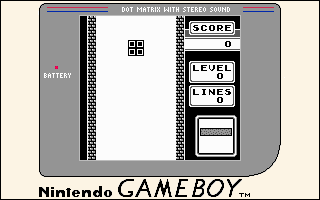
The people behind chroma
History and status
Chroma is developed in a public GitHub repository and is licensed GPLv3. The repository contains several hundred commits and is actively maintained there. The project README explicitly states it has only been tested on Linux but should build on macOS and FreeBSD; Windows is not officially tested. The codebase bundles fmt as a submodule and depends on SDL2. The README notes some emulator features common elsewhere are missing (savestates, cheat support).
What chroma supports
- Game Boy (classic)
- Game Boy Color
- Game Boy Advance
- Linux (tested)
- macOS (untested, supported via SDL2)
- FreeBSD (untested, supported via SDL2)
Download and availability
OFFICIAL DOWNLOADS
Get chroma
Official source and releases are hosted on the project's GitHub. Build from source by cloning the repository (use –recursive to fetch the bundled fmt submodule) or download release artifacts from the repository's Releases page.
Get chroma ↗DOCUMENTATION
Official documentation
Read the official configuration, compatibility, and troubleshooting material before changing advanced options.
Read official documentation ↗chroma setup guide
Setup note: Chroma is designed to be built from source. The README and repository files provide the authoritative build and runtime instructions. Below are step-by-step, emulator-specific setup instructions based on the project's documentation.
- 1) Get the source (including submodules): Clone the official repository and initialize submodules so bundled dependencies (fmt) are available: git clone –recursive https://github.com/CaptainCaffeine/chroma.git. If you cloned without –recursive, run git submodule update –init from the repo root.
- 2) Install system dependencies: Install SDL2 for your OS. On Linux use your distribution package manager (e.g., apt, dnf, pacman). On macOS use Homebrew: brew install sdl2. On Windows download the SDL2 development package from libsdl.org and install appropriate development headers/libs for your compiler.
- 3) Build with CMake (C++17 required): Create a build directory, run cmake with a Release type, then make: mkdir build && cd build; cmake -DCMAKE_BUILD_TYPE=Release ..; make. The project requires a C++17-capable compiler (examples listed: GCC 8+ or Clang 6+).
- 4) Run the emulator and load ROMs: Run the produced binary from the build folder and specify a ROM file as the emulator expects (the README describes runtime usage). Chroma supports GBA, GBC and GB ROMs; the README notes it can play most commercial games but does not ship any game ROMs, BIOS files, or other copyrighted firmware.
- 5) Controls and basic usage: Default keyboard controls are documented in the README (W/A/S/D for D-pad, K/J for A/B, H/L for L/R, Enter/I for Start, U for Select; P to pause, V for fullscreen, T for screenshot). Customize or map controls in your environment if needed.
- 6) Notes on features and limitations: Chroma's README warns it lacks some features found in other emulators (for example, savestate and cheat-code support). The author states testing has been performed primarily on Linux; macOS/FreeBSD should work but are not regularly tested by the maintainer. Windows builds may require adapting the build environment (MSVC support not demonstrated in the README).
- 7) If you need releases or prebuilt binaries: Check the repository's Releases page for any available prebuilt artifacts. If no official binaries are provided, building from source is the supported path.
Software reminder: Chroma does not include commercial game ROMs, BIOS, or firmware. Obtain ROMs and any required system firmware legally. Follow the repository's build instructions and install SDL2 and a C++17 toolchain before building.
Sources and further reading
Detailed guides and tutorials
Explore step-by-step guides for chroma as they are published.