 Retro Replay Retro Gaming History, Reviews & Emulation
GAME BOY COLOR EMULATOR
dawngb
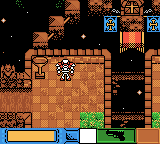
DawnGB is an open-source Game Boy / Game Boy Color emulator implementation written in Go. It includes a desktop frontend, a browser (WASM) build, and an option to build a libretro core.
WHY IT MATTERS
Why use DawnGB?
Small, Go-based emulator that runs in multiple targets (desktop, browser) and can be built as a libretro core. Useful if you want a lightweight Go implementation or a web-playable Game Boy Color emulator for experimentation or development.
BEST FOR
Best for
Developers, hobbyists, or researchers who want a readable Go-code emulator, a WASM/browser demo, or a libretro-capable build to integrate into frontends supporting cores.
The people behind dawngb
History & status
DawnGB is maintained on GitHub (akatsuki105/dawngb). The repository history shows active commits and a README describing the project layout (core and src), feature list, and usage. The author factored the emulator core under core/gb and provides a frontend under src/. The project advertises multiplatform support, a browser demo (WASM), and a make target to build a libretro core. No formal commercial releases or bundled proprietary BIOS/ROM files are included in the repository. The project is best described as an actively developed hobby open-source emulator rather than a finished commercial-quality product; the README notes some accuracy limitations for mid-frame PPU register changes.
What dawngb supports
- Game Boy (DMG)
- Game Boy Color (CGB)
- MBC1, MBC2, MBC3, MBC5, MBC30 cartridge mappers
- Audio (APU) support reported
- Libretro core build (via make libretro)
- Web (WASM) frontend
Download and availability
OFFICIAL DOWNLOADS
Get dawngb
Source and releases are hosted on the project's GitHub repository. Prebuilt binaries may be available in the repository's Releases page when provided by the maintainer; otherwise build from source.
Get dawngb ↗DOCUMENTATION
Official documentation
Read the official configuration, compatibility, and troubleshooting material before changing advanced options.
Read official documentation ↗dawngb setup guide
Setup note: This guide covers obtaining DawnGB, building/running the desktop frontend, building a libretro core, and running the web (WASM) demo. All commands are based on the project's README and standard Go/WASM/libretro build flows; adapt paths and tooling versions to your platform.
- 1) Get the source: Clone the repository from GitHub (akatsuki105/dawngb). Check the repo's README and docs/ directory for the latest build notes and any platform-specific instructions.
- 2) Requirements: Install a recent Go toolchain (the project is written in Go). For desktop builds you will also need the platform GUI/audio dependencies used by the frontend (the project references Ebiten for rendering). For web/WASM builds ensure you have Go's WASM toolchain available (go env GOOS/GOARCH for wasm) and a simple static file server to host the WASM files. For libretro core builds you will need a libretro build environment (libretro headers and any build tooling invoked by the project's makefile).
- 3) Build and run the desktop frontend: From the repository root the README suggests running the desktop frontend with: go run ./src/ebi This will compile and run the frontend using your local Go toolchain. Once running, drag-and-drop a .gb/.gbc ROM file into the window as the README describes. Key mappings are listed in the README (A: X, B: Z, Start: Enter, Select: Backspace, arrow keys for directions).
- 4) Build a libretro core: The repository README documents a make target for libretro (make libretro). Use this if you want a libretro-compatible core. Ensure you have libretro development headers/tooling and that the makefile targets your platform. The produced core (if the makefile completes) can be placed in a libretro frontend's cores folder (for example RetroArch) and loaded like other cores. Follow your frontend’s instructions for adding third-party cores.
- 5) Run in the browser (WASM): DawnGB provides a web demo (WASM) hosted at the project's docs site. To run locally, build the WASM target (follow any web build instructions in docs/ or the README) and serve the generated HTML/wasm files over HTTP (browsers block WASM from file://). The project’s docs site shows a working demo — review it to confirm runtime behavior before attempting a local build.
- 6) Important notes on ROMs, BIOS, and accuracy: The repository does not include commercial games, BIOS, or other proprietary firmware. Use only legally obtained ROMs. The README warns about accuracy limitations: synchronization is kept simple and some titles that modify PPU registers mid-frame may not render correctly. If you need cycle-accurate behavior for specific games, test those games and review the core/gb implementation for limitations.
- 7) Troubleshooting and contributing: If you encounter build or runtime issues, check the repository Issues page and the docs/ folder for guidance. The project is open-source (MIT license), so contributions (bug reports, pull requests) follow standard GitHub workflows and the repository's CONTRIBUTING guidance if present.
Software reminder: Do not expect bundled commercial ROMs, firmware, or BIOS files. Obtain ROMs and firmware legally. Building the libretro core requires a compatible libretro build environment; building WASM requires serving over HTTP.
Sources and further reading
Detailed guides and tutorials
Explore step-by-step guides for dawngb as they are published.