 Retro Replay Retro Gaming History, Reviews & Emulation
GAME BOY COLOR EMULATOR
demo-emulator
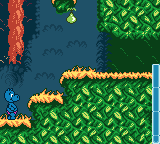
A compact, open-source Nintendo Game Boy emulator implemented in Go, intended as a workshop/demo project and educational reference for emulator programming.
WHY IT MATTERS
Why this project matters
demo-emulator is a small, readable emulator implementation intended for teaching and experimentation. It is suitable for people learning how a Game Boy works because the codebase is written in Go and organised for clarity rather than maximal compatibility or performance.
BEST FOR
Best use cases
Use as an educational reference, to inspect emulator internals, and as a starting point for workshops or simple experiments. It is not positioned as a high-compatibility end-user emulator for all commercial ROMs.

The people behind demo-emulator
History and status
The repository is authored by Ignacio Sanchez (drhelius) and is presented as workshop/demo material. The README carries a 2016 copyright and describes the emulator as a Nintendo Game Boy emulator written in Go for use in emulator-programming workshops. The project contains source organized under gb/, uses GLFW/OpenGL for a windowed frontend, and includes example test ROMs and slides for presentation. It is published under the GPL-3.0 license and is hosted on GitHub where it has community stars and forks. The project appears to be maintained as an educational/demo repository rather than a production-focused emulator.
What demo-emulator supports
- Nintendo Game Boy (DMG) — runs .gb ROM files (command-line -rom argument)
- Build & run on desktop platforms supported by Go + GLFW (Windows, Linux, macOS) — requires platform development headers as listed in README
- Controls mapped to keyboard (Start=Enter, Select=Space, A=S, B=A, Cursor keys for D-pad)
- No commercial BIOS or firmware included; loads ROM images provided by the user
Download and availability
OFFICIAL DOWNLOADS
Get demo-emulator
Source and builds are available from the project's GitHub. The README documents building via `go get -u github.com/drhelius/demo-emulator`. Releases/tags (if any) are available on the repository's Releases page.
Get demo-emulator ↗DOCUMENTATION
Official documentation
Read the official configuration, compatibility, and troubleshooting material before changing advanced options.
Read official documentation ↗demo-emulator setup guide
Setup note: Practical setup — build and run the emulator from source on a desktop system. The following steps follow the project's README and internal layout.
- Prerequisites: Install a recent Go toolchain. Install platform build dependencies for GLFW/OpenGL: on Linux install build-essential and the listed X/GL headers; on macOS install Xcode command line tools; on Windows install a 64-bit GCC toolchain as noted in the README.
- Fetch and build: From a shell with GOPATH configured, run: `go get -u github.com/drhelius/demo-emulator`. This lets the Go tooling fetch and compile the project; the binary will be placed in `$GOPATH/bin` (or $GOBIN if configured). Alternatively clone the repo and build with `go build` in the project directory.
- Run the emulator with a ROM: Invoke the built binary with the -rom argument pointing to a Game Boy ROM file: `$GOPATH/bin/demo-emulator -rom path/to/your_rom.gb`. The README examples use .gb ROM files.
- Controls and usage: Default keyboard mapping in the README: START = Enter, SELECT = Space, A = S, B = A, directional pad = cursor keys. The frontend uses GLFW/OpenGL; ensure graphical environment is available when running.
- Troubleshooting and platform notes: If build fails, confirm Go version and that platform headers/libraries for GLFW/OpenGL are installed (Linux: libgl1-mesa-dev, xorg-dev; Fedora packages listed in README). On macOS ensure command-line tools are installed. On Windows, install the recommended GCC toolchain. If you need a packaged binary, check the repository's Releases page — the README directs users there.
- License and legal reminder: The project is GPL-3.0 licensed. The emulator does not include commercial ROMs, BIOS, or firmware; you must supply any ROMs you run and ensure you have the legal right to use them.
Software reminder: This project is intended as educational demo code. Expect limited compatibility; for high-accuracy or feature-complete Game Boy/Game Boy Color emulation use dedicated, actively maintained emulators. Follow the repository README for exact build commands and dependency lists.
Sources and further reading
Detailed guides and tutorials
Explore step-by-step guides for demo-emulator as they are published.