 Retro Replay Retro Gaming History, Reviews & Emulation
MS DOS WINDOWS EMULATOR
DOS-Emulator
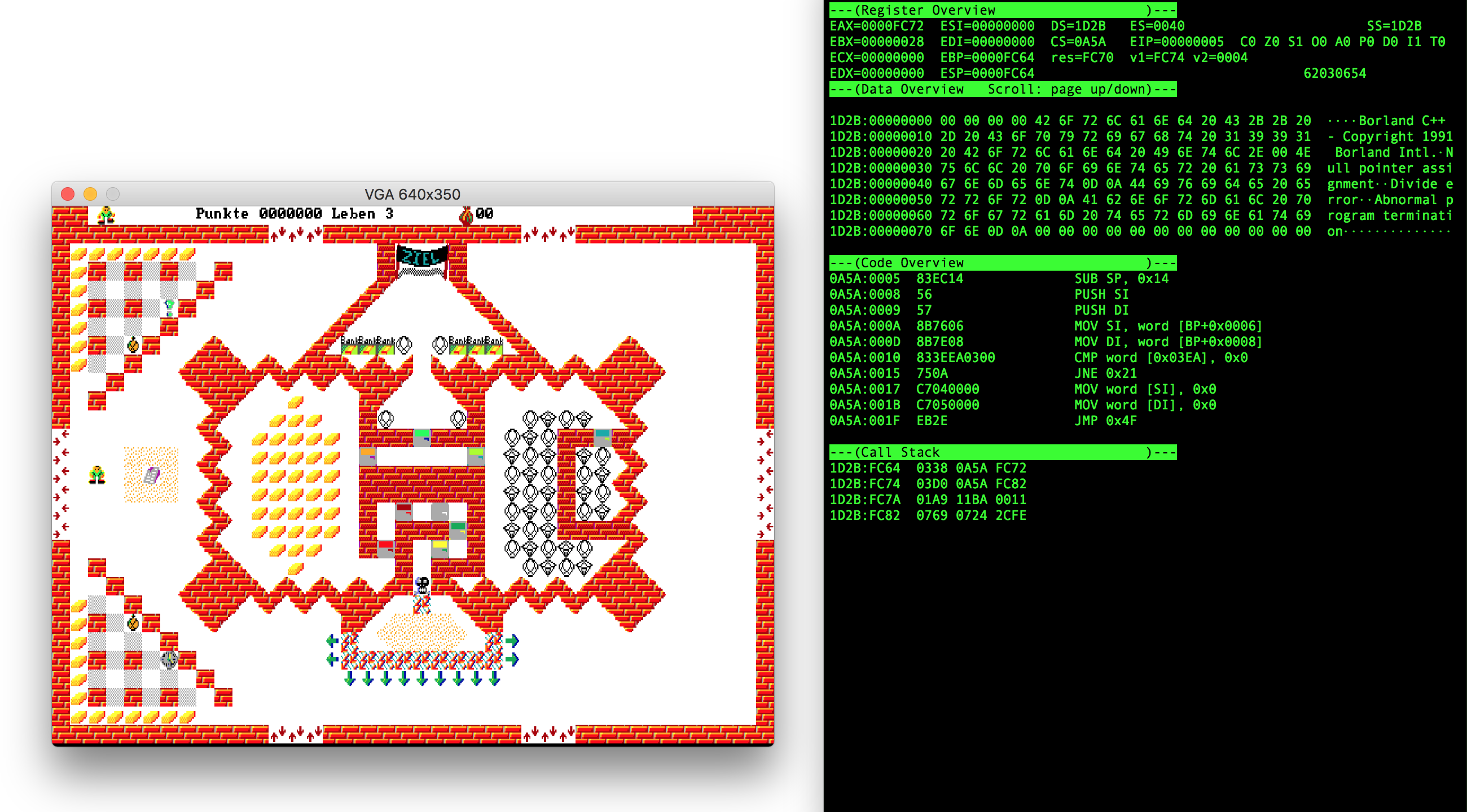
A small open-source emulator of an IBM PC running DOS, written in Rust. Focused on emulating enough x86-16, BIOS/DOS, VGA and Sound Blaster features to run a small set of DOS games (author-tested titles).
WHY IT MATTERS
Why this project exists
Author-built as a learning project and to run specific DOS-era games. The README states the goal was to implement enough functionality to play one favourite game while learning Rust and emulation techniques; it is not a full-featured DOS emulator like DOSBox.
BEST FOR
Best for
Developers, hobbyists and emulation learners who want a compact Rust-based IBM PC / MS‑DOS emulator to inspect, modify or extend. Not aimed at broad commercial-game compatibility.
The people behind DOS-Emulator
History and status
The repository is an actively published personal project with a small commit history and a v0.1.0 release. The README documents architecture, used references (CPU/BIOS/DOS/VGA/Sound), and a short compatibility list (a few episodes of the Game of ROBOT series are known to run). The project is maintained on GitHub; development is intentionally modest in scope and focuses on correctness for the author's test cases rather than wide compatibility. The README also notes that macOS and Ubuntu builds are tested and that Windows support is limited because the CLI depends on ANSI escape sequences.
What DOS-Emulator supports
- macOS (tested)
- Linux / Ubuntu (tested)
- Windows (limited / not recommended for CLI)
- download_text
Download and availability
OFFICIAL DOWNLOADS
Get DOS-Emulator
Official releases and prebuilt binaries are published on the project's GitHub releases page. Source can be cloned from the repository and built with Rust's cargo toolchain (cargo build –release).
Get DOS-Emulator ↗DOCUMENTATION
Official documentation
Read the official configuration, compatibility, and troubleshooting material before changing advanced options.
Read official documentation ↗DOS-Emulator setup guide
Setup note: This guide uses the repository's documented workflow: either download a prebuilt binary from Releases or build from source with Rust/Cargo. The README includes a concrete example of running a DOS game from an extracted archive to the emulator's virtual filesystem.
- 1) Obtain the project: Visit the GitHub repository (Lichtso/DOS-Emulator) or the Releases page and either download a prebuilt binary from Releases or clone the source: git clone https://github.com/Lichtso/DOS-Emulator
- 2) Build from source (optional): Install Rust and Cargo (from rustup). From the repository root run: cargo build –release. The resulting binary will be target/release/dos-emulator.
- 3) Prepare a guest application (game) to run: Provide the DOS program or game yourself. The README demonstrates downloading and unpacking an example archive from archive.org, creating a folder under DOS/, then extracting the game's EXE and data files into that folder.
- 4) Run the emulator: Start the emulator from the repo root: target/release/dos-emulator -C DOS/ <path-to-game-exe>. The -C option sets the virtual current directory; use the same layout shown in the README when following the example.
- 5) Use the CLI and keyboard tool: The emulator provides a text-based CLI with debugger and a keyboard-mapping tool. In the CLI: press 'k' to enter the keyboard mapping tool and follow the on-screen instructions (the terminal window must be wide enough as noted in the README). The CLI relies on ANSI escape sequences; Windows terminals may not show the CLI correctly.
- 6) Debugging and profiling: While running, use the emulator's debugger keybindings (p to pause/enter debugger; F11 to single-step; F5 to continue). The README documents debugger commands and a profiler snapshot feature.
- 7) Practical notes and limitations: This is a learning/experimental project: supported software is minimal (README lists specific playable Game of ROBOT episodes). It emulates CPU, BIOS interrupts, VGA and Sound Blaster basics but is not a drop-in replacement for DOSBox or DOSEMU for broad compatibility. The project does not include or provide MS‑DOS, commercial game binaries, or manufacturer BIOS files. If you need broader compatibility for many DOS games, prefer established projects such as DOSBox or dosemu2.
Software reminder: You must provide any DOS program files, BIOS/firmware, or copyrighted game data yourself. The emulator repository contains no commercial game assets or BIOS images.
Sources and further reading
Detailed guides and tutorials
Explore step-by-step guides for DOS-Emulator as they are published.