 Retro Replay Retro Gaming History, Reviews & Emulation
PLAYSTATION 2 EMULATOR
EmuCoreX
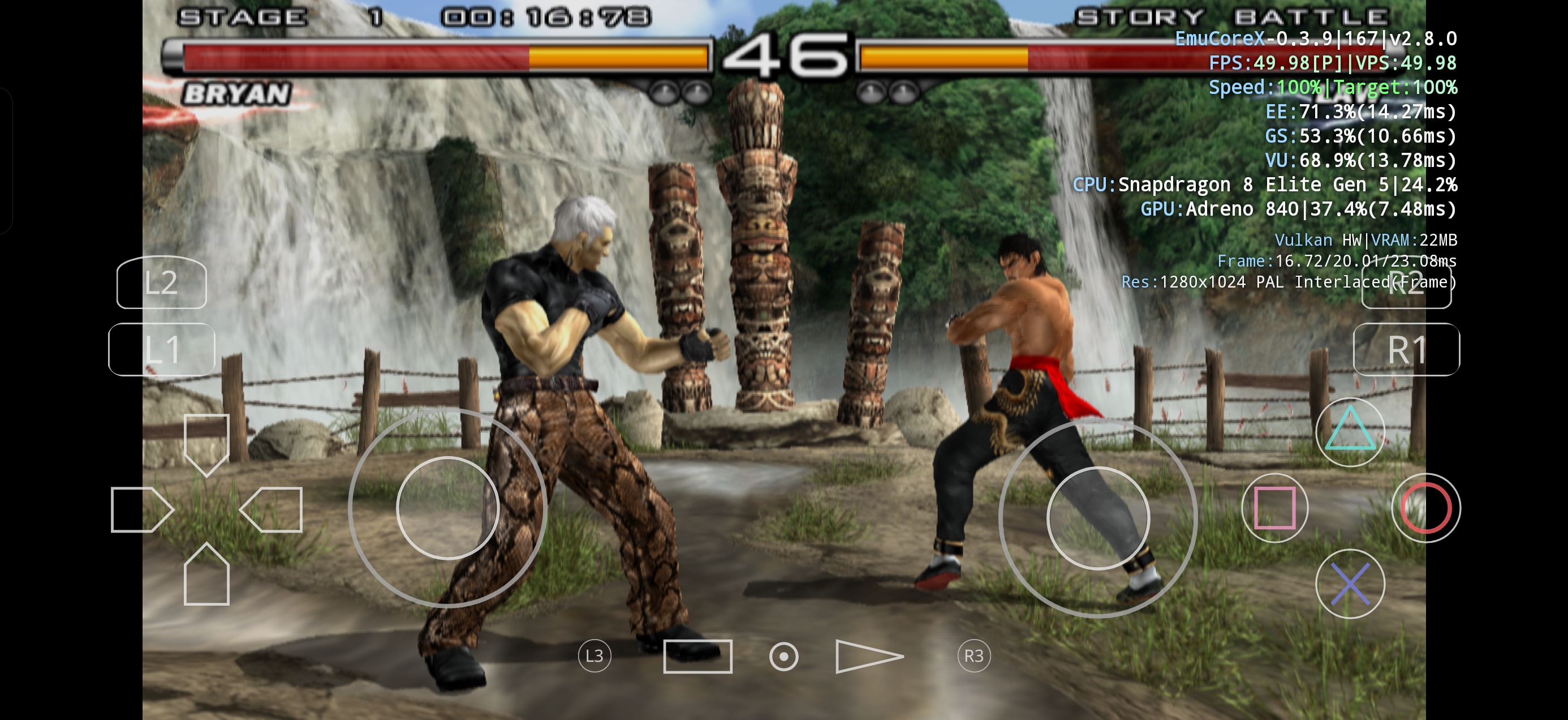
EmuCoreX is an open-source PlayStation 2 emulator project focused on Android devices. It uses a PCSX2-derived core adapted into an Android-focused frontend and library, with an emphasis on a modern game library, live overlay controls, and handheld-oriented UX.
WHY IT MATTERS
Why choose EmuCoreX
EmuCoreX targets modern Android handhelds and phones with a frontend built around a PCSX2-based core. It aims to offer a streamlined library experience, live overlay controls, and multiple renderer options (Vulkan/GL reported by the project site), which can make it attractive for users wanting a mobile-first PS2 emulation experience.
BEST FOR
Best for
Android users who want a mobile-optimized PlayStation 2 emulator with an integrated game library and a PCSX2-derived core rather than a generic desktop port.

The people behind EmuCoreX
History and status
EmuCoreX is maintained from a public GitHub repository and publishes releases there. The project describes itself as a PlayStation 2 emulator for Android using a PCSX2-based core adapted by EmuCoreX. Community discussion and release announcements appear on forums and Reddit where users report ongoing updates, versioned releases, and feature additions such as UI refinements and renderer options. Active release activity and Play Store presence indicate the project is currently maintained and distributed for Android devices.
What EmuCoreX supports
- PlayStation 2 (software emulation via PCSX2-based core)
- Android (primary platform; APK and Play Store presence confirmed)
- Vulkan and OpenGL renderer options reported by the project (per project site)
- Library / game-management frontend and overlay controls
Download and availability
OFFICIAL DOWNLOADS
Get EmuCoreX
Official builds and release assets are provided on the project's GitHub releases page. An Android package is also published to the Google Play Store per the project listing.
Get EmuCoreX ↗DOCUMENTATION
Official documentation
Read the official configuration, compatibility, and troubleshooting material before changing advanced options.
Read official documentation ↗EmuCoreX setup guide
Setup note: Practical setup notes (focused on verified steps for Android): EmuCoreX ships as an Android app (APK / Play Store). The emulator adapts a PCSX2-based core but does not include any PlayStation 2 BIOS, game images, or commercial firmware — you must provide legally obtained BIOS and game files. The following setup steps reflect the typical, verified workflow for Android PS2 emulators and details mentioned by the project; consult the project repository and releases for the exact filenames and latest installer.
- 1) Obtain the app: Download official APK builds from the project's GitHub releases page or install from Google Play (project listing exists). Prefer the GitHub releases page when you want a specific release asset or an offline APK.
- 2) Install on Android: If you installed from Google Play, follow normal installation. If you downloaded an APK from GitHub, enable Install unknown apps for the installer on your device, then install the APK. Use the release build that matches your device architecture when multiple APKs are published.
- 3) Provide PlayStation 2 BIOS: EmuCoreX does not include PS2 BIOS files. You must legally obtain and copy the correct PS2 BIOS files from your own PlayStation 2 hardware to the emulator's expected BIOS folder. The project README or documentation in the GitHub repo will indicate the exact filename(s) and directory expected by the build; check those pages for the current path.
- 4) Add game images: Place your legally obtained PS2 game ISOs or disc dumps on the device storage in a folder the app can access. The app provides a library UI that detects supported game images when placed in accessible storage locations; see the project's documentation for any recommended folder names or scan settings.
- 5) Configure renderers and controls: The project advertises Vulkan and OpenGL options. After launching a game, verify renderer selection and performance settings in the app's settings. Handheld and overlay controls are part of the frontend; adjust control mapping and overlay visibility to suit your device.
- 6) Performance tuning and compatibility: Performance varies by device and game. Try Vulkan first on devices with reliable Vulkan drivers; fallback to OpenGL if you encounter issues. Consult the project's release notes and community threads (Reddit, discussion pages) for game-specific tips and recommended per-game settings.
- 7) Keep the app updated: Get new feature releases and bugfixes from the GitHub releases page or the Play Store listing. If using a GitHub APK, verify release checksums or signatures when provided to ensure file integrity.
Software reminder: EmuCoreX adapts a PCSX2-based core but does not distribute BIOS or commercial games. You are responsible for supplying any PS2 BIOS and game images and for using them legally.
Sources and further reading
Detailed guides and tutorials
Explore step-by-step guides for EmuCoreX as they are published.