 Retro Replay Retro Gaming History, Reviews & Emulation
GAME BOY COLOR EMULATOR
gameboycore
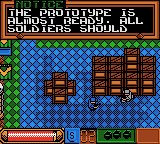
GameboyCore is an open-source C++11 Game Boy / Game Boy Color emulator library intended to be embedded in frontends or used to build platform-specific ports (desktop app, libretro core, Python bindings, Android, Web). It implements emulation logic and exposes audio/video/state APIs but does not provide a packaged GUI, input, or audio playback by itself.
WHY IT MATTERS
Why consider GameboyCore?
GameboyCore separates emulation logic from frontend code, making it suitable for developers who want a dependency-free, portable emulator core they can embed into applications, libretro, or custom ports. The repository includes example tools and bindings demonstrating use on multiple platforms.
BEST FOR
Best use cases
– Building a custom Game Boy / Game Boy Color frontend or embedding the core in an app. – Producing a libretro core for RetroArch or similar frontends. – Research, testing, or educational projects that need an inspectable, dependency-free emulator library.

The people behind gameboycore
Project history and status
GameboyCore is actively maintained in a public GitHub repository. The project is presented as a dependency-free C++11 library; the README and repository show many commits, multiple tagged releases, and example ports (desktop debugger, libretro core, Python bindings, Android/web demos). Releases and tags are published on the repository's Releases page. The project provides build configuration using CMake and optional tools and tests guarded behind build flags. Because the repository is a library rather than a complete emulator application, users should expect to build it and supply or develop frontend code (windowing, input, audio output, and ROM management).
What gameboycore supports
- Game Boy
- Game Boy Color
- Windows (buildable)
- Linux (buildable)
- macOS (buildable)
- Android (via example/ports)
Download and availability
OFFICIAL DOWNLOADS
Get gameboycore
Official source and binary release artifacts are published on the project's GitHub repository and Releases page. Clone the repository for source builds or download a tagged release from the Releases page; the project uses CMake and provides build assets and versioned tags on GitHub.
Get gameboycore ↗DOCUMENTATION
Official documentation
Read the official configuration, compatibility, and troubleshooting material before changing advanced options.
Read official documentation ↗gameboycore setup guide
Setup note: This guide shows how to obtain and build GameboyCore as a library and how to create or obtain a frontend to run ROMs. It focuses on practical, verified steps: cloning the official repository, configuring CMake, building the core, enabling optional tools (debugger, tests), and using the libretro core or example bindings if desired.
- 1) Get the official source: Clone the upstream repository and initialise submodules: git clone https://github.com/nnarain/gameboycore && cd gameboycore && git submodule update –init –recursive. Use the repository Releases page to download a tagged release if you prefer a stable snapshot.
- 2) Prepare build environment: GameboyCore builds with CMake and requires a C++11-compatible compiler. On Windows install a toolchain (Visual Studio or MinGW) and CMake. On Linux/macOS install CMake and a system compiler (gcc/clang). Optional dependencies are only required for tools/tests: gtest for tests, SFML for the debugger GUI, and google-benchmark for benchmarks. The core library itself aims to be dependency-free.
- 3) Configure and build the library: Create a build directory and run CMake: mkdir build && cd build && cmake .. . By default the library target 'gameboycore' is available. Build it with cmake –build . –target gameboycore. Adjust generator and toolchain flags as needed for your platform (e.g., -G "Visual Studio 17 2022" on Windows).
- 4) Enable and build tests/tools (optional): To build tests: cmake .. -DBUILD_TESTS=ON then cmake –build . –target check to run unit tests. To build tools and examples enable BUILD_TOOLS=ON (and optionally disable specific tools with WITH_<tool name>=OFF). The Debugger tool depends on SFML; install SFML and let CMake discover it before building the debugger target.
- 5) Use the libretro core or example bindings: The repository documents example ports: a libretro core, Python bindings (usable with pygame), an Android app, and web builds. If you want a ready frontend, build the libretro core target and load it in RetroArch. Follow RetroArch/libretro guidelines for placing the built core (a .so/.dll/.dylib) in RetroArch's cores directory and load Game Boy ROM files there. The project README and docs folder describe the example bindings and how to build them.
- 6) Integrate into your own frontend: GameboyCore exposes audio/video and state APIs only; you must implement or reuse code for windowing, input, audio playback, and ROM file management. Link against the built gameboycore library and call the API to advance frames, retrieve framebuffer/audio buffers, and supply input state. Use the provided example tools as reference for timing, save state handling, and cartridge header parsing.
- 7) ROMs, BIOS, and legal notes: GameboyCore does not include game ROMs, commercial firmware, or BIOS files. You must supply legally obtained ROMs or test ROMs when running the core. Confirm any additional firmware requirements from the repository notes before attempting to run games.
Software reminder: GameboyCore is a library/core, not a finished emulator application. You will usually need to build a frontend (or use the provided example ports) to run ROMs and to provide input, audio playback, and display.
Sources and further reading
Detailed guides and tutorials
Explore step-by-step guides for gameboycore as they are published.