 Retro Replay Retro Gaming History, Reviews & Emulation
ZX SPECTRUM BRITISH COMPUTERS EMULATOR
gospeccy
GoSpeccy is a ZX Spectrum 48K emulator implementation written in Go (golang). It provides Z80 CPU emulation, snapshot and tape loading (TAP, SNA, Z80), basic joystick support, an SDL video backend and a small interactive console for runtime commands.

WHY IT MATTERS
Why pick GoSpeccy?
GoSpeccy is useful when you want a ZX Spectrum implementation written in Go that emphasises concurrency and is suitable for study, extension or embedding in Go projects. It supports standard 48K snapshot and tape formats and includes tools for loading programs from World of Spectrum.
BEST FOR
What GoSpeccy does best
Readable, Go-native emulator core (Z80 generated into Go), simple command-line usage, snapshot (SNA/Z80) and TAP playback, ZIP/TAP program support, interactive on-screen console and straightforward configuration via a per-user config folder.
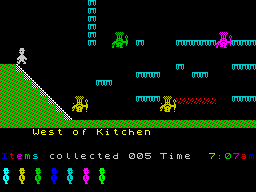
The people behind gospeccy
History and status
GoSpeccy was authored by Andrea Fazzi (remogatto) and is documented in the project's GitHub repository. The repository contains sources, documentation and examples (including demos and snapshots). The README and the code indicate development around 2010 and onward, and the project remains available on GitHub as an open-source project. The codebase uses a modified z80.pl generator (from FUSE) to produce Go Z80 emulation and the project runs as a stand-alone emulator binary built with Go. The README lists TODO items (more formats, performance and graphical backends), indicating it is an actively-developed hobby/open-source project at the repo level; verify current commit activity and release tags on the repository to confirm present maintenance status before relying on it for production use.
What gospeccy supports
- ZX Spectrum 48K emulation (Zilog Z80 CPU core)
- Snapshot formats: SNA, Z80 (48K variants)
- Tape format: TAP (read-only)
- ZIP files containing supported programs
- SDL video/audio backend
- Kempston joystick input (initial support)
Download and availability
OFFICIAL DOWNLOADS
Get gospeccy
Official sources and releases are on the project's GitHub repository and its Releases page. The repo also documents building via the Go toolchain (go get / go build).
Get gospeccy ↗DOCUMENTATION
Official documentation
Read the official configuration, compatibility, and troubleshooting material before changing advanced options.
Read official documentation ↗gospeccy setup guide
Setup note: Practical setup steps for running GoSpeccy. This guide follows the project's README and uses the project's documented command-line options and configuration layout.
- 1) Get the source or binaries: Prefer the official GitHub repository. To fetch the code and install with a local Go toolchain (Go 1.x compatible as documented), run: go get -v github.com/remogatto/gospeccy/src/gospeccy and then run the installed gospeccy binary. Alternatively, clone the repo and build with go build inside the src/gospeccy folder.
- 2) Create the configuration folders: Create the convention-based folders expected by GoSpeccy in your home config directory (examples use a POSIX home): mkdir -p $HOME/.config/gospeccy/roms mkdir -p $HOME/.config/gospeccy/programs mkdir -p $HOME/.config/gospeccy/scripts Place any system ROMs you legally possess in the roms folder if you do not rely on the copy bundled with the distribution.
- 3) Populate programs and snapshots: Copy .z80, .sna, .tap files or ZIPs into your programs folder or point gospeccy at files elsewhere. The README shows examples such as: gospeccy snapshots/Syntax09nF.z80 and gospeccy file.tap
- 4) Run with common command-line options: Run gospeccy -help to list options. Documented examples include: gospeccy (start interactive console) gospeccy -2x <file> (2x scaler) gospeccy -wos="horace*tower" (auto-download from World of Spectrum using -wos helper) Use the accelerated-load option to speed tape loads when using TAP images.
- 5) Key and input mapping: The README documents host-to-Spectrum key mapping (e.g., CTRL -> SYMBOL SHIFT, LEFT SHIFT -> CAPS SHIFT). For joystick support, initial Kempston joystick handling is implemented; consult spectrum/keyboard.go in the source for exact key bindings and adjust host input as needed.
- 6) Building and dependencies: GoSpeccy uses Go and an SDL backend. Ensure you have a compatible Go toolchain and SDL development/runtime installed (platform-specific). Then build with go build in the src/gospeccy directory or use go get as above. If you plan to modify or extend the code, inspect the z80 generation tooling and the included scripts and tests.
- 7) Snapshots, tapes and legal notes: GoSpeccy supports SNA/Z80 snapshots and TAP tape images (read-only). The README states the Spectrum 48K ROM is included in the distribution because it is freely distributable; commercial games and third-party firmware are generally not included and must be provided legally by the user.
- 8) Troubleshooting and further reading: If you encounter crashes or build errors, check that your Go version matches the module/go.mod file and that SDL is present. The repository contains a doc and scripts folder with examples and an included demo (Fire104b). Open issues on the project's GitHub issue tracker when appropriate.
Software reminder: Do not distribute copyrighted commercial ROMs, games or firmware with the emulator. Use only legally-obtained software and verify local laws.
Sources and further reading
Detailed guides and tutorials
Explore step-by-step guides for gospeccy as they are published.