 Retro Replay Retro Gaming History, Reviews & Emulation
COLECOVISION/CREATIVISION/MY VISION EMULATOR CORE
JollyCV
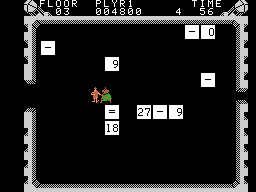
JollyCV is an open-source Libretro-compatible core (and standalone emulator codebase) that accurately emulates ColecoVision (including the Super Game Module), CreatiVision (experimental), and My Vision.
WHY IT MATTERS
Why JollyCV
JollyCV focuses on accuracy and documentation: it was written to demonstrate ColecoVision internals with verbose comments and high-quality emulation, and expanded to support CreatiVision and My Vision systems. The code is portable C11 suitable for use as a Libretro core or in standalone builds.
BEST FOR
What JollyCV does best
High-accuracy ColecoVision emulation (including Super Game Module support), comprehensive input-device support (paddles, roller controller, steering wheel, Super Action Controller), and portability across desktop platforms. CreatiVision and My Vision support are included (CreatiVision is marked experimental and tape support is not yet implemented).
The people behind JollyCV
History and status
JollyCV originates from the Jolly Good emulator family and is maintained in an open-source repository. The public libretro GitHub repo and its README indicate active development and a history of commits; copyright lines in the repository reference 2020 onward. The project was written to target The Jolly Good API but is distributed and used as a Libretro core. CreatiVision support is available but requires some manual selection when running non-database-detected ROMs; certain hardware features such as CreatiVision tape drive support remain unimplemented. The repository provides build instructions for Linux, macOS, BSD, and Windows (MSYS2).
What JollyCV supports
- ColecoVision (including Super Game Module)
- CreatiVision (experimental)
- My Vision
- Input devices: ColecoVision Paddle, Roller Controller, Steering Wheel, Super Action Controller; CreatiVision paddles; My Vision input
Download and availability
OFFICIAL DOWNLOADS
Get JollyCV
JollyCV is available as a Libretro core (included in Libretro core lists and downloadable via RetroArch/core download mechanisms) and as source from the official repository. You can obtain prebuilt cores using RetroArch's Online Updater (Core Updater) or compile the core from source using the project's Makefile.
Get JollyCV ↗DOCUMENTATION
Official documentation
Read the official configuration, compatibility, and troubleshooting material before changing advanced options.
Read official documentation ↗JollyCV setup guide
Setup note: Practical setup notes: you can use JollyCV as a libretro core inside RetroArch or build/install it from source. The README provides platform-specific build targets and runtime settings. Do not expect the core to include any commercial ROMs, firmware, or BIOS files.
- Option A — Install via RetroArch (preferred for most users): 1) Install RetroArch on your platform. 2) Open RetroArch, go to Online Updater (or Cores → Download a Core), and search for the ColecoVision/CreatiVision core entry (JollyCV may be listed). 3) Download the core; RetroArch places it in its cores directory. 4) Configure core options in RetroArch if desired (input mappings, region NTSC/PAL, overscan masking, palette choices, resampler quality). 5) Load a supported ROM file with RetroArch’s Load Content menu and, if a CreatiVision ROM is not auto-detected, set the system type to crvision manually in the frontend per the core’s notes.
- Option B — Build from source (for custom builds or platforms): 1) Clone the official repository and examine the README. 2) Ensure you have The Jolly Good API headers (the project was written for that API) or supply header paths as required. 3) On Linux or macOS run make; on BSD use gmake; on Windows use MSYS2 and make. Cross-compilation examples (Make environment variables) are included in the README for MinGW/Windows targets. 4) The Makefile supports options such as ENABLE_SHARED, ENABLE_STATIC, ENABLE_EXAMPLE, and DISABLE_MODULE. 5) The build output is a jollycv binary/core directory which you can copy into RetroArch’s cores folder or install system-wide using the install target in the Makefile. 6) After installation, configure input mappings and core options as needed.
- Core options and device mapping: Key configurable settings available in the core (from the project README): input_coleco (auto / paddle / roller / Super Action / Super Sketch / steering wheel), mask_overscan (show or mask overscan), palette_tms9918 (several palette presets), rsqual (resampler quality 0–10), and region (NTSC or PAL). Roller controller and steering wheel are implemented through the mouse axis/buttons; Super Action Controller rollers are simulated via buttons that can be held to mimic continuous roll.
- CreatiVision specifics: CreatiVision detection can be unreliable for ROMs that are not present in the core’s internal database. For such ROMs manually set the system type to crvision in your frontend before loading. Tape drive support for CreatiVision BASIC is not implemented at the time of the repository documentation.
- Notes on compatibility and legal concerns: The project README claims 100% compatibility with the original commercially released ColecoVision library and known dumped homebrew within the limits of provided dumps and documentation; treat compatibility claims conservatively until you test specific titles. The core does not include commercial ROMs, firmware, or BIOS—obtain those separately and only if you have legal right to use them.
- Troubleshooting: If a core doesn't load or behaves oddly: confirm you have the correct core binary for your RetroArch build and platform, update RetroArch to a recent version, check input mappings for controllers vs. mouse (for roller/steering emulation), and consult the core’s README for options. When building from source, ensure dependency headers (Jolly Good API) are visible to the compiler and check make options used.
Software reminder: Do not use or expect included copyrighted game ROMs. Obtain ROMs and firmware only from legal sources and under licenses that permit your use.
Sources and further reading
Detailed guides and tutorials
Explore step-by-step guides for JollyCV as they are published.
Use JollyCV on Android
An Android ARM64 Libretro build exists for JollyCV. Run the core through RetroArch for Android; the standalone desktop download and Android core may have different menus and features.
Emulates: ColecoVision.
Verified Android core build ↗ · Browse all Android emulators →