 Retro Replay Retro Gaming History, Reviews & Emulation
ZX SPECTRUM BRITISH COMPUTERS EMULATOR
JSpeccy
JSpeccy is an open-source, multiplatform ZX Spectrum emulator written in Java. It implements multiple Spectrum models, snapshot and tape formats, ULA/ULA+ effects, AY audio, joystick and peripheral emulation, and can be built as a runnable jar or compiled natively with GraalVM.
WHY IT MATTERS
Why JSpeccy matters
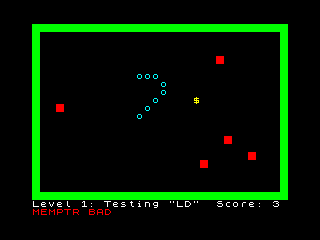
JSpeccy provides a Java-based Spectrum implementation intended to be portable across desktop platforms and usable both as a standalone emulator and integrated by front-ends via its command-line support. It focuses on a fairly complete set of Spectrum features (48K/128K/+2/+2A, memory contention, border and PAL/RGB effects, AY sound, Microdrives and Interface emulation) while being buildable from source with Maven.
BEST FOR
Notable strengths
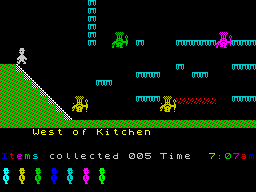
Multiplatform Java implementation (runs as an executable jar), support for common snapshot (.SNA/.Z80/.SP/.SZX) and tape formats (TAP/TZX/CSW), ULA+ color support and fuller peripheral emulation (AY/Interface I/II, Multiface). Command-line options and documented build process make it suitable for integration and experimentation.
The people behind JSpeccy
History & status
The project repository documents a long commit history and active maintenance on GitHub. The README lists features and describes the build and run requirements (Maven, Java 17+ to build; Java 21+ recommended to run; experimental native compilation via GraalVM). Official releases are published on the project's GitHub releases page. The project is hosted publicly under jsanchezv on GitHub and is described as a multiplatform ZX Spectrum emulator in its documentation.
What JSpeccy supports
- Sinclair ZX Spectrum 16K/48K/128K/+2/+2A (emulated models listed in project README)
- Windows (Java runtime)
- macOS (Java runtime; experimental native build via GraalVM documented)
- Linux (Java runtime)
- Snapshot formats: SNA, Z80, SP, SZX
- Tape formats: TAP, TZX, CSW
Download and availability
OFFICIAL DOWNLOADS
Get JSpeccy
Official builds and release assets are published on the project's GitHub releases page. Source and build instructions are available on the project repository.
Get JSpeccy ↗DOCUMENTATION
Official documentation
Read the official configuration, compatibility, and troubleshooting material before changing advanced options.
Read official documentation ↗JSpeccy setup guide
Setup note: The repository README provides a documented, repeatable build-and-run workflow. JSpeccy can be built with Maven into an executable jar, or (optionally) compiled to a native executable using GraalVM. Running requires a suitable Java runtime and possibly runtime flags to avoid X11 rendering issues on some Unix systems.
- 1) Get the source or release: Preferred: download a release from the project's GitHub releases page. Alternatively clone the repository from GitHub to build from source.
- 2) Build (from source) — prerequisites: Install Apache Maven and a Java JDK. The README documents using Java 17 or newer to build. Use the included Maven wrapper (./mvnw) if you don't have a system Maven.
- 3) Build command: From the repository root run: mvn clean package (or ./mvnw clean package). The build generates an executable jar (target/jspeccy.jar) that bundles required dependencies.
- 4) Run the emulator: Run the built jar with a compatible Java runtime. The README recommends Java 21 or later to run. Example: ./target/jspeccy.jar (or java -jar ./target/jspeccy.jar). The first run creates a JSpeccy.xml configuration file in the user directory.
- 5) Linux/X11 rendering notes: On Unix/X11 systems the README documents a Java/X11 redraw issue; two suggested JVM flags are: -Dsun.java2d.opengl=True (use OpenGL backend) or -Dsun.java2d.xrender=false. The README cautions that the OpenGL backend can be problematic where drivers are poor or Mesa is used.
- 6) Optional: native build (GraalVM): The project documents experimental native compilation using GraalVM and a Spring Boot native profile. On macOS the README gives a sample GraalVM installation and shows mvn clean install -P native to produce a native executable in target/.
- 7) Loading content: JSpeccy supports loading snapshot files (SNA/Z80/SP/SZX) and tape images (TAP/TZX/CSW) per the README. The emulator does not include commercial ROMs, firmware, BIOS files or games — obtain those separately and only use files you have legal right to use.
- 8) Integrating or automating: JSpeccy lists complete command-line options in its documentation, enabling integration with front-ends and automation. Consult the repository README for available CLI flags and configuration file usage.
Software reminder: JSpeccy requires a compatible Java runtime to run (README documents Java 21+ for running and Java 17+ for building) and optionally Maven for building. No commercial BIOS/firmware/games are included in the project.
Sources and further reading
Detailed guides and tutorials
Explore step-by-step guides for JSpeccy as they are published.