 Retro Replay Retro Gaming History, Reviews & Emulation
DOS EMULATOR CORE
VirtualXT
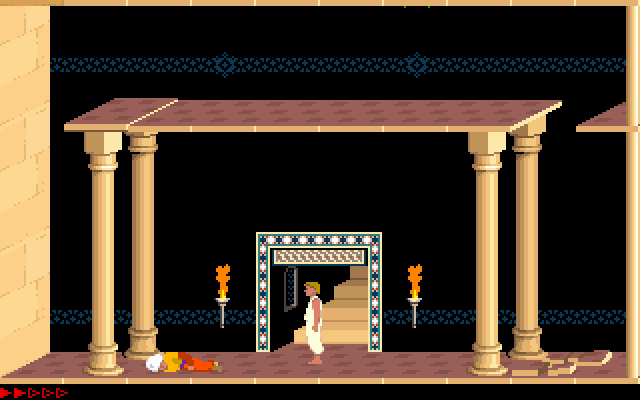
VirtualXT — a lightweight libretro core that emulates an IBM PC/XT (Intel 8088) class machine for running 1980s-era DOS software (CGA/early VGA).
WHY IT MATTERS
Why use VirtualXT
Designed for simplicity and historical accuracy at XT-class timing, VirtualXT is useful when you want an authentic 8088/XT-era environment (CGA/PC booter titles, early DOS utilities) inside any libretro frontend without heavy dependencies.
BEST FOR
Best for
Running early DOS games and demo/booter-style software from the 1980s that expect an XT/8088 environment (CGA graphics, basic PC hardware). Not intended for ’90s DOS games that require faster CPUs, protected mode, or modern drivers.
The people behind VirtualXT
History & status
VirtualXT is authored by Andreas T Jonsson and packaged as a libretro core. The libretro documentation page for the core documents its intent (XT-class emulation), included BIOS choices, available core options, and compatibility notes. The core is distributed under the zlib license and source is available from the upstream repository used for the libretro port. As of the libretro docs snapshot consulted, the core is maintained and included in the libretro core list; the docs page shows recent updates of the documentation (October 19, 2025).
What VirtualXT supports
- Libretro frontends (RetroArch, Lakka, other libretro-compatible frontends)
- Platforms supported by libretro frontends (Windows, Linux, macOS, Android, BSD, embedded builds) — actual availability depends on frontend builds and platform-specific core builds
- Input: keyboard and mouse (core supports keyboard and mouse device types)
- Disk images and executables: .img, .exe, .com (see docs)
Download and availability
OFFICIAL DOWNLOADS
Get VirtualXT
Get VirtualXT as a libretro core through your libretro frontend’s core downloader (RetroArch Core Updater) or build/download the core from the libretro core repositories. The libretro core list and core download guide document where to obtain prebuilt cores and how to install them.
Get VirtualXT ↗DOCUMENTATION
Official documentation
Read the official configuration, compatibility, and troubleshooting material before changing advanced options.
Read official documentation ↗VirtualXT setup guide
Setup note: This guide describes practical steps to run VirtualXT inside a libretro frontend (RetroArch or compatible). It covers installing the core, preparing images, selecting BIOS and core options, and common pitfalls. Adjust steps to your frontend/build (RetroArch GUI, RetroArch CMD, Lakka, etc.).
- 1) Install a libretro frontend: Install RetroArch (or another libretro frontend) for your platform. Use your platform’s package, the official RetroArch builds, or a distribution like Lakka. Ensure the frontend supports core downloading or manual core loading.
- 2) Obtain the VirtualXT core: Preferred: use the frontend’s Core Updater / Core Downloader to fetch 'VirtualXT' (listed as MS – DOS (VirtualXT) in the libretro core list). Alternatively, download or build the core from the libretro core repository (see sources). Place the resulting core library (libretro .so/.dll/.dylib) into your frontend’s cores directory and, if provided, install the .info metadata file alongside it.
- 3) Prepare content (images and executables): VirtualXT accepts .img disk images and can also load .exe and .com files directly. For disk images, use floppy or hard-disk images prepared with appropriate tools. Do not expect commercial BIOS or commercial game files to be included — supply only legally owned content. If you want to boot a disk image, ensure the image contains a DOS boot sector or bootable files.
- 4) Choose BIOS and optional features: VirtualXT includes options to select between bundled BIOSes (GLaBIOS and TurboXT BIOS as documented). From the frontend, open Core Options and select the 'BIOS' option to pick one. Other important core options: enable 186 instructions (for 80186 compatibility), set CPU frequency (4.77 / 7.15 / 14.3 MHz), choose video adapter (CGA or VGA), enable EMS memory or host RIFS2 for direct host file sharing. Several options require restarting the core to take effect.
- 5) Loading software and device control: Load the core, then load content (disk image or executable). If using floppy/hard images you may need to use the frontend’s Disk Control (or the core’s disk control support) to change mounted images. Use the frontend input mapping to ensure a physical keyboard is passed to the core; VirtualXT lists keyboard and mouse as supported device types.
- 6) Tweak performance and compatibility: Set CPU Frequency core option according to the era of the software. Lower frequencies match original timing but may prevent some modern titles from running. Use 186 emulation / 286 flag register options if a title queries for those CPUs. For file sharing with the host, enable RIFS2 (host RIFS2 option) and configure the frontend-host mapping (it defaults to Z: inside the emulated system).
- 7) Saving and runtime notes: VirtualXT does not support retro frontend save states or rewinding according to the core documentation; use disk image copies or host-file sharing to persist data. Core-level saves are not present — if you need to preserve changes to a disk image, make backups outside the frontend before booting, or use options to disable reset-to-default-disk.
- 8) Troubleshooting: If software fails to run, confirm it targets XT-era hardware (8088 real mode). Many 1990s DOS games require protected mode or faster CPUs and will not run. If graphics appear wrong, test CGA vs VGA core option and check the video standard setting. For missing keyboard input, verify your frontend maps keyboard events into the core and that no other input layer is intercepting keys.
Software reminder: VirtualXT does not include commercial BIOS, firmware, or commercial game files. Provide your own legally obtained disk images, executables, or BIOS if required. The core includes selectable open BIOS implementations documented on the libretro page.
Sources and further reading
Detailed guides and tutorials
Explore step-by-step guides for VirtualXT as they are published.
Use VirtualXT on Android
An Android ARM64 Libretro build exists for VirtualXT. Run the core through RetroArch for Android; the standalone desktop download and Android core may have different menus and features.
Emulates: DOS.
Verified Android core build ↗ · Browse all Android emulators →