 Retro Replay Retro Gaming History, Reviews & Emulation
NES EMULATOR
dendy
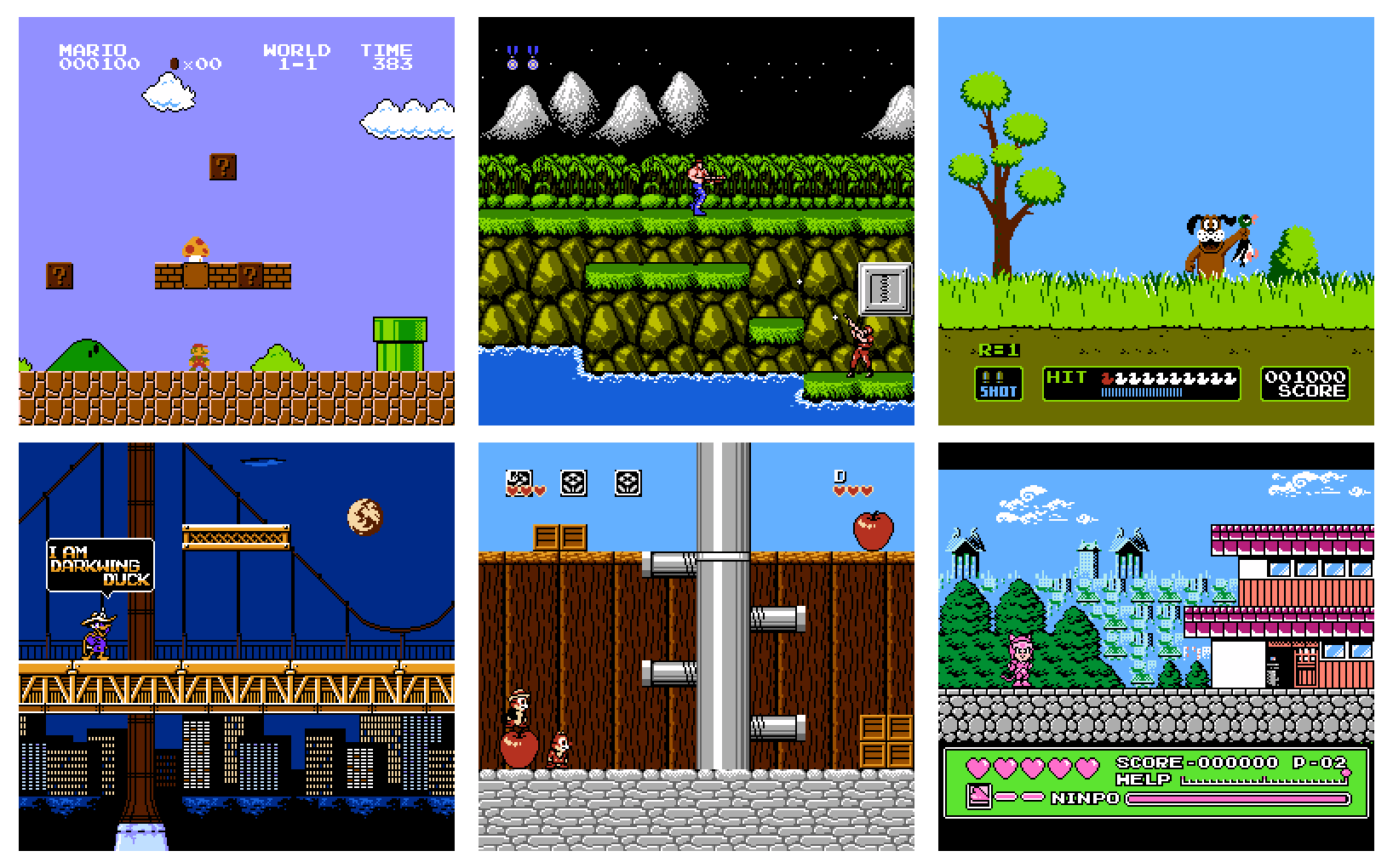
Dendy is an open-source NES / Famicom emulator written in Go. It focuses on playability and includes a built-in peer-to-peer netplay feature and a WebAssembly build that runs in modern browsers.
WHY IT MATTERS
Why this emulator?
Dendy is notable for being implemented in Go with a simple, command-line-driven interface, native netplay support (peer-to-peer and relay-assisted room joining), and a WASM build that runs in browsers. It is intended as a hobby project emphasizing features rather than aiming for cycle-perfect accuracy.
BEST FOR
Best for
Users who want a lightweight, Go-based NES emulator with easy netplay and a browser (WASM) demo; developers who want an example of an emulator implemented in Go or a starting point to experiment with netplay or WASM.

The people behind dendy
Project history and status
Dendy is actively maintained in its repository and contains source, documentation, and pre-built binaries. The project README describes the emulator as a hobby project that runs many games the author tested and highlights features added over time (netplay, WASM). The repository includes source for CPU/APU/PPU components, netplay/relay code, and build scripts. There are pre-built release assets for Windows, macOS, and Linux on the project's releases page, and a WASM-hosted demo is available from the project's documentation site. The author cautions it is not as accurate as long-established emulators.
What dendy supports
- Windows (pre-built binaries available)
- macOS (pre-built binaries available)
- Linux (pre-built binaries available)
- Web browsers (WASM build hosted)
- Gamepad input (platform-dependent)
- Mouse (Zapper emulation)
Download and availability
OFFICIAL DOWNLOADS
Get dendy
Official downloads and releases are published on the project's GitHub releases page. The repository also supports building from source (Go toolchain) or installing via 'go install' for users with Go configured. The WASM/web demo runs from the project's GitHub Pages site.
Get dendy ↗DOCUMENTATION
Official documentation
Read the official configuration, compatibility, and troubleshooting material before changing advanced options.
Read official documentation ↗dendy setup guide
Setup note: This guide covers practical setup: choosing between pre-built binaries, installing via Go, or building from source, plus runtime usage (ROMs, controls, and netplay). It focuses on verified, project-provided commands and requirements.
- Get the official release or WASM demo: Download pre-built binaries for Windows/macOS/Linux from the project's GitHub releases page. For a quick browser test, open the project's WASM demo on its GitHub Pages documentation site. The releases page and docs are the official distribution points; do not expect firmware, BIOS, or commercial game ROMs to be included.
- Install via Go (quick for Go users): If you have a recent Go toolchain installed, you can install the CLI directly (per the project's README) using: go install "github.com/maxpoletaev/dendy/cmd/dendy@latest". This retrieves the module and installs the dendy executable into your Go bin directory.
- Build from source (recommended for reproducible builds): Clone the repository: git clone https://github.com/maxpoletaev/dendy.git && cd dendy. Use the provided Makefile: make build. Building may require a C compiler (gcc/clang) and native dependencies for raylib when building the desktop front-end; consult the raylib-go requirements for your platform before building.
- Runtime: running a ROM: The emulator is command-line driven. Launch it with a path to a .nes file: dendy romfile.nes. Use dendy -help to list available flags. Common flags: -scale=<n> to scale the window, -nospritelimit to disable sprite-per-scanline limit, -nosave to prevent loading/saving state, -nocrt to disable CRT shader effect, and -gg to apply Game Genie codes (comma-separated).
- Controls and input: Player 1 is mapped to keyboard by default (README documents a typical layout). Gamepads are supported and are usually detected automatically. The mouse emulates the Zapper light gun for compatible games. Hotkeys include CTRL+R / ⌘+R to reset, CTRL+Q / ⌘+Q to quit, CTRL+X / ⌘+X to resync netplay, CTRL+Z / ⌘+Z to rewind ~5 seconds, F12 to screenshot, and M to mute.
- Netplay (peer-to-peer and relay-assisted rooms): Netplay requires both players to run the same ROM and the same emulator version. Host a session with: dendy -listen=0.0.0.0:1234 roms/game.nes. Connect from the client: dendy -connect=<host-ip>:1234 roms/game.nes. For NAT traversal without manual port-forwarding, use the built-in relay method: host with -createroom to obtain a room ID, and clients join with -joinroom=<id>. The README warns the relay/hole-punching approach can fail in cases like symmetric NAT.
- WASM usage: A WASM-compiled build is hosted on the project's GitHub Pages site. The WASM build runs in modern browsers but (per project notes) currently does not support netplay in its deployed form. Use the site for quick testing; for custom WASM builds, build from source with the project instructions and WASM target.
- Troubleshooting and building dependencies: If building from source fails, ensure you have a supported Go version, a C compiler (gcc/clang) for native dependencies, and the libraries required by raylib-go. The README references the raylib-go requirements for platform-specific setup. If a pre-built binary does not run on your platform, consider building locally or checking the releases page for the correct asset.
Software reminder: Dendy does not include commercial ROMs, console firmware, or BIOS files. You must supply your own legally obtained .nes ROM files. Ensure you use matching ROM versions for netplay and the same emulator version on all machines.
Sources and further reading
Detailed guides and tutorials
Explore step-by-step guides for dendy as they are published.