 Retro Replay Retro Gaming History, Reviews & Emulation
GAME BOY ADVANCE EMULATOR
eggvance
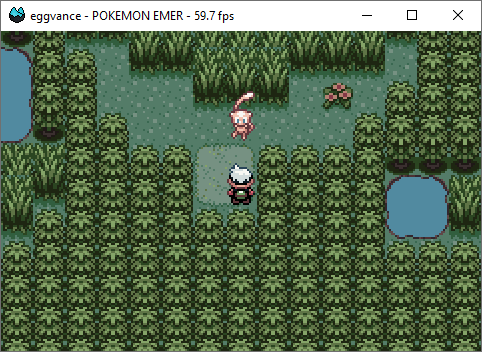
Eggvance is an open-source Game Boy Advance emulator project hosted on GitHub that aims to implement GBA hardware and run commercial and homebrew GBA software. The project appears to be a solo/independent implementation referenced in emulator lists and community posts and has a GitHub repository with source and releases.
WHY IT MATTERS
Why consider Eggvance?
Eggvance is a small, independent GBA emulator implementation intended for developers, researchers, and users who want an alternative open-source GBA implementation. It is interesting if you want to study emulator code or test compatibility against a compact, actively developed repository rather than a long-established large project.
BEST FOR
Best for
Developers and hobbyists who want a lightweight open-source Game Boy Advance emulator to inspect, build from source, or test. Not positioned as a polished end-user distribution like long-established multi-system emulators.
The people behind eggvance
History and status
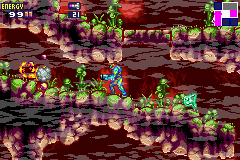
Eggvance is an independently developed Game Boy Advance emulator that is publicly available on GitHub and has been noticed in emulator community posts and magazine listings. The project is maintained in a public repository with releases; community references (forum and magazine listings) indicate it has reached runnable states for many games, but it is not as widely used or established as major GBA emulators. For precise commit history, contributors, dates of initial commit, and current active branch, consult the project's GitHub repository and release pages.
What eggvance supports
- Game Boy Advance (software/ROMs for .gba/.bin as supported by project)
- Source builds (platforms depend on project's build system)
- No commercial BIOS or game files included; BIOS may be optional or required per project docs
- Intended for use on desktop OS via source builds (see project docs for exact platforms)
Download and availability
OFFICIAL DOWNLOADS
Get eggvance
Official source and binary releases are hosted on the project's GitHub repository releases page. Check the repository's Releases for prebuilt downloads or source tarballs/zip files.
Get eggvance ↗DOCUMENTATION
Official documentation
Read the official configuration, compatibility, and troubleshooting material before changing advanced options.
Read official documentation ↗eggvance setup guide
Setup note: Practical setup notes — verify the repository README and Releases. The steps below are a conservative, practical path: obtain the source or a release from the official GitHub, follow the project's documented build steps, and supply your own legally obtained GBA ROMs and any BIOS files the project requires.
- 1) Fetch the project: Open the project's official GitHub page and go to Releases. Download a prebuilt release if available, or clone the repository to your machine using git clone <repository URL> and switch to the latest stable release tag or branch as recommended in the repo README.
- 2) Read the repository documentation: Carefully read README, INSTALL, and any docs or 'docs' directory in the repository for platform-specific requirements, dependencies, and build instructions. The repository's README is the authoritative source for build flags, required libraries, and supported operating systems.
- 3) Install dependencies: Install the build dependencies listed by the project (development libraries, compilers, build tools). Dependency names and installation commands vary by OS; the repo README should list exact packages and versions.
- 4) Build from source (if no prebuilt binaries): Follow the project's documented build steps (make, CMake, cargo, or other build system as specified). Use the exact commands from the repository to avoid mismatches. If a build fails, consult open issues on the repo for troubleshooting and platform-specific tips.
- 5) Provide ROMs and BIOS (user-supplied): Do not rely on the project to provide commercial game ROMs or Nintendo firmware/BIOS files. If the project requires the official GBA BIOS, you must obtain it yourself from a legally owned device and place it in the path the emulator expects (the README or runtime help should state the filename and location).
- 6) Run and test: Launch the emulator per the repository instructions and load legally owned GBA ROMs. Start with small test ROMs or homebrew demos recommended in the project's docs to confirm correct setup before trying larger commercial titles.
- 7) Debugging and reporting: If you encounter crashes or incorrect behavior, consult the project's issue tracker, search existing issues, and open a new issue with a reproducible testcase. Include build logs, OS and toolchain versions, and steps to reproduce.
Software reminder: Eggvance does not include commercial games, firmware, or BIOS files. Obtain those separately and legally if needed.
Sources and further reading
- Emutalk – reference to jsmolka/eggvance
- Linux Format listing referencing Eggvance and GitHub
- Reddit EmuDev thread discussing an Eggvance release
- GBA emulator list/wiki mentioning Eggvance
- User-provided project GitHub (check here for authoritative docs and releases)
- Project docs/tag page mentioned in selection
- Featured-image source and credit
Detailed guides and tutorials
Explore step-by-step guides for eggvance as they are published.