 Retro Replay Retro Gaming History, Reviews & Emulation
GAME BOY COLOR EMULATOR
Espeon
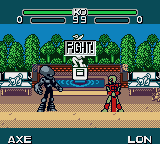
Espeon is an open-source Game Boy / Game Boy Color-capable emulator implementation written to run on Espressif ESP32-based devices (developed with M5Stack hardware in mind). It compiles as an Arduino sketch and can boot bundled or flashed ROMs from SPI flash or an SD card; audio and full CPU/LR35902 accuracy are noted as works-in-progress in the upstream doc
WHY IT MATTERS
Why Espeon exists
Espeon was created to provide a lightweight Game Boy-family emulator that runs directly on ESP32 microcontroller hardware (particularly M5Stack devices). The project focuses on optimizing for the dual-core ESP32 and small embedded displays so you can run Game Boy / Game Boy Color titles on handheld ESP32-based hardware without a full desktop environment.
BEST FOR
What Espeon is best for
Running Game Boy / Game Boy Color ROMs on ESP32-based handhelds (M5Stack and similar) where compactness and direct hardware integration (SPI display, SD card, I2C gamepad) are priorities. It is suited for hobbyists building a handheld from an ESP32 board and for experimentation with embedded emulation on constrained hardware.
The people behind Espeon
History & upstream status
Espeon is hosted on GitHub (Ryuzaki-MrL/Espeon). The repository describes the project as a Game Boy emulator for the ESP32 SoC and documents that development targeted M5Stack devices. The README and repository files show the codebase contains an Arduino sketch (espeon.ino) plus C++ source files implementing CPU, LCD, memory, MBC, timers, menu and ROM handling. The author notes Espeon began as a rewrite to be more accurate and optimized for the ESP32. The README also lists several TODO items (rewrite CPU/LR35902 code, audio emulation, object-oriented refactor, SRAM autosaving improvements) indicating active-but-incomplete feature status. The repository supplies code, a GPL-3.0 license file, and prebuilt firmware is promised per-release; releases are exposed via the repo’s Releases page. Upstream references indicate the project expects M5Stack libraries and the M5Stack ecosystem (Arduino platform) for building and running.
What Espeon supports
- Game Boy (DMG)
- Game Boy Color (GBC)
- ESP32-based hardware (M5Stack recommended)
- SPI ILI9341 320×240 displays
- I2C gamepad input
- SD card for ROMs/SRAM storage
Download and availability
OFFICIAL DOWNLOADS
Get Espeon
Official source and releases are hosted on the project's GitHub repository. Precompiled firmware and source are published through the repository's Releases section; you should use the Releases page on GitHub to download published firmware builds or grab source to build locally.
Get Espeon ↗DOCUMENTATION
Official documentation
Read the official configuration, compatibility, and troubleshooting material before changing advanced options.
Read official documentation ↗Espeon setup guide
Setup note: This setup guide assumes you have an ESP32 board (M5Stack recommended) and basic familiarity with the Arduino IDE or esptool. It follows the upstream README's documented requirements and the project's recommended workflow.
- 1 — Verify hardware and prepare components: Use an ESP32 board with at least 4 MB (32Mbit) SPI flash. The project targets M5Stack devices and expects a 320×240 ILI9341 SPI display, an SD card reader (optional but recommended for ROMs and SRAM), and an I2C or other compatible gamepad input. If you aren’t using M5Stack, be prepared to adapt pins and library calls in the source.
- 2 — Install Arduino + M5Stack support and libraries: Install Arduino IDE (or use PlatformIO). Add the ESP32 board support package used by M5Stack (follow M5Stack documentation for board package and cores). Install the M5Stack Arduino API and any referenced libraries such as M5Stack TreeView and M5Stack FACES as required by Espeon’s README.
- 3 — Obtain the Espeon source or release build: Clone or download the official Espeon repository from GitHub. For a quick start, check the repository’s Releases page for precompiled firmware. If you prefer building from source, open espeon.ino in Arduino or import the project into PlatformIO.
- 4 — (Optional) Provide a Game Boy boot ROM and/or ROM bundle: The README explains that a Game Boy boot ROM (GB BIOS) can optionally be included as a const array named gb_bios for more accurate boot behavior. Bundling a ROM into the firmware is also supported via the provided rom2h.bat tool (note the project states a max bundled ROM size of 512 KB). Do not include or distribute commercial game ROMs, BIOS files, or other copyrighted firmware — obtain these yourself and confirm you have the rights to use them.
- 5 — Configure build settings and platform specifics: Select the ESP32/M5Stack board in Arduino (or the matching environment in PlatformIO). Confirm flash size/partition settings match the README recommendation (board with at least 4MB SPI flash). If you use a different display or pins, edit the pin mappings in source files to match your hardware. If using M5Stack, follow the README guidance for M5Stack setup and examples.
- 6 — Compile and upload: Build the sketch in Arduino/PlatformIO. The README recommends uploading directly with esptool or using M5Burner for M5Stack devices and notes a provided partition scheme for uploading. If using esptool, use the appropriate board flash settings and the compiled binary from the build output; if using M5Burner, follow the M5Stack tool’s instructions to flash the compiled image.
- 7 — ROM management on device: When running on M5Stack, Espeon presents a menu where you can choose to either flash a ROM from the SD card into the ESP32's flash (the README documents a maximum of ~2 MB for ROMs stored in flash) or boot the currently flashed ROM. If flashing from SD fails or no ROM is flashed, the bundled ROM (if present) will be used (bundled ROM max 512 KB as documented). SRAM (battery-backed save) is saved to the SD card per the README; current SRAM autosave is incomplete and a manual button press may be required.
- 8 — Known limitations and recommended follow-ups: Upstream lists audio emulation as TODO; the project notes CPU/LR35902 code still needs a rewrite and audio may be incomplete. Expect some incompatibilities and incomplete accuracy compared with desktop GBC emulators. If you need higher compatibility or audio, consider desktop alternatives. If you plan to modify Espeon for non-M5 hardware, be prepared to adapt display drivers, input handling and partition/flash logic.
Software reminder: Espeon’s repository does not include commercial ROMs or Game Boy BIOS files. You must provide any BIOS or ROM files yourself and ensure you have legal rights to use them. Follow the repository license (GPL-3.0) when redistributing modified source or binaries.
Sources and further reading
Detailed guides and tutorials
Explore step-by-step guides for Espeon as they are published.