 Retro Replay Retro Gaming History, Reviews & Emulation
GAME BOY ADVANCE EMULATOR
GBAiD
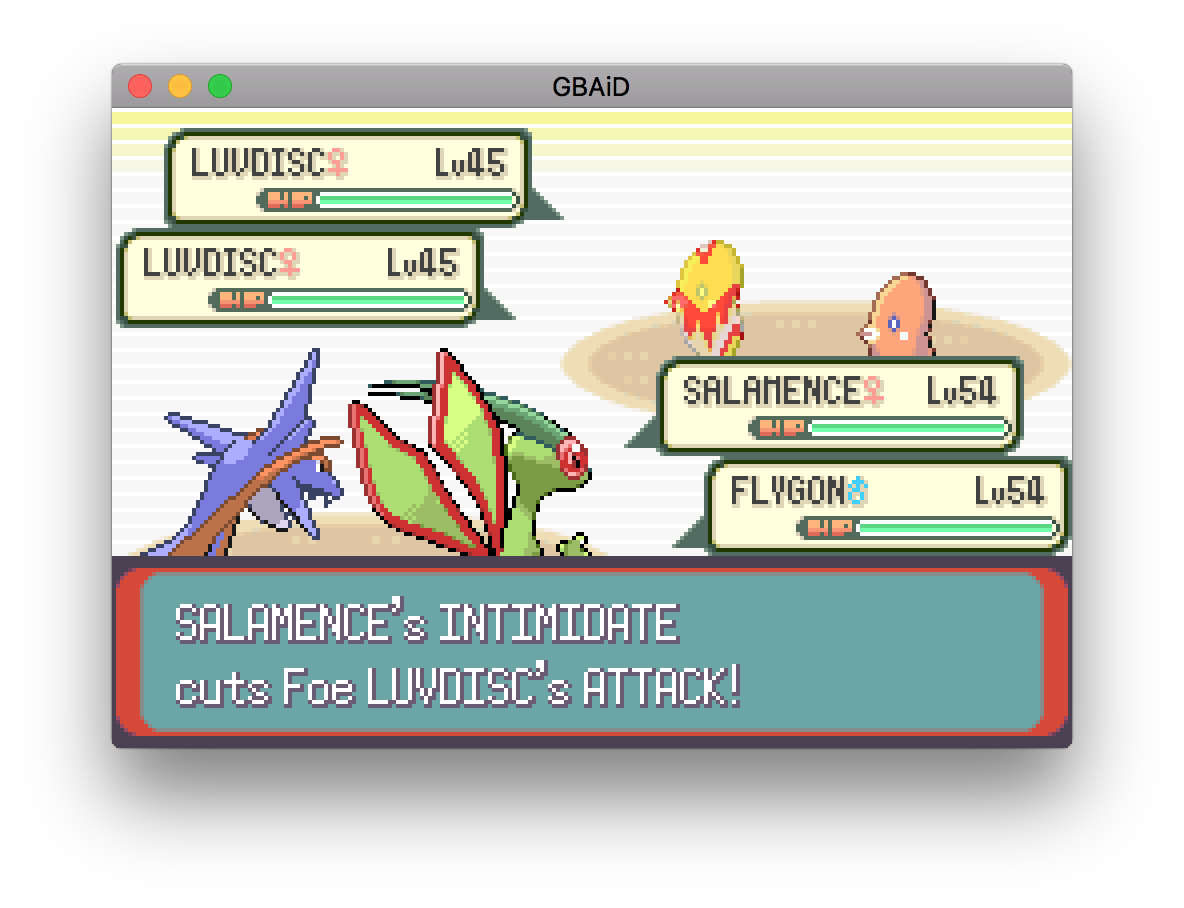
GBAiD is a Game Boy Advance emulator implemented in the D programming language. It targets desktop systems via SDL2/OpenGL and is intended as a learning project and functional GBA implementation with working ROM, BIOS and save handling, basic multiplayer (link cable emulation in alpha), and several tested commercial games noted by the author.
WHY IT MATTERS
Why this project exists
According to the repository, GBAiD was created as an effort to learn the D programming language while implementing a full Game Boy Advance emulator. The author implemented nearly all built-in GBA hardware and used optional inline x86 assembly in display code to reach usable performance.
BEST FOR
Notable strengths
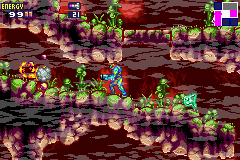
– Implemented most GBA hardware; author reports multiple full or partial playthroughs (Pokemon Emerald, others). – Written almost entirely in D (useful reference for D-language systems programming). – Uses SDL2/OpenGL for cross-platform I/O, graphics and audio and DUB as the build tool; build instructions and runtime arguments are documented in the README.
The people behind GBAiD
Repository and development status
GBAiD is hosted on GitHub (DDoS/GBAiD). The project's README documents its current state, lists tested games, build dependencies and usage arguments. The repository contains source, a README, a license (MIT) and a history of commits. Multiplayer link-cable support is described as alpha, with limitations (active player must be switched manually). The repository is presented as an active open-source project, intended more as a learning/experimental emulator than a polished mainstream emulator. If you need an actively maintained production-grade GBA core (for RetroArch or other frontends) consider other established projects; GBAiD is primarily the author's D-language implementation and may lack the breadth of compatibility and tooling of long-established GBA emulators.
What GBAiD supports
- Game Boy Advance (ROMs)
- BIOS image required (path must be supplied)
- Desktop platforms with a D toolchain plus SDL2 and OpenGL (Linux/macOS/Windows via compatible toolchain)
- Save format: custom .gsf save files (not compatible with other emulators)
Download and availability
OFFICIAL DOWNLOADS
Get GBAiD
Official source, releases and artifacts are available from the project's GitHub repository and its releases page. Build from source with DUB or download any binaries attached to GitHub releases if present. The repository is MIT-licensed; the project does not include any BIOS, firmware, or commercial game files.
Get GBAiD ↗DOCUMENTATION
Official documentation
Read the official configuration, compatibility, and troubleshooting material before changing advanced options.
Read official documentation ↗GBAiD setup guide
Setup note: This guide explains how to build and run GBAiD from the official GitHub source. It highlights verified dependencies, compile steps, required runtime files (BIOS and ROM), command-line arguments and practical notes about saves and multiplayer.
- 1) Get the source: Clone or download the repository from the project's official GitHub: the repository contains src/, a README.md, LICENSE and any example assets provided by the author.
- 2) Install dependencies: Install a D compiler and DUB (the D package/build tool). The README states LDC and DMD are supported; LDC is recommended for better performance. Install SDL2 (version 2.0.3 or greater) and ensure a system OpenGL implementation (OpenGL 2.0 or greater) is available. On Linux this typically means installing libsdl2-dev (or equivalent) and mesa/GL drivers; on Windows and macOS install SDL2 development binaries for your toolchain.
- 3) Build (release mode required): Use DUB to build in release mode; the repository documents: dub build –build release. For better performance use LDC explicitly: dub build –build release –compiler=ldc2. Building in release mode is necessary to reach performance suitable for running games at full speed. After a successful build, binaries are placed in bin/ (or use dub run –build release to run directly).
- 4) Obtain required runtime files (BIOS and ROMs): At minimum, you must supply a GBA BIOS image and a ROM image to run. The README documents the runtime argument format and requires a BIOS path plus ROM path(s). Do not expect the project to include BIOS or commercial ROMs; use only files you legally own.
- 5) Running the emulator: Run via dub: dub run –build release — (arguments) or execute the built binary: ./gbaid -b /path/to/bios.bin /path/to/rom.gba . The -b or –bios switch specifies the BIOS image. For multiplayer provide one ROM path per player. The README includes a full table of supported command-line options (save path, no-load, no-save, scaling, fullscreen, filtering, upscaling algorithms, controller enable, multiplayer count, etc.).
- 6) Save files and compatibility notes: GBAiD uses a custom save format with .gsf extension which is not compatible with other emulators. If a save path is not specified, GBAiD writes a .gsf file next to the ROM. The emulator attempts to auto-detect save type but provides switches (–save-memory, –eeprom, –rtc) to manually configure save memory when creating a new save file.
- 7) Controls and emulator interaction: Default keyboard and controller mappings are documented in the README (keyboard keys for A/B/Start/etc., quick-save key Q, player switching 1–4 for multiplayer). Many emulator and input options are currently not remappable in the published README and are noted as planned for future versions.
- 8) Practical tips and limitations: – Build with LDC for best performance. – Build in release mode; debug builds will be too slow. – Multiplayer is alpha; player inputs cannot be controlled simultaneously without switching the active player. – The project uses OpenGL shaders for upscaling (EPX, XBR, bicubic); test scaling/offscreen modes if you encounter performance issues.
Software reminder: GBAiD does not include BIOS images, commercial ROMs or other copyrighted game files. Obtain BIOS and ROMs only from legitimate, legal sources (for example, from hardware you own) and follow all applicable laws.
Sources and further reading
Detailed guides and tutorials
Explore step-by-step guides for GBAiD as they are published.