 Retro Replay Retro Gaming History, Reviews & Emulation
GAME BOY EMULATOR
GEM
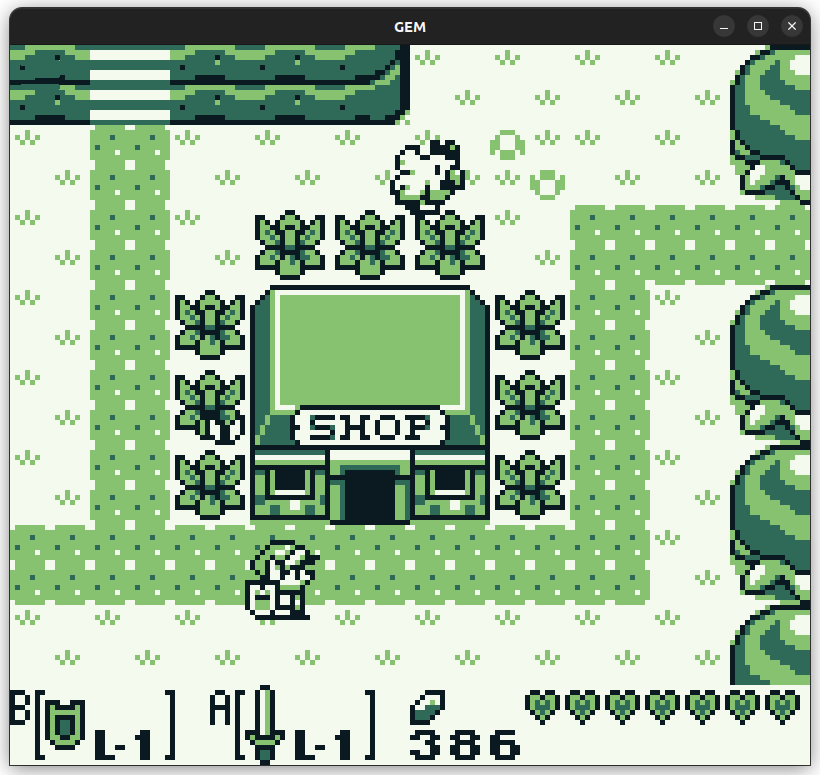
GEM (Game Boy Emulator Multiplatform) is a hobby C# Game Boy / Game Boy Color emulator written on the MonoGame framework. It is a work-in-progress with limited compatibility focused on learning and development rather than production use.
WHY IT MATTERS
Purpose
GEM was created as a personal hobby and learning project to implement Game Boy hardware in C#, using the MonoGame framework and following published Game Boy documentation and talks (the README cites The Ultimate Game Boy Talk and Pan Docs as references).
BEST FOR
Notable characteristics
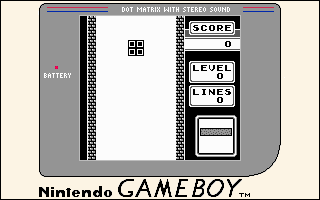
Cross-platform C# codebase (MonoGame) with a GUI and debugger-focused features; supports Windows (x64) and Linux (x64), keyboard and gamepad input, cartridge memory save (battery saves), and stereo sound. The project is explicitly WIP and flags low compatibility for many ROMs.
The people behind GEM
History and status
GEM is a single-developer hobby project hosted on GitHub (repository shows 127 commits and 7 stars at the time the repository was inspected). The README repeatedly warns the project is work-in-progress and lists limited compatibility: ROM support for .gb and experimental .gbc, memory save implemented, no save states, and overall low compatibility. The repository contains desktop and Android (Droid) project folders, indicating multi-target intentions, but the README lists supported OS as Windows (x64) and Linux (x64). There is activity in the repository but the project is not presented as mature or production-ready.
What GEM supports
- Windows (x64)
- Linux (x64)
- Input: Gamepad, Keyboard (mouse via on-screen buttons)
- ROM formats: .gb (primary), .gbc (noted as having major issues)
Download and availability
OFFICIAL DOWNLOADS
Get GEM
Source and any prebuilt releases are available from the project's GitHub repository and the repository's Releases page. Check the Releases section on the official GitHub repository for binaries or packaged artifacts.
Get GEM ↗DOCUMENTATION
Official documentation
Read the official configuration, compatibility, and troubleshooting material before changing advanced options.
Read official documentation ↗GEM setup guide
Setup note: GEM is distributed as source on GitHub and is built on C# using the MonoGame framework. The README warns the emulator is WIP; expect build steps and dependencies to follow standard MonoGame/.NET workflows. The guide below outlines practical steps to obtain, build, and run GEM from the repository as provided by the project.
- 1) Get the source: Clone the official GitHub repository (andremauser/GEM) or download the repository zip from GitHub. Work from the master branch or the latest tag if one is present.
- 2) Install prerequisites: Install a suitable .NET development SDK and the MonoGame framework/runtime for your platform per MonoGame's official instructions. The project uses C# and MonoGame (as stated in the README), so ensure your environment can build and run MonoGame projects (IDE support such as Visual Studio/Visual Studio Code or JetBrains Rider is recommended).
- 3) Open the solution and restore dependencies: Open GEM.sln in your IDE or use dotnet CLI to restore packages. If using an IDE, allow it to restore NuGet packages referenced by the solution. If building from command line, run dotnet restore in the repository root or in the project folders.
- 4) Build the desktop target: Build the GEM.Desktop project (the repository contains a GEM.Desktop folder). Use your IDE's build command or dotnet build for the appropriate project/target framework. Resolve any platform-specific MonoGame runtime requirements (for example native libraries) according to the MonoGame documentation.
- 5) Running GEM: Run the built executable (on Windows or Linux). The README indicates supported ROM formats are .gb (and .gbc with major issues). Load a ROM file through the emulator's UI. Expect glitches and crashes—the project README explicitly warns of limited compatibility.
- 6) Saves and sound: The README documents that memory (battery) saves are implemented but save states are not. Stereo sound is implemented. Verify that save files are being created in the directory GEM uses (the UI or README may mention where saves are persisted).
- 7) Troubleshooting and development notes: If you encounter build or runtime issues, consult MonoGame's platform-specific runtime installation steps and ensure native dependencies are available. The repository includes references and links to Pan Docs and other Game Boy emulation resources used by the author; these are useful when debugging emulator behavior. Because the project is experimental, refer to the GitHub issues and commit history for recent fixes or known problems.
Software reminder: GEM does not include commercial ROMs, BIOS files, or other copyrighted firmware. You must provide your own legally obtained Game Boy ROMs for testing.
Sources and further reading
Detailed guides and tutorials
Explore step-by-step guides for GEM as they are published.