 Retro Replay Retro Gaming History, Reviews & Emulation
GAME BOY COLOR EMULATOR
goboy
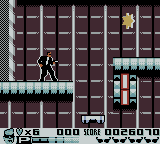
GoBoy is an open-source, multi-platform Game Boy and Game Boy Color emulator implemented in Go. It implements CPU/PPU/APU subsystems, includes debugging helpers and test coverage against Blargg's CPU/timing tests, and provides native builds via GitHub releases or can be built from source with the Go toolchain.
WHY IT MATTERS
Why GoBoy matters
GoBoy is useful for developers and learners who want a relatively small, readable Game Boy / Game Boy Color implementation in Go. It includes debugging features (opcode printing, channel toggles, display/log helpers) and automated tests that exercise core instruction and timing behaviour, making it a practical reference and development exercise rather than a production-focused compatibility emulator.
BEST FOR
Best use cases
Studying Game Boy internals, running many original GB titles and some CGB titles for testing, experimenting with emulator internals (APU/PPU debugging), and building cross-platform development or tooling around a Go codebase.
The people behind goboy
History and status
GoBoy is maintained in a public GitHub repository by user Humpheh. The project repository, documentation site and release page are actively present; the source tree contains tests that run Blargg's cpu_instrs and instr_timing test ROMs and reports passing for those suites. The project README and docs site explicitly state it was created as a development exercise and remains a work in progress with a list of known bugs and incomplete features (for example: some sprite/PPU edge cases, certain MBC3 clock and banking items, APU timing improvements, and optional support for boot ROMs and save-state features). Official binaries are published on the project's GitHub releases page and the code is distributed under an open-source license listed in the repository.
What goboy supports
- Game Boy (DMG)
- Game Boy Color (CGB)
- Windows
- macOS
- Linux
Download and availability
OFFICIAL DOWNLOADS
Get goboy
Official prebuilt binaries and release artifacts are published on the project's GitHub releases page. Source builds are supported via the Go toolchain (go get or go build) from the project repository.
Get goboy ↗DOCUMENTATION
Official documentation
Read the official configuration, compatibility, and troubleshooting material before changing advanced options.
Read official documentation ↗goboy setup guide
Setup note: Practical setup notes — verified from the project's documentation and repository. The emulator requires Go to build from source, depends on the pixel library (OpenGL) for graphics, and may require GTK on Linux or MinGW toolchain on Windows for building. The project provides a simple CLI usage syntax and several runtime/debug flags.
- 1) Get the official release or source: Preferred: download an official binary from the project's GitHub Releases page. Alternative: build from source. The repository and releases are hosted at the project's GitHub page.
- 2) Build from source (if using source): Ensure Go (the Go toolchain) is installed. Two supported approaches shown in the docs: (a) use go get: go get github.com/Humpheh/goboy/cmd/goboy to install into your GOPATH/bin; or (b) clone the repo and build manually: git clone https://github.com/Humpheh/goboy.git; cd goboy; go build -o goboy cmd/goboy/main.go. The project uses the pixel library for graphics which requires OpenGL; consult pixel's README for platform-specific runtime dependencies. Building on Windows often requires MinGW; Linux builds may require GTK for some bindings as noted in the docs.
- 3) Runtime requirements and notes: GoBoy uses the pixel graphics library (OpenGL) for display and supports sound via the libraries included in the code. The documentation warns that you may need to install platform OpenGL drivers and any pixel library dependencies before running a built binary. The emulator does not include commercial game ROMs, firmware or BIOS files — those must be obtained and placed by the user as legally permitted.
- 4) Launching and basic usage: Usage shown in the project's documentation: run the built goboy binary followed by a ROM path, for example: goboy zelda.gb. Basic keyboard controls are provided (arrow keys, Z, X, Enter, Backspace). Runtime options documented include flags such as -dmg to force DMG (original Game Boy) mode and -mute to disable sound. Debugging flags include -cpuprofile, -stepthrough, -unlocked, and -disableVsync. The emulator also offers keyboard shortcuts for toggling background/sprites and printing palette or map data to logs.
- 5) Saving and preservation: If a cartridge ROM uses battery-backed RAM, GoBoy will create a <rom-name>.sav file next to the ROM and update it while the game runs. The project does not ship console boot ROMs or save-state files.
- 6) Known limitations to expect: Documentation lists unfinished or imperfect areas: sprite edge glitches, some PPU timing issues, APU timing/buffering improvements needed, incomplete MBC3 RTC/banking behaviour, lack of save-states and optional boot ROM handling. Expect some commercial CGB titles or edge-case games to show graphical or audio bugs.
- 7) Contributing and testing: The repository includes Blargg test ROMs and automated tests for instruction and timing behaviour (instructions_test.go, timing_test.go). The docs encourage contributors; follow the repository's CONTRIBUTING and issue templates for patches or bug reports.
Software reminder: Do not use GoBoy to run ROMs you do not legally own. The project does not include commercial ROMs, BIOS/boot ROMs, or licensed firmware.
Sources and further reading
Detailed guides and tutorials
Explore step-by-step guides for goboy as they are published.