 Retro Replay Retro Gaming History, Reviews & Emulation
MS DOS WINDOWS EMULATOR
jPC
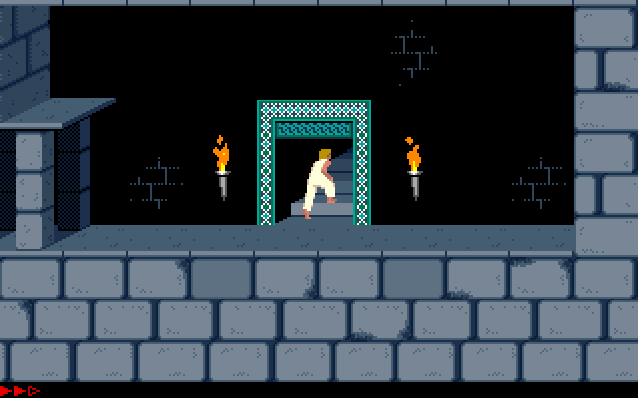
jPC — a Java-written x86 PC emulator that can run MS‑DOS and older Windows on top of a virtual PC environment.
WHY IT MATTERS
Why jPC matters
jPC is a pure‑Java x86 PC emulator that targets classic IBM‑PC compatible software (MS‑DOS-era games and early Windows). Its implementation in Java makes it cross‑platform and easy to run on any host with a compatible JVM.
BEST FOR
Best for
Casual testing and research of DOS-era software on a Java runtime, educational exploration of x86/PC hardware emulation, and running lightweight DOS/Windows 9x experiments without native builds.
The people behind jPC
History & status
The project repository on GitHub (h0MER247/jPC) hosts a Java x86 PC emulator implementation with commits and an active code history. The repository README and files indicate support for 8086/386/486 emulation (with i486 noted as work in progress), basic IDE and VGA emulation, PC speaker, serial and PS/2 mouse emulation, and claims that Windows 95/98 will boot. The README also documents a dependency on a Tseng ET4000 BIOS ROM and optionally an IBM BASIC ROM; those binary ROM files are not included in the repository and must be provided by the user. The project is open source under GPL‑2.0 (LICENSE file present).
What jPC supports
- Guest: MS‑DOS and other x86 OSes (per repo README)
- Guest: Early Windows (Windows 95/98 boot claimed in README)
- Host: any OS with a Java runtime (Windows, macOS, Linux) — runs as a Java application
- Requires: Tseng ET4000 BIOS ROM (user-supplied)
Download and availability
OFFICIAL DOWNLOADS
Get jPC
Official source, releases and source code are available from the project's GitHub repository and Releases page. Prebuilt packages (when present) appear on the repository's Releases page; otherwise the project can be built from source.
Get jPC ↗DOCUMENTATION
Official documentation
Read the official configuration, compatibility, and troubleshooting material before changing advanced options.
Read official documentation ↗jPC setup guide
Setup note: This guide covers getting jPC running from the official GitHub repository. It focuses on verified repository contents: building the Java project, supplying required ROM files, creating or using a disk image, and launching the emulator.
- 1) Get the source or release: Open the project's GitHub repository (h0MER247/jPC). If a release or compiled JAR is available on the Releases page, download that first. If not, clone the repository to build locally.
- 2) Install a Java runtime and build tools: Install a Java SE runtime compatible with the codebase. The repository contains a build.xml file, so Apache Ant is a likely build tool for producing the application. Ensure you have a JDK/JRE and Ant on your host system, and that java and ant are on your PATH.
- 3) Supply required ROM files: The README documents that the emulator requires the Tseng ET4000 VGA BIOS ROM (et4000.bin) and optionally an IBM BASIC ROM (basicc11.bin). These ROM binaries are not distributed in the repository; you must obtain them separately and place them into the data/roms/ folder (create it if missing) before launching the emulator.
- 4) Prepare a disk image or use the example image: jPC expects disk images for guest storage. The README references an example drive image (jPC_HDD_386.zip) that contains a preinstalled FreeDOS image; if provided in releases or issues, download and expand it. Alternatively use tools such as WinImage or standard image creation utilities to build a floppy or hard disk image, then place it where the emulator expects to find it (examples in README/issues or by editing configuration).
- 5) Build and run: If using a prebuilt JAR from Releases, run it with java -jar <jarfile>. If building from source, use Ant (ant build or the target documented in build.xml) to produce the JAR/application, then run it. Ensure the data/roms/ directory contains the required ROMs before launching.
- 6) Configure and troubleshoot: If the emulator fails to boot, confirm: (a) required ROM files are present and named as the README expects, (b) disk images are attached and valid, (c) you are running a compatible Java runtime version. Check the repository's Issues tab or README for project-specific runtime flags and example commands or parameters.
- 7) Legal and practical notes: The project does not include commercial OS installers, firmware, BIOS images, or game content. You must supply any commercial OS installers, firmware, or BIOS files yourself and ensure you have the legal right to use them. The README explicitly asks users to "find" required ROMs independently.
Software reminder: You need a Java runtime (JRE/JDK) and possibly Apache Ant to build from source. Required binary ROM files (e.g., Tseng ET4000 BIOS) are not included and must be supplied by you.
Sources and further reading
- GitHub repository — h0MER247/jPC (README, build.xml, LICENSE, repo files)
- GitHub Releases — h0MER247/jPC (project release / packages page)
- JPC (older project) — SourceForge project pages (historical reference to other JPC Java emulators)
- Wikipedia entry for JPC (emulator) — overview and context
- Featured-image source and credit
Detailed guides and tutorials
Explore step-by-step guides for jPC as they are published.