 Retro Replay Retro Gaming History, Reviews & Emulation
GENESIS MEGA DRIVE EMULATOR
moa
Moa is a Rust-written emulator/simulator targeting several 68000- and Z80-based systems; its Sega Genesis / Mega Drive support is implemented as a working but incomplete emulator frontend.

WHY IT MATTERS
Why use Moa?
Moa is useful if you want a modern, Rust-based experimental emulator that exposes internal debugger features and is designed for learning, development, and low-level experimentation with 68000/Z80 systems. Its Genesis implementation is explicitly a work-in-progress and can run many games but is not a finished, polished retail-quality emulator.
BEST FOR
Best for
Developers and tinkerers who want source-level access to a Genesis implementation in Rust, to study 68k/Z80 hardware emulation, use the built-in debugger, or extend the emulator with additional device support.
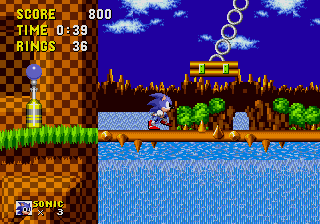
The people behind moa
History and current state
Moa was started on September 26, 2021 and is maintained as a public repository. The author built it originally to emulate their own Computie project and expanded it to support several machines. The repo documents support for Sega Genesis / Mega Drive, the TRS-80 Model I, and the author’s Computie; Macintosh 512k support is partially implemented but the ROM will not boot. The Genesis implementation is functional but unfinished: it currently supports NTSC and VDP mode 5 only, draws frames pixel-by-pixel with layer/window/priority handling, and had audio unimplemented at the time of the documentation. Some games run well, others exhibit graphical issues, missing input handling, problems with cartridges that rely on extra cartridge RAM/NVRAM, or timing inaccuracies that make games run slower than real hardware. The project provides a built-in debugger and several runtime options (scale, threaded mode, speed multiplier, disable audio). The repository is active and available under an open-source license (GPL-3.0 as shown in the repo).
What moa supports
- Sega Genesis / Mega Drive (NTSC, VDP mode 5 — experimental/in-progress)
- TRS-80 Model I (Z80) — basic support
- Computie (author's 68k project) — supported
- Macintosh 512k — partially implemented (ROM does not boot)
Download and availability
OFFICIAL DOWNLOADS
Get moa
Official sources: clone the repository and/or use the project's GitHub Releases if available. The repository uses submodules, so clone with submodules. Prebuilt releases may be present on the repository’s Releases page; if not, build from source using Rust and Cargo. Example clone instruction shown in project docs: git clone –recurse-submodules git@github.com:transistorfet/moa.git
Get moa ↗DOCUMENTATION
Official documentation
Read the official configuration, compatibility, and troubleshooting material before changing advanced options.
Read official documentation ↗moa setup guide
Setup note: Verified run/build steps and practical setup notes (based on the project's README and documentation). This guide assumes you will build from source using Rust toolchain and have a Genesis ROM file you own. The project does not include any commercial ROMs or BIOS files.
- 1) Get the source: Clone the official repository with submodules: git clone –recurse-submodules git@github.com:transistorfet/moa.git. If you prefer HTTPS: git clone –recurse-submodules https://github.com/transistorfet/moa.git.
- 2) Install Rust toolchain: Install Rust and Cargo from rustup (stable toolchain). Ensure cargo is on your PATH and you can run cargo build –version.
- 3) Build and run the Genesis frontend: From the project root, run the provided Cargo command to run the Genesis binary using the minifb frontend: cargo run -p moa_minifb –release –bin moa-genesis — <ROM FILE>. Replace <ROM FILE> with the path to a Genesis ROM file you legally own.
- 4) Runtime options to know: Common options available in the project: –scale [1,2,4] to change the window scale (default scale 2), -t or –threaded to run simulated hardware in a separate thread, -d or –debugger to start the built-in debugger before execution, -x or –speed to multiply milliseconds-per-frame (e.g., 0.5 to slow down, 2 to speed up), and -a or –disable-audio to avoid creating an audio device.
- 5) Platform notes: The frontend uses the minifb crate for windowing; building and running requires a platform with working Rust toolchain and typical build dependencies. The project’s build and runtime may call external tools for other machine frontends (for example, Computie uses pyserial-miniterm and slattach in the author’s setup), so consult the machine-specific docs if you plan to run those.
- 6) Known limitations: Genesis support is experimental: NTSC-only, VDP mode 5 only (not mode 4), audio was not implemented in earlier documentation, some cartridges that require extra cartridge RAM or NVRAM can crash, and timing/synchronization can make games run slower than real hardware. Expect incomplete compatibility and occasional graphical or input bugs.
- 7) Debugging and development: The project includes a simple instruction-level debugger. Use -d/–debugger to open it. The author documents implementing the Genesis features in a multi-part blog series; that series and the repository’s crate-level rustdocs are useful when modifying or extending the emulator.
Software reminder: Do not use Moa to play commercial games unless you own the ROM files legally. The project does not provide commercial ROMs or firmware.
Sources and further reading
Detailed guides and tutorials
Explore step-by-step guides for moa as they are published.