 Retro Replay Retro Gaming History, Reviews & Emulation
NES EMULATOR
nes-emulator-java
Java implementation of a Nintendo Entertainment System (NES) emulator that implements a 6502-family CPU and the 2C02 PPU; source and development are hosted on GitHub.
WHY IT MATTERS
Why this project exists
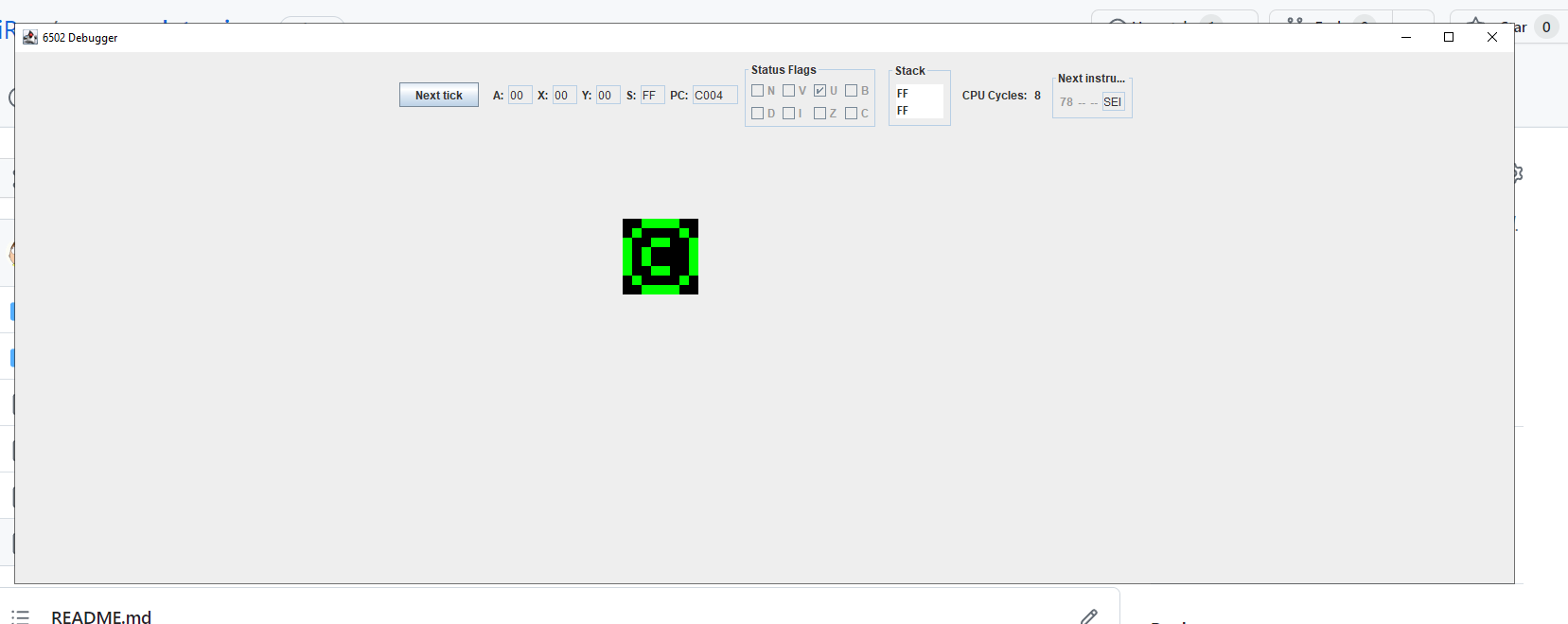
Author’s stated goal is educational: to implement NES hardware in Java from first principles (CPU, PPU, debugging tools) rather than copying other emulators. The repository documents progress screenshots and development notes showing stepwise improvements in CPU/PPU, debugger, and rendering.
BEST FOR
Best fit / strengths
Good as a learning / reference implementation: visible CPU and PPU debug views, cycle/PPU-focused work, and many development screenshots. Uses modern Java toolchain (pom.xml targeting Java 19), and the full source is available for study and modification.

The people behind nes-emulator-java
History & repository status
The project is developed publicly on GitHub (ShlomiRex/nes-emulator-java). The repo contains many commits and development artifacts (source tree, README, a Maven pom.xml, and an out/artifacts folder). The README describes progressive milestones (NESTEST runs, pattern table and nametable rendering, controller support) and lists resources used during development. There are no formal release files published on the repository’s Releases page (no downloadable release assets were found); the code is provided as source and build artifacts in the repository. The pom.xml indicates the project is configured to compile with Java 19 and uses Maven. Because the repository is the authoritative source for the project, users should consult it for current activity and any changes. (Sources consulted: repository root, README.md, pom.xml, Releases page.)
What nes-emulator-java supports
- Nintendo Entertainment System (NES) – 6502-family CPU and Ricoh 2C02 PPU (as implemented in source)
- Host platforms that run Java 19 and Maven (Windows, macOS, Linux) — depends on JVM availability and desktop Java support for the GUI components used in the codebase.
- Input: keyboard/controller support appears implemented in source (see README progress screenshots and files). Note: no commercial ROMs, BIOS, or firmware are included or provided.
- Build tooling: Apache Maven and JDK 19 (pom.xml declares maven.compiler.source/target = 19).
Download and availability
OFFICIAL DOWNLOADS
Get nes-emulator-java
No formal release archive with bundled ROMs was found on the repository’s Releases page. The canonical download is the source tree from the project GitHub repository; users are expected to clone the repository and build locally (pom.xml present).
Get nes-emulator-java ↗DOCUMENTATION
Official documentation
Read the official configuration, compatibility, and troubleshooting material before changing advanced options.
Read official documentation ↗nes-emulator-java setup guide
Setup note: Practical setup notes (build & run) — verified from repository files. This guide focuses on building from source and getting the emulator running for study or development. It avoids unverified assumptions about packaged executables or included ROMs/BIOS files.
- 1) Get the source: Clone the official repository (https://github.com/ShlomiRex/nes-emulator-java) or download the repository ZIP from GitHub using the repository page. Use a local folder for development.
- 2) Install Java and Maven: Install a Java 19 JDK (pom.xml sets maven.compiler.source and target to 19). Install Apache Maven (or use an IDE that provides Maven build integration). Ensure JAVA_HOME points to the JDK 19 installation and that mvn is on your PATH.
- 3) Inspect project layout before building: Open the repository in your IDE (IntelliJ IDEA, Eclipse, or VS Code with Java support). The repo contains src/ for Java sources, a pom.xml at the project root, and an out/artifacts directory that hints at an IDE artifact. Read README.md for developer notes and implemented features. Confirm there is no included commercial game/BIOS data in the tree.
- 4) Build with Maven: From the project root run mvn -U package (or mvn package). This will compile the code and create build outputs according to the pom configuration. The pom targets Java 19, so use that JDK for compilation.
- 5) Locate the runnable artifact or run from IDE: The repository lists an out/artifacts/nes_emulator_jar path in the tree; if the build produces a runnable JAR or an IDE artifact, check that folder after building. If no runnable JAR is produced, run the emulator from your IDE by locating the main application class in src/ and launching it. The README does not provide an explicit command-line invocation, so running from the IDE is the safest route to see the GUI/debugger without guessing main-class names.
- 6) Supplying ROMs / test files: The repository references NESTEST and discusses running test ROMs in the README, but the project does not include commercial games or BIOS. Obtain your own legally-owned NES ROMs or the NESTEST ROM from trusted preservation sources if you have the rights to use them. Place ROM files where the emulator’s open/load dialog or the code expects them (inspect source for file-loading paths/GUI controls). Do not expect any ROMs to be bundled.
- 7) Troubleshooting & development notes: If rendering or audio issues occur, consult README progress notes and the source’s PPU and CPU implementation files. The author documents known rendering glitches and stepwise fixes; use the debugger views included in the GUI to inspect PPU nametables, pattern tables, and CPU registers. For build or dependency failures, confirm Maven downloaded dependencies declared in pom.xml (SLF4J, Logback, JUnit).
- 8) Contributing or modifying: Follow standard GitHub workflow: fork the repository, make changes locally, and open a pull request. The project currently has minimal issue/pull request activity; for questions, the repository issue tracker is the appropriate place to request help or report bugs.
Software reminder: This project is source code only on GitHub. It requires a Java 19 runtime and Maven (or an IDE) to build and run. The repository does not provide commercial game ROMs, BIOS, or firmware — you must supply those yourself if you have a legal right to use them.
Sources and further reading
Detailed guides and tutorials
Explore step-by-step guides for nes-emulator-java as they are published.