 Retro Replay Retro Gaming History, Reviews & Emulation
MS DOS WINDOWS EMULATOR
pcjs
PCjs — a JavaScript-based emulator and machine framework that recreates IBM PC, PC/XT, PC/AT and selected PC-compatible machines (x86) and related classic systems in the browser and Node.js. It runs original ROM images and disk images and can boot MS‑DOS and other vintage operating systems in a webpage or from a local deployment.
WHY IT MATTERS
Why PCjs is notable
PCjs is notable for being a browser-first, JavaScript implementation that models IBM PC family hardware (CPUs, video adapters, disks, etc.) and exposes machine definitions as JSON. It provides an extensive archive of machine definitions, disk images and documentation on pcjs.org while the project source and releases are maintained on GitHub.
BEST FOR
Best uses
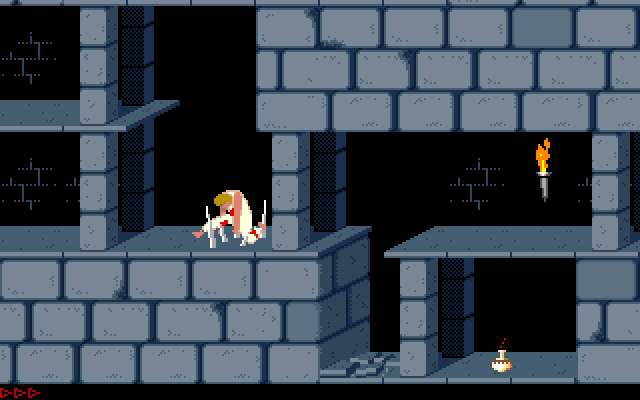
Interactive exploration of original PC hardware and period software in a modern browser; testing and running MS‑DOS-era software and demos without installing native emulators; educational demonstrations of low-level PC internals and machine components.
The people behind pcjs
History & status
PCjs has been developed and maintained as an open-source project (MIT license) with an emphasis on faithfully simulating IBM PC family hardware in JavaScript for browsers and Node.js. The main project and documentation are hosted at pcjs.org while source code and formal releases are published on GitHub under the repository maintained by Jeff Parsons (jeffpar/pcjs). The project provides many machine definitions (IBM 5150, XT, AT and various compatibles) plus additional classic machines and documentation archives. PCjs is an active, community-visible project with published releases and a public documentation site (pcjs.org) that also hosts disk image collections and machine JSON files for immediate use in the browser.
What pcjs supports
- IBM PC (pcx86) family: IBM 5150 (PC), PC XT, PC AT and many PC-compatible variants (x86)
- MS-DOS and other period PC operating systems and software (via disk images)
- Browser (web) runtime and Node.js execution
- Machine definition files (JSON) and a large archive of disk images and documentation
Download and availability
OFFICIAL DOWNLOADS
Get pcjs
Official source and releases are on GitHub. Browser-hosted machines, disk image archive, and documentation are available from the PCjs website (pcjs.org).
Get pcjs ↗DOCUMENTATION
Official documentation
Read the official configuration, compatibility, and troubleshooting material before changing advanced options.
Read official documentation ↗pcjs setup guide
Setup note: Practical setup depends on whether you want to (A) run PCjs machines directly from the pcjs.org site, (B) run a local copy from the GitHub repository, or (C) use PCjs in Node.js. The steps below cover each approach and point to where to obtain machine JSON files and disk images.
- A — Run a machine instantly in your browser (no install): 1) Open the PCjs Machines page on pcjs.org. 2) Browse the Machines or Software collections and pick a machine (for example the IBM 5150 CGA/PC). 3) Click the machine link to load its machine page; the emulator will run the configured machine in your browser and provide controls for inserting disk images, pausing, resetting, and interacting with the emulated keyboard and display. 4) Use the on-site disk/image library to select a DOS floppy or hard-disk image to boot MS‑DOS or other software. Note: pcjs.org hosts many ready-made machine JSON files and disk images so you can try systems immediately without downloading anything.
- B — Download and run PCjs locally (web server): 1) Get the source or release archive from the project's GitHub repository/releases (jeffpar/pcjs). 2) Unpack the release into a folder served by a static web server (PCjs runs in the browser and files must be served over HTTP/HTTPS, not file:// for full functionality). 3) Open the local site (for example http://localhost:8000/) and use the Machines interface or point the machine URL to one of the supplied JSON machine definitions (e.g., machines/pcx86/ibm/5150.json). 4) Place or reference disk images in the appropriate folder and update the machine JSON or UI controls to load them. 5) Use the provided documentation (docs and examples in the repo) to customize machine parameters like CPU model, memory size, video adapter, and peripherals.
- C — Run PCjs under Node.js (headless or for development): 1) Clone the repository and install Node.js if you plan to run server-side tooling or Node-based builds. 2) Follow the repository README and documentation for Node usage; PCjs includes components that can run under Node.js for automated or headless usage. 3) Use the machine JSON files and disk images from the repo or pcjs.org as input. 4) Consult the PCjs documentation for available Node commands, build steps, and examples.
- Practical tips and configuration details: • Machine definitions are JSON files that describe CPU, devices, ROMs and boot devices; use existing definitions as templates. • PCjs expects ROM images and disk images (floppy/hard) to be provided separately — the emulator does not bundle commercial OSes or BIOS files. • When running locally, serve files over HTTP (python -m http.server, Node serve, etc.). • For compatibility testing, choose the machine profile closest to the original hardware (5150/XT/AT) and then attach DOS images (MS‑DOS or PC‑DOS) or application disks. • Check the repo and pcjs.org documentation for command-line options, build notes, and examples.
- Common pitfalls: • Do not expect commercial BIOS/OS files to be included — supply legally owned ROMs/OS images if required. • Some complex peripherals or copy-protected titles may not work perfectly in a high-level JS simulation compared with native emulators; test with known-good images. • Browser security policies may block local file access; use a local HTTP server.
- Where to get help and documentation: Use the project README, the PCjs website documentation and the machine pages on pcjs.org. The GitHub repository issues page is the place to report bugs or ask development questions.
Software reminder: PCjs requires that any BIOS, firmware, or commercial OS files you use are obtained legally. The project provides machine definitions and many disk images, but it does not include commercial copyrighted operating systems or closed-source BIOS/firmware unless explicitly provided by their rightsholders on pcjs.org.
Sources and further reading
Detailed guides and tutorials
Explore step-by-step guides for pcjs as they are published.