 Retro Replay Retro Gaming History, Reviews & Emulation
SNES EMULATOR
PySNES
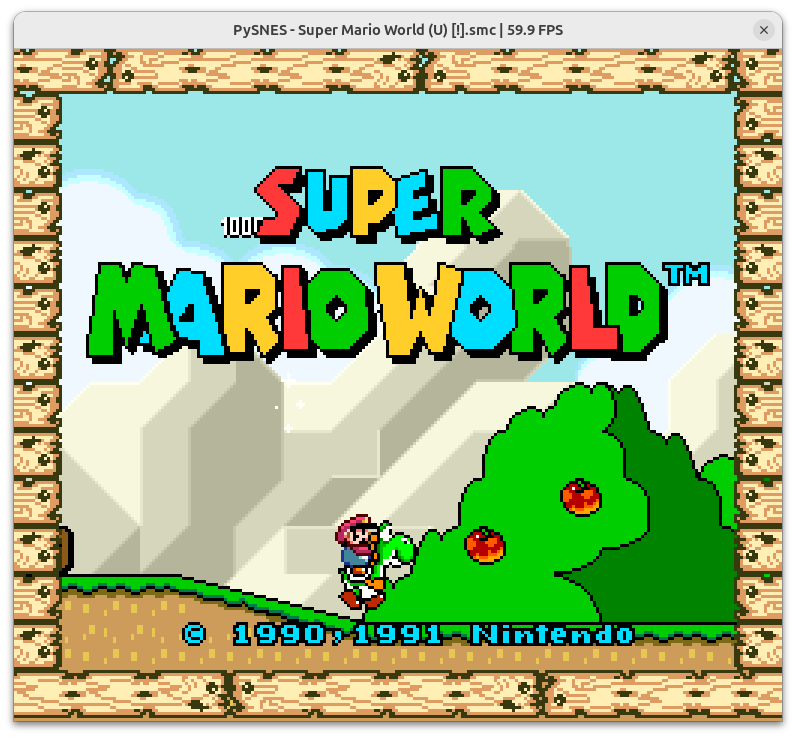
PySNES — an experimental SNES emulator implemented in Python (source repository on GitHub).
WHY IT MATTERS
Why this project matters
PySNES is an educational/experimental reimplementation of Super Nintendo hardware in Python that aims to model the 65816 CPU, PPU, APU (SPC700 + DSP), DMA/HDMA, controllers, and a debugger. It demonstrates how much of SNES functionality can be expressed in a high-level language and provides a readable codebase for learning and research.
BEST FOR
What PySNES does
Implements core SNES subsystems in Python with a built-in debugger, save-state support, SDL2-based video/audio output, and controller input. It is intended as a work-in-progress research/learning emulator rather than a polished, high-performance consumer emulator.

The people behind PySNES
History and status
The project is hosted on GitHub and described by its author as an experimental SNES emulator in Python. The repository contains an organized codebase with directories for cpu, ppu, apu, bus, rom parsing, controller input, debugger, savestate, video and audio, and uses uv to manage a PyPy 3.10 runtime for execution. There are many commits and active development visible in the repository, but there are no packaged binary releases on the repository’s Releases page — users build and run from source. The README documents features and an Ubuntu-centric installation/run workflow. Because the emulator is written in Python and targets PyPy, expect performance to be limited compared with native C/C++ emulators; the project is best suited for study, debugging, and incremental development rather than for high-compatibility, full-speed gameplay on modest hardware. Source repository and README are the primary authoritative references for current status and usage.
What PySNES supports
- Super Nintendo Entertainment System (SNES)
- Download (source) via git clone of the official GitHub repository (no prebuilt releases provided) — see Sources.
- Platforms verified by documentation: Linux (Ubuntu) with SDL2; requires PyPy 3.10 via uv (project uses uv to install runtime).
- Likely to run on other POSIX systems where PyPy and SDL2 are available, but Windows/macOS usage is not documented in README.
Download and availability
OFFICIAL DOWNLOADS
Get PySNES
There are no published release binaries in the repository Releases page. The README shows the intended run method via uv; obtain the source with git clone from the official GitHub repository and follow the README installation steps to install dependencies and the PyPy runtime.
Get PySNES ↗DOCUMENTATION
Official documentation
Read the official configuration, compatibility, and troubleshooting material before changing advanced options.
Read official documentation ↗PySNES setup guide
Setup note: This guide follows the project's README and describes a practical Ubuntu-based setup and how to run PySNES from source. Adjust steps for other distributions or platforms where package names and commands differ.
- 1) Get the source: Clone the official repository: git clone https://github.com/eduardovra/PySNES.git. Work from the repository root where the README and pyproject.toml live.
- 2) Install SDL2 runtime (Ubuntu example): Install the SDL2 runtime package so the emulator can open video and audio: sudo apt install libsdl2-2.0-0 (as shown in the README). If you plan development/testing, also install the SDL2 development packages (libsdl2-dev) and other build tools as needed.
- 3) Install uv (manages PyPy and dependencies): The project uses uv to install a specific PyPy runtime and Python dependencies. Install uv per the README with: curl -LsSf https://astral.sh/uv/install.sh | sh. After installing uv, run uv sync from the repository root to download PyPy 3.10 and install declared dependencies.
- 4) Run tests (optional): If you want to run the test suite, use: uv run pytest. This runs tests under the uv-managed PyPy environment.
- 5) Run the emulator with a ROM (user-supplied): Run using uv so the packaged PyPy runtime is used: uv run pysnes roms/game.sfc. The project expects you to provide your own SNES ROM files; the repository does not include commercial games, firmware, or BIOS files.
- 6) Controls and emulator keys: Default input mapping (from README): Arrow keys = D-pad; Z = B; X = A; A = Y; S = X; Enter = Start; ' (apostrophe) = Select; D = L; C = R. Emulator controls: Space = Pause/resume; F5 = Save state; F6 = Load state; F11 = Screenshot; F12 = Open debugger.
- 7) Debugging and development notes: The codebase includes a built-in debugger and is organized into modular subsystems (cpu, ppu, apu, bus, rom, controller, debugger, savestate, video, audio). Use the debugger for step-through testing and to validate CPU/PPU/APU behaviors. Because the emulator targets PyPy for performance, run under uv-managed PyPy for best results.
- 8) Practical expectations: This is an experimental Python emulator: compatibility and performance will be more limited than mature C/C++ SNES emulators. Expect it to be most useful for learning, researching SNES internals, or contributing to emulator development rather than for reliably playing many commercial games at full speed on low-end hardware.
Software reminder: PySNES does not include or distribute SNES ROMs, commercial games, or proprietary firmware. You must provide your own legally obtained ROM files. Follow local laws and respect copyright when acquiring game images.
Sources and further reading
Detailed guides and tutorials
Explore step-by-step guides for PySNES as they are published.