 Retro Replay Retro Gaming History, Reviews & Emulation
NES EMULATOR
rusty-nes
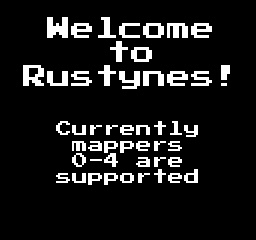
RustyNES — a hobby open-source Nintendo Entertainment System (NES) emulator written in Rust. Provides a desktop GUI, supports several common mappers (0–4), save states, keyboard controls, and builds for Linux, macOS, and Windows.
WHY IT MATTERS
Why pick RustyNES?
Small, Rust-based NES emulator suitable for learning/emulation hobbyists. Source is available under GPL-3.0 so you can inspect CPU/PPU/mapper implementations and build platform-specific binaries.
BEST FOR
What RustyNES does (verified)
Runs iNES-format (.nes) ROM files, supports mapper 0, 1, 2, 3, and 4, offers keyboard controls (Z/X for A/B, arrow keys for D-pad, Enter/Right Shift for Start/Select), save/load state via the GUI, and can be launched with a –rom / -r argument to load a ROM at startup.

The people behind rusty-nes
History & Status
RustyNES is a hobby project hosted on GitHub. The repository shows active commits and a project README describing features (supported mappers, usage, build instructions). The project is distributed under GPL-3.0 and shows modest community interest (stars/watchers). No separate website or commercial distribution was identified; official project activity and releases are managed through the GitHub repository and its Releases page. If you need precise origin dates or author timelines beyond the repository activity, check the repository commit history or use a first-commit lookup tool against the GitHub repo.
What rusty-nes supports
- NES (iNES .nes files)
- Mapper 0 (NROM)
- Mapper 1 (MMC1)
- Mapper 2 (UxROM)
- Mapper 3 (CNROM)
- Mapper 4 (MMC3)
Download and availability
OFFICIAL DOWNLOADS
Get rusty-nes
Official binaries and release artifacts (where present) are published on the project's GitHub Releases page. Source builds are produced with Cargo (Rust).
Get rusty-nes ↗DOCUMENTATION
Official documentation
Read the official configuration, compatibility, and troubleshooting material before changing advanced options.
Read official documentation ↗rusty-nes setup guide
Setup note: This is a practical setup guide based on the project's README and releases. It focuses on building from source and running prebuilt releases. It does not include nor assume any commercial ROMs, BIOS, or firmware.
- 1) Grab the official source or releases: Official project pages: the GitHub repository is the authoritative source. For prebuilt binaries check the repository's Releases page; for source builds clone the repository (git clone https://github.com/siliconandsolder/rusty-nes).
- 2) Dependencies you must install: Rust toolchain (rustup + cargo). SDL2 development libraries are required (SDL2 is used for graphics/input/audio). On Linux, you also need GTK3 dev libraries to build the Rust File Dialog (RFD) dependency. Install platform-specific SDL2 dev packages (for example: on Debian/Ubuntu: libsdl2-dev; on Fedora: SDL2-devel). On macOS use Homebrew (brew install sdl2), on Windows install SDL2 development headers or rely on the provided release binaries if available.
- 3) Building from source: From the cloned repository root, after installing dependencies, build a release binary with: cargo build –release. This produces an executable under target/release/ (typically named rustynes or rustynes.exe). If build errors reference missing dev libraries, install the appropriate SDL2/GTK3 dev packages and retry.
- 4) Running the emulator: Run the binary with no arguments to open the GUI splash screen, then use File -> Open to pick a .nes file. Or start with a ROM loaded using: ./rustynes –rom /path/to/rom.nes or ./rustynes -r /path/to/rom.nes.
- 5) Controls and save states: Default keyboard controls: Z = A, X = B, Arrow keys = D-pad, Enter = Start, Right Shift = Select, Esc = return/exit. Save states are available from File -> Save State and File -> Load State in the GUI; choose or provide a directory for state files.
- 6) Platform notes: The README lists Linux, macOS, and Windows as supported platforms. On Linux you will need SDL2 and GTK3 dev libraries. On macOS and Windows, use the appropriate SDL2 dev packages or download a release build if provided to avoid manual dependency setup.
- 7) Mapper and compatibility notes: RustyNES advertises support for mappers 0–4. Mapper support determines which ROMs will run correctly; consult an NES mapper lookup (external resources) to check which mapper a given ROM uses. Expect incompatibilities for games using mappers beyond the listed set.
- 8) Troubleshooting: If the emulator fails to build, check cargo output for missing native libraries (SDL2/GTK3) and install corresponding dev packages. If audio/video issues appear, ensure your SDL2 installation is functional and up to date. For runtime bugs, open an issue on the project's GitHub Issues page, including platform, build logs, and the exact git commit or release used.
Software reminder: This project does not include NES game ROMs, commercial firmware, or BIOS files. You must supply legally obtained .nes files yourself.
Sources and further reading
Detailed guides and tutorials
Explore step-by-step guides for rusty-nes as they are published.